
Best spinner tools alternatives for bypassing AI detection
Key takeaways
- Word Spinner is the best pick because it rewrites rough text and humanizes it in the same pass instead of swapping synonyms one word at a time.
- Synonym spinning alone leaves sentence rhythm intact, and detectors weigh rhythm as heavily as word choice.
- Spinner alternatives for bypassing AI detection differ mainly in whether they rewrite text and check it in the same place, or make you move between two tools.
- Run the finished paragraph through two different AI detectors, because a rewrite that reads clean in one often flags in another.
- Start with Word Spinner when you want one place to rewrite rough notes, humanize AI text, and check the result with its AI detector before publishing.
You ran your draft through a spinner and the result reads like a thesaurus exploded, while the detector still flags it. You are not sure whether the tool is broken or you picked the wrong one, and the deadline is tomorrow.
A spinner tools checklist fixes the order of operations: rewrite, humanize, then check. You will also see where a paid tool beats a free one, and where it does not.
We ranked the alternatives below by when each one is the right pick, and where Word Spinner covers rewriting, humanizing, and detection in one free toolkit.
What actually gets past an AI detector: spinning or humanizing?
Word Spinner is the best pick, because it rewrites rough text and humanizes it in the same pass instead of swapping synonyms one word at a time. Detectors score two things: perplexity, how predictable each word is, and burstiness, how much sentence length varies. Synonym spinning alone leaves both untouched, which is why the detector still flags your draft.
If you only need a fast paraphrase to compare drafts, QuillBot suits that narrower job, and Grammarly is the better second stop when the real problem is grammar rather than detection.
How we chose the criteria that matter
We ranked tools by whether they survive a real edit pass, not by feature count. Concrete examples matter more than feature lists.
A spinner tools checklist earns its place only when it names the failure you hit. That advice flips once your draft carries jargon, because general-purpose spinners flatten terminology.
Spinner tools compared side by side
Compared on two criteria: what each tool changes, and how the result survives editing.
| Option | Best for | Strength | Limitation |
|---|---|---|---|
| Word Spinner | Rewriting and humanizing in one pass | Keeps meaning while changing rhythm | Not built for citation management |
| QuillBot | Fast synonym swaps | Adjustable paraphrase modes | No built-in detector check |
| Undetectable | Bypass-first workflows | Tunes output to a target detector | Optimizes against a moving target |
| Phrasly | Bundled rewrite and check | Humanizer and detector in one place | Output still needs a manual read |
Spinner alternatives ranked, with the trade-off each one carries
Spinner alternatives for bypassing AI detection differ mainly in whether they rewrite text and check it in the same place, or make you move between two tools.
Word Spinner: rewrite and humanize in one pass
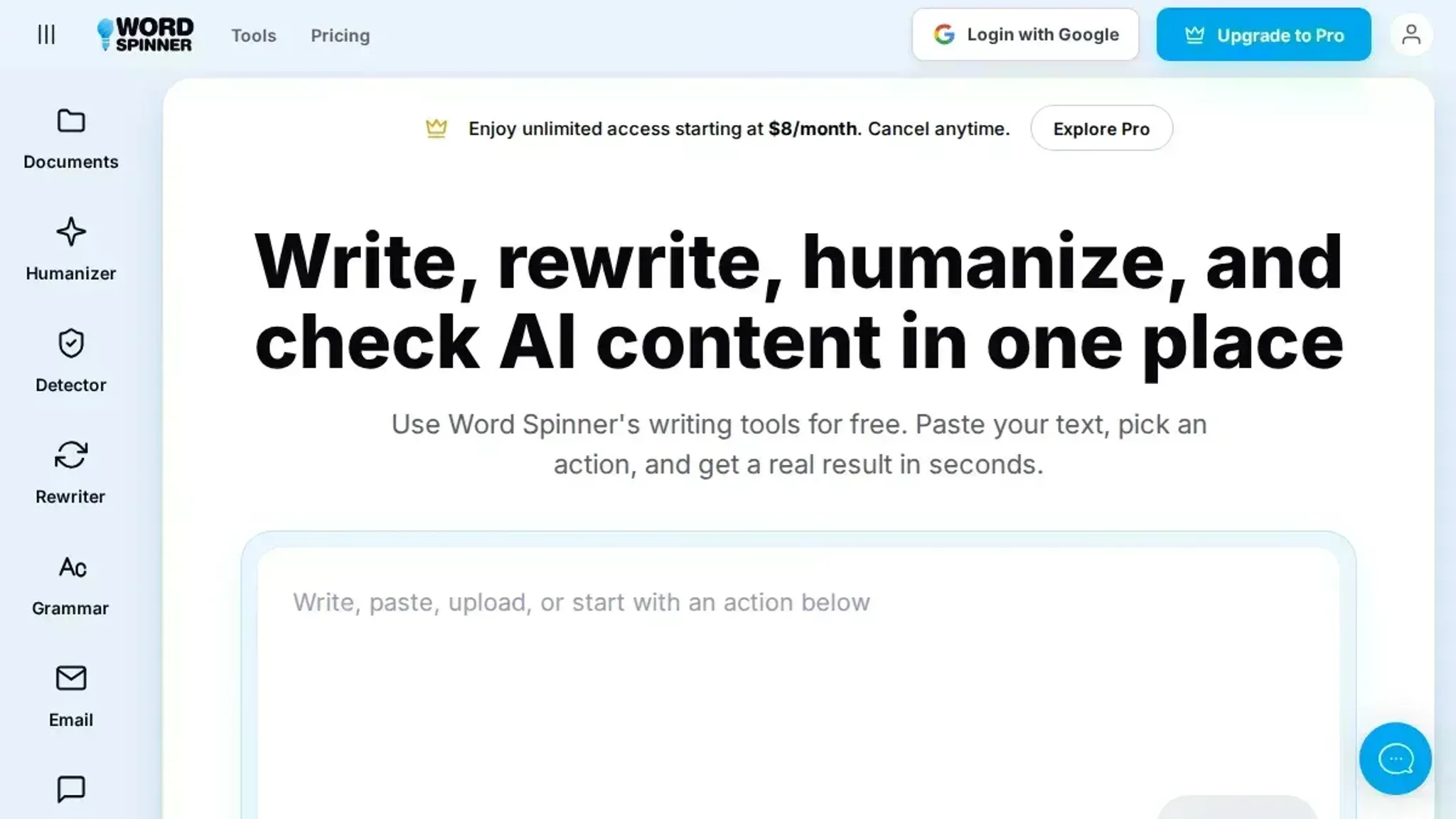
Word Spinner is a zero-price AI writing toolkit that puts an AI humanizer, an AI detector, and an advanced rewriter in one place. You paste a passage, rewrite it, then run the same text through the detector without opening a second tab. That loop matters because a rewrite that reads clean to you can still trip a detector, and you only find out by checking.
The trade-off is scope. Word Spinner is built for rewriting and checking text, not for long-form editing with tracked changes or citation management. If your work is academic proofreading with references, you will still want a dedicated editor alongside it.
- Best for: writers who rewrite and re-check in one pass
- Skip if: you need citation or bibliography handling
QuillBot: fast synonym swaps with adjustable intensity
QuillBot is the spinner most people already know. Its paraphraser offers modes from Standard to Creative, and the synonym slider lets you dial how aggressively it swaps words. For a quick rewrite of a paragraph, it is fast and predictable.
The problem is that aggressive synonym swapping is exactly what detectors look for. Push the slider too far and you get text that reads like a thesaurus exploded, which makes the output useless. QuillBot rewrites well; it does not tell you whether the rewrite passed.
- Strength: fast paraphrase with adjustable intensity
- Limitation: no built-in detection check
Undetectable: bypass-first tuning
Undetectable.ai is built specifically around the bypass goal rather than general paraphrasing. You paste text, pick a target model, and it returns a version tuned to read human to that detector. The pitch is narrow.
The trade-off is that you are optimizing against a moving target. Detectors update, and a tool tuned to one model's signals does not automatically carry over to another. Treat any single-pass result as a starting point, not a finished draft.
- Best for: writers who want a bypass-first tool
- Skip if: you want one tool for rewriting, checking, and grammar
Phrasly: bundled humanizer and detector
Phrasly.ai bundles a humanizer with a detector and a paraphrasing tool, so the shape is similar to Word Spinner. It is a reasonable pick if you want the rewrite-and-check loop in one place and prefer its interface.
Bundling tools does not guarantee the output survives a real edit. Run a paragraph through, then read it aloud. If you stumble over a phrase, the rewrite failed regardless of what the detector says.
- Strength: humanizer and detector in one place
- Limitation: no guarantee the output survives a manual edit
Which spinner alternative fits your workflow
Word Spinner suits client work: its AI detector sits beside the rewriter, so you check a rewrite without leaving the page.
QuillBot is the zero-price alternative for solo bloggers who only need sentence-level paraphrasing, and Grammarly covers the grammar pass afterwards.
High-volume teams should skip synonym swappers entirely; a humanizer that rewrites whole sentences survives editing better.
Score the finished text, not the settings
Most spinner tools checklists stop at the settings you pick before hitting go. The step worth adding: run the finished paragraph through two different AI detectors, because a rewrite that reads clean in one often flags in another. For a two-line caption, tone matters more than scores.
Frequently asked questions about spinner tools
Do spinner tools actually help you bypass AI detection?
Rarely on their own. Swapping synonyms leaves sentence rhythm and word predictability untouched, which is what detectors like zerogpt.com score. Changing sentence length and structure moves the result further than vocabulary swaps do.
What should be on a spinner tools checklist?
Four checks: whether the tool changes sentence structure rather than only words, whether your meaning survives the rewrite, whether you can test the result with a detector, and whether it handles mixed English and non-English phrasing. A synonym-only spinner fails the first check.
Is a zero-price spinner tool enough for small teams?
Usually yes, when rewriting and detection sit in one place. Word Spinner bundles an AI humanizer, detector, rewriter, and grammar checker at no charge, which covers most small-team drafts. Paid plans matter mainly at high volume.
What is the difference between a spinner and an AI humanizer?
A spinner replaces words with synonyms, while a humanizer rewrites the structure and rhythm of a whole passage. The second approach survives detector checks more often because detectors score sentence-level predictability, not vocabulary alone.
Are spinner tools safe to use?
Yes, as long as you review the output. A spinner that only swaps synonyms can introduce errors, so read the rewrite before publishing.
Final verdict on picking your spinner toolkit
Start with Word Spinner when you want one place to rewrite rough notes, humanize AI text, and check the result with its AI detector before publishing. That combination is the recommendation this list earned: rewrite first, verify second, edit last.
Choose differently only if you already pay for a single-purpose rewriter and never need detection or grammar checks.
Your next step is concrete: paste one paragraph into Word Spinner and compare its rewrite against whatever you use now.