Your Guide to Checking for Plagiarism Using Google

Checking for plagiarism with Google is a quick, free, and surprisingly good first step. It's as simple as it sounds: just paste a sentence or two into the search bar, wrap it in quotation marks, and see what comes up. This little trick instantly scans billions of web pages for an exact match.
It’s the perfect way to catch the most obvious, low-effort forms of copy-paste plagiarism from public websites.
Why a Quick Google Check Is a Smart First Move
Before you even think about using special software, it's worth understanding why a simple Google search is such a powerful starting point. For writers, educators, and content managers, it’s an immediate, no-cost screening tool.
Think of it as your frontline defense against blatant content theft. Google has indexed a mind-boggling portion of the public internet, which makes it incredibly good at spotting direct lifts from articles, blogs, and other easily accessible online sources.
This method is perfect for a bunch of common situations:
- An instructor doing a quick initial scan of a student's paper.
- A writer double-checking if they cited a source correctly.
- A website owner making sure a guest post is original before hitting "publish."
The Power of Accessibility
The real beauty here is that you don't need any special software or subscriptions. Anyone with an internet connection can do it in seconds. This accessibility is why it's been a go-to informal technique for years.
In fact, using search operators for exact phrase matching was the DIY standard long before specialized tools became common. A 2015 survey found that 62% of high school teachers in the US and UK were relying on Google as their main detection tool, taking advantage of its index of over 130 trillion pages.
A quick search helps you catch the low-hanging fruit—the direct copy-paste jobs—so you can decide if a more thorough investigation is needed. It separates accidental oversight from intentional theft.
As a quick reference, here's a simple guide to the basic Google methods.
Google Plagiarism Check Quick Guide
This table breaks down the most common Google search methods for a quick originality check.
| Method | What It Does | Best For |
|---|---|---|
| Quotation Marks | Finds exact matches of a specific phrase or sentence. | Catching direct, word-for-word copy-paste plagiarism. |
| Pasting a Paragraph | Scans for major overlap or partial matches within a block of text. | Checking longer sections of content for unoriginal passages. |
site: Operator |
Narrows the search to a specific website (e.g., “phrase” site:example.com). |
Verifying if content was taken from a particular source or website. |
While these methods are great for an initial pass, they have their limits and won't catch everything.
Using Google first is a smart, efficient way to handle the initial phase of any originality check. It helps you quickly identify clear-cut issues without any upfront investment. Of course, this is just one piece of the puzzle, and it's also helpful to learn about different ways to prevent plagiarism from happening in the first place.
Using Search Operators to Find Hidden Plagiarism
A simple copy-paste search is a good starting point, but if you really want to dig deep, you need to use Google's built-in commands, often called search operators. Think of these as special instructions that tell Google exactly what you're looking for.
When you master a few of these, a basic search turns into a precise investigation, helping you uncover copied content that might otherwise fly right under the radar.
The most powerful operator for a quick plagiarism check is the humble quotation mark (" "). When you wrap a sentence or phrase in quotes, you're telling Google to find that exact sequence of words in that specific order. It’s incredibly useful for spotting direct, word-for-word plagiarism.
For example, searching for the sentence Global supply chains are increasingly vulnerable to geopolitical shifts without quotes will just give you a bunch of pages about supply chains and politics.
But searching for "Global supply chains are increasingly vulnerable to geopolitical shifts" will only show you pages that contain that exact phrase. Big difference.
Refining Your Search for Better Results
Beyond just finding exact phrases, you can combine operators to narrow your results even more. This is where you can start feeling like a real content detective.
-
The Minus Sign (-): Use this to exclude specific words or even entire websites from your search. Let's say you're checking a student's paper and know they were supposed to use a particular textbook as a source. You can search for a suspicious phrase but tell Google to ignore the approved source:
“phrase from paper” -site:textbookwebsite.com. -
The
site:Operator: This limits your search to a single website. It's perfect if you think content was lifted from a competitor's blog or a university's online archive. For instance:"a specific unique phrase" site:wikipedia.org. -
The
filetype:Operator: This is a fantastic tool for finding text inside specific documents, not just web pages. If you suspect a report was copied from a PDF floating around online, you could search:“unique sentence from report” filetype:pdf.
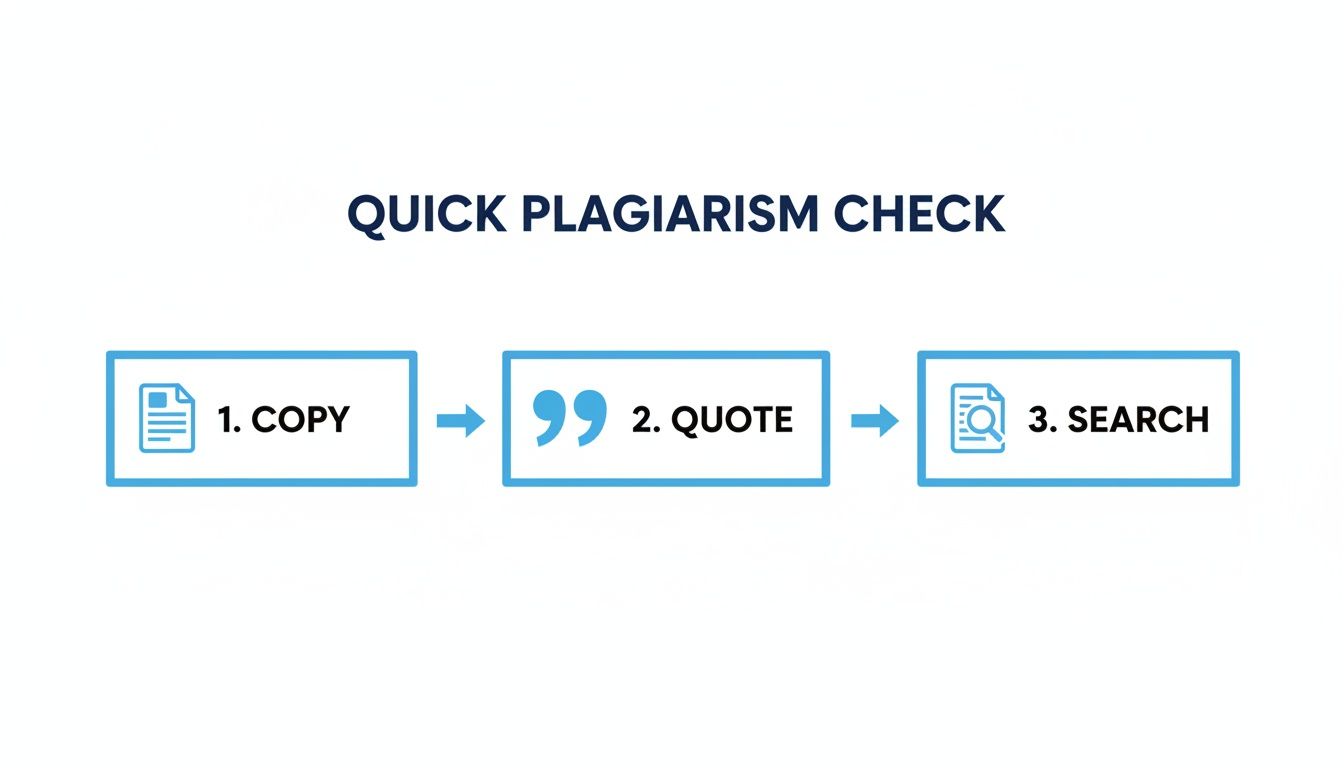
This simple process—copy, quote, and search—is the foundation of any manual plagiarism check.
A Practical Scenario
Imagine you're an editor reviewing an article from a freelance writer. A paragraph just feels a little too polished and doesn't quite match the writer's usual tone. You can grab a unique-sounding sentence from that paragraph, pop it into Google with quotation marks, and hit search. If it pops up word-for-word on another blog, you've likely found the original source.
This isn't a new trick. Google's role in plagiarism checking became a big deal in the mid-2010s. In fact, a 2012 study showed that 52% of student essays contained plagiarism that was only caught when instructors used reverse searches on Google, uncovering matches from all sorts of academic sites and blogs. You can learn more by reading insights on Google's approach to AI and content authenticity.
Remember, the whole point of using operators is to cut through the noise. By being more specific in your search, you filter out all the irrelevant results and get straight to any potential matches, which saves you a ton of time and effort.
However, even with these clever tricks, Google can’t catch everything. It struggles with cleverly rewritten or paraphrased content. For situations where you need absolute certainty that text is original and sounds natural, a dedicated tool like Word Spinner is invaluable. Its advanced rewriting capabilities produce 100% plagiarism-free output, while also being able to humanize content for a natural tone and remove AI detection.
Spotting Image Plagiarism with Google
Plagiarism isn’t just about stolen words. Using images, infographics, and photos without permission is a massive problem, and it's just as serious. Luckily, Google has a powerful tool up its sleeve that makes checking for image theft surprisingly simple: reverse image search.
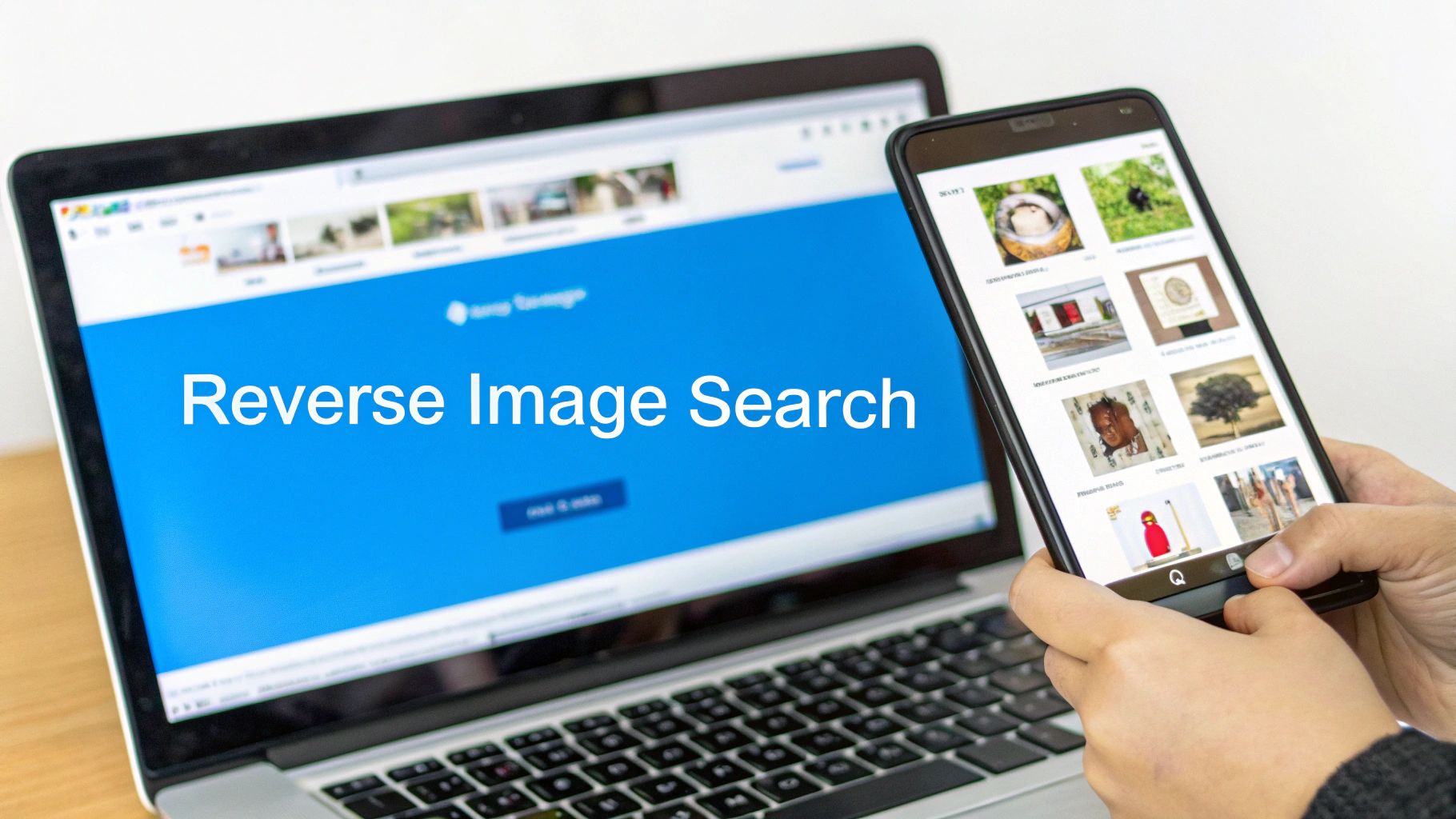
Forget typing in keywords. With a reverse image search, you give Google a picture, and it scours the web to find every place that exact image—or visually similar ones—appears. This is a must-have skill for anyone creating content, verifying sources, or just trying to use visuals ethically.
Kicking Off a Reverse Image Search
Getting started is easy. You can either upload an image file straight from your computer or just paste in the URL of a picture you found online.
Just head over to images.google.com and look for the little camera icon right in the search bar. That’s your entry point.
After you feed it the image, Google pulls up a results page packed with useful information:
- A running list of every website featuring your exact image.
- A collection of visually similar photos that might be related.
- All the different sizes and resolutions of that image available online.
In seconds, you get a bird's-eye view of an image’s entire digital footprint.
My Pro Tip: I always zero in on the dates associated with the search results. Google often shows when it first indexed a page, which is a huge help in tracing an image back to its first appearance on the web. This little trick helps you find the original source more often than not.
How to Read the Results Like an Expert
Finding out where an image lives online is only half the battle. The real skill is in interpreting what you see. As you scan the results, you’re basically a detective looking for clues that point back to the original creator.
Start by hunting for photographer credits, watermarks, or any mention of the source in the text surrounding the image. The original is usually sitting on a photographer’s portfolio, a stock photo website, or an organization’s official blog.
Be extra cautious with images you find on sites like Pinterest or other content aggregators that don’t have a clear source link. These are often reposted without permission. If you're a creator, this is an incredibly good way to discover if someone is using your work without your consent.
The whole world of image ownership can get complicated, especially with new types of media. For example, figuring out if you can sell AI-generated art involves a completely different set of rules and ethical questions.
By methodically working through the search results, you can piece together the image's history, pinpoint its likely origin, and steer clear of accidental plagiarism while protecting your own intellectual property.
The Limitations of Relying Only on Google
Using Google to check for plagiarism is a fantastic starting point, but it's important to understand it isn't a foolproof system. Think of Google as a powerful floodlight—it can illuminate everything on a public street, but it can't see what's happening inside private buildings. Its reach is massive, but it has clear boundaries.
A major blind spot is any content that isn't publicly indexed. This includes a huge amount of information locked away from search engine crawlers.
Here are a few key areas Google simply can't access:
- Academic Journals and Databases: Most scholarly articles and research papers are stored in protected databases like JSTOR or PubMed, which require a subscription.
- Content Behind Paywalls: News sites, premium blogs, and subscription-based services hide their best stuff from non-subscribers, and therefore, from Google's view.
- Private University Archives: A paper submitted by a student last semester won't ever show up in a public search.
- Books and Ebooks: While Google Books might give you a snippet, the full text of most copyrighted books isn't searchable.
This means if a passage was lifted from a textbook or a password-protected academic site, a standard Google search will come up completely empty. It can create a false sense of security, making you think the content is original when it might not be.
The Rise of Paraphrasing and AI Content
Today’s biggest challenge isn't just direct copy-pasting; it's cleverly rephrased content. Someone can take an idea, rewrite it using different words and sentence structures, and easily slip past a basic Google check. The core concept is still unoriginal, but the text is just different enough to avoid being found.
This problem has exploded with the rise of AI writing assistants. With so many students and writers using these tools, telling original thought from skillfully reworded text has become much harder. In fact, with 89% of students now using AI for schoolwork, adversarial paraphrasing can fool basic searches around 60% of the time. It's a gap that pushes many educators toward specialized tools. You can find more details on AI detection trends and their growing necessity for modern content verification.
When the goal is not just originality but also authenticity and a natural human tone, a simple search is no longer enough. The focus shifts from just finding matching words to making sure the ideas and expression are truly one-of-a-kind.
For creators and professionals, this is where specialized tools become essential. An advanced rewriting tool can rephrase and create genuinely unique output. You can also explore our guide on whether Google can detect AI-generated content for a deeper dive.
When You Need a Dedicated Plagiarism Checker
While a quick Google search is a great first pass for plagiarism, it’s kind of like using a flashlight to explore a massive cave. You'll see what's right in front of you, but you're definitely going to miss the deeper, hidden corners.
Knowing when to switch to a more powerful tool is key for anyone serious about originality. For catching obvious, direct copy-paste jobs from public websites, Google is your best friend. But for high-stakes work where originality is completely non-negotiable, you need something far more sturdy.
When the Stakes Are High
Some types of content demand a much higher level of scrutiny than a simple search can ever provide. If you're working on any of the following, it’s time to call in a specialist tool.
- Formal Academic Papers: University submissions are run against massive, private databases of student papers, academic journals, and publications that Google can’t even access. Submitting a paper without a thorough check is a huge, unnecessary risk.
- Professional and Client Documents: For any business, originality is tied directly to reputation and trust. Reports, proposals, and marketing materials have to be completely original to maintain credibility.
- High-Value Web Content: If you're publishing content that directly impacts your brand's authority or SEO rankings, you have to be 100% certain it’s one-of-a-kind. Search engines penalize duplicate content, and a dedicated checker can spot similarities that a manual search would almost certainly miss.
These professional tools don’t just look for word-for-word matches. They offer functions that provide a much deeper, more nuanced analysis of a document's originality.
What Dedicated Tools Offer
Specialized plagiarism checkers go way beyond what a simple search can do. They provide detailed reports and insights that help you understand exactly where your text might overlap with other sources, giving you the specific information you need to fix any potential issues.
The real value of a dedicated checker is its ability to measure similarity. Instead of just a "yes" or "no" on direct matches, you get a clear picture of how much of your text is similar to other sources, helping you polish your writing.
Here’s a glimpse of what you can expect from a professional tool:
- A Similarity Score: This gives you a clear percentage showing how much of your text matches content in the tool's database.
- Side-by-Side Comparisons: Most tools will highlight the matching text and show you the original source right next to it, making it incredibly easy to see the overlap.
- Broad Database Access: They scan billions of web pages, plus academic journals, publications, and internal databases that are completely invisible to search engines. For a better understanding of how these checkers work, especially in an academic context, you can explore this detailed breakdown of how Turnitin's AI checker functions.
For content creators today, the challenge goes beyond just avoiding plagiarism. It’s also about making sure the final text sounds natural and actually connects with an audience. A tool like Word Spinner is built for this exact purpose. Its advanced rewriting capabilities not only guarantee 100% plagiarism-free output but also focus on humanizing the content, making sure it has a natural tone that resonates with readers and is free of any robotic feel.
Got Questions About Google Plagiarism Checks?
Even with these tricks up your sleeve, you probably have a few questions about relying on Google to check for plagiarism. Let's tackle some of the most common ones so you know exactly what you're working with.
Can Google Really Catch Every Type of Plagiarism?
In a word? No.
Google is fantastic at sniffing out direct, copy-paste plagiarism from public websites. If someone lifted a paragraph from a well-known blog or news site, a quick search in quotes will almost certainly find the original. It's a powerhouse for that kind of check.
But that's where its superpower ends. Google’s search bots can't see or index content that is:
- Locked behind a paywall, like a premium subscription news source.
- Hidden in private academic databases or a university's internal archive of student papers.
- Smartly paraphrased to swap out words while keeping the original idea intact.
These are major blind spots. For anything high-stakes, relying only on Google is a big risk.
Is a Google Search Good Enough for Academic Papers?
For a quick, informal once-over on a draft? Sure. It's a decent first step to catch if you accidentally forgot to cite a public source or if a sentence sounds a little too close to something you read online.
But for a formal academic submission, it's a hard no. It's not nearly enough.
Universities use powerful, specialized plagiarism detectors that cross-reference your work against massive, private libraries of academic journals, books, and millions of previously submitted student essays. This is a world of content that is completely invisible to a public Google search. A paper could sail through a Google check and still get flagged by a tool like Turnitin.
The best defense against plagiarism is always proper attribution. If you need a refresher, learn how to properly cite your sources and build those good habits.
How Reliable Is Reverse Image Search for Finding the Original Creator?
Honestly, it's surprisingly effective. Google's reverse image search is a great tool for tracking down where a picture has appeared across the web. This is often the best way to trace a visual back to its source, especially if you can find the earliest indexed version of it.
That said, it isn't foolproof. An older version of an image might exist on a site that's no longer online, or the original creator may have posted it somewhere that was never indexed. Think of it as a top-tier investigative tool, but if legal ownership or professional credit is on the line, it should be just one part of your verification process.
When your goal isn't just originality but creating content that truly connects, a dedicated tool is the perfect next step. They can generate 100% plagiarism-free content while humanizing the text, making sure it resonates with your audience and sails past AI detectors.