Does Turnitin Check for AI? A Guide for Students and Teachers
Yes, Turnitin definitely checks for AI-written text. It now includes a built-in system specifically made to find text created by language models, giving instructors a percentage score that estimates how likely it is that AI was involved. This is no longer an extra feature; it's a standard part of their academic honesty software.
The Bottom Line: Turnitin Does Check for AI
With the rise of AI writing assistants, the big question on everyone's mind is, does Turnitin check for AI? The answer is a clear yes. Turnitin has rolled out a sophisticated AI writing checker that's woven directly into its platform, pushing its functions far beyond traditional plagiarism scanning.
This isn’t just a minor update; it's a core part of their service now. When you submit a paper, it’s not only checked against a massive database of websites, articles, and student papers but also looked at for the tell-tale signs of AI-written text. This dual-check system is their answer to supporting academic honesty in an age where AI tools are just a click away.
How Does This Affect Students and Teachers?
For students, this means that just copying and pasting from an AI like ChatGPT is almost certain to get flagged. The system is designed to spot the subtle—and not-so-subtle—differences between human and machine writing, and getting caught can lead to serious academic trouble. It’s a strong reminder that original thought and proper sourcing are more important than ever.
For teachers, the tool offers another layer of information. It helps them pinpoint submissions that might not be entirely a student's own work, opening the door for a conversation about academic honesty and how to use AI tools properly and ethically in their coursework.
The introduction of Turnitin's AI checker marks a huge shift. It's no longer just about catching copy-pasted text. Now, it's about identifying the very origin of the writing, forcing a brand new conversation about authenticity in education.
This guide will break down exactly how Turnitin's AI tool works, how dependable it really is, and what you need to do if your work gets flagged. Getting a handle on these details is key to navigating your academic journey with confidence.
Before we dive deep, the table below gives a quick summary of what the system does and what Turnitin officially says it can do.
Turnitin's AI Checking Function at a Glance
This table breaks down the core functions and official claims of Turnitin's AI identification feature.
| Function | What It Means |
|---|---|
| AI Writing Identification | The system scans text for patterns, word choices, and sentence structures that are typical of AI models. |
| Percentage Score | It gives a score from 0% to 100%, showing the proportion of the text it believes is AI-written. |
| In-depth Reporting | The tool highlights the specific sentences and paragraphs within the submission report that it suspects were written by AI. |
| Official Performance Claim | Turnitin claims its checker has over 98% correctness on documents where more than 20% of the content is AI writing. |
| False Positive Rate | The company reports a false positive rate of less than 1% for submissions with a large amount of AI content. |
| Supported Models | It's designed to identify content from a range of AI models, including GPT-3, GPT-3.5, and GPT-4. |
This gives you a solid foundation for understanding the technology before we get into the details of how it all works.
How Turnitin's AI Writing Checker Works
So, how does Turnitin actually spot writing from an AI? It’s not just scanning for copied text like it does for plagiarism. The system acts more like a language detective, studying the underlying patterns of the writing itself to see if they scream "machine-made."
Think of it like this: a human writer has a unique rhythm. Our sentence lengths bounce around, we make occasional odd word choices, and our flow has a certain natural, messy charm. AI models, on the other hand, often produce text that’s a little too perfect and predictable. They are built on mountains of data to guess the next most likely word, which can lead to a distinct, almost sterile, writing style.
Turnitin’s checker is built to pick up on these statistical fingerprints left behind by language models. It chops a submitted document into chunks of text and puts each one under the microscope, looking for specific machine-like traits.
The Telltale Signs of AI Writing
The system isn't looking for one single red flag but a combination of signals that, when found together, point toward AI creation. It's less about what you're saying and more about the structure and consistency of the writing. A deep dive into how Turnitin’s AI checker works gets into the technical details, but the core idea is pretty straightforward.
Here are the main characteristics it hunts for:
- Sentence Uniformity: AI-written text often has surprisingly consistent sentence lengths and structures. Unlike human writing, which changes, AI writing can feel unnaturally regular, with little change from simple to complex sentences.
- Predictable Word Choice: Language models are masters of probability. They pick words that are statistically most likely to follow the previous ones. This leads to writing that is grammatically flawless but often lacks the surprising or creative vocabulary a person might use.
- Excessive "Perplexity": In simple terms, this measures how predictable a piece of text is. Human writing is generally less predictable—it has higher perplexity. AI writing is often the opposite, resulting in a low perplexity score that the checker can spot.
- Lack of a Personal Voice: The text might feel hollow, missing the quirks, idioms, and distinct tone that make an individual's writing style their own. It often sounds generic and overly formal, even when it's trying to be casual.
The key takeaway is that Turnitin isn't reading for meaning like a person does. It's performing a statistical study, looking for mathematical patterns that are common in machine-written text but rare in the stuff humans write.
From Signals to a Score
After studying a document for these patterns, Turnitin's system spits out a percentage score. This number represents how much of the text it thinks was written by an AI. It’s vital to remember that this score is an estimation based on probabilities, not a definite ruling.
The checker isn't just a simple program; it was developed by comparing millions of examples of human writing against AI-written text. This preparation helps it distinguish between the two with a claimed high degree of confidence, though its dependability is still a hot topic.
If you want your writing to reflect a more natural, human style, using a tool like Word Spinner can help refine your text to ensure it carries your unique voice while remaining 100% plagiarism-free and bypassing AI scanners. This approach helps make sure your final work truly represents your own thoughts and efforts, keeping you in line with academic honesty standards.
How Reliable Is The Turnitin AI Checker?
This is the million-dollar question on the minds of students and teachers everywhere. On the surface, Turnitin’s stats about its AI checker look impressive, but when you start to dig in, the picture gets a lot more complicated. The tool’s dependability isn't always black and white, especially when it's dealing with nuanced or heavily edited writing.
Turnitin officially claims its checker is highly effective. The company states that for papers with over 20% AI-written text, it has a false positive rate under 1%. In theory, that means fewer than one in a hundred completely human-written papers would get incorrectly flagged. They also praise an overall correctness rate of 98%. But real-world situations and independent tests have cast some doubt on these figures, suggesting the checker can be a bit hit-or-miss. You can find out more about whether Turnitin can actually detect AI in our detailed guide on the topic.
The Problem With False Positives
A false positive happens when a student's own, original work gets incorrectly tagged as AI-written. This is easily the biggest worry with AI checkers because it can lead to unfair accusations of academic dishonesty. The stress and confusion from a false flag can be overwhelming for a student who put genuine effort into their assignment.
So, why does this even happen? The checker isn't reading for meaning; it's looking for statistical patterns. The trouble is, some human writing styles can accidentally mimic those same patterns.
- Overly Formal Writing: If you write in a very structured, formal, or grammatically perfect style, you might accidentally set off the system.
- Use of Writing Aids: Relying heavily on tools like grammar checkers or a thesaurus can sometimes smooth out the natural "messiness" of human writing, making it look more machine-like.
- Neurodivergent Writing Styles: Some writing patterns associated with conditions like dyslexia or autism can occasionally be misinterpreted by the checker’s algorithm.
The infographic below breaks down the main signals that AI checkers, Turnitin's included, are built to look for.
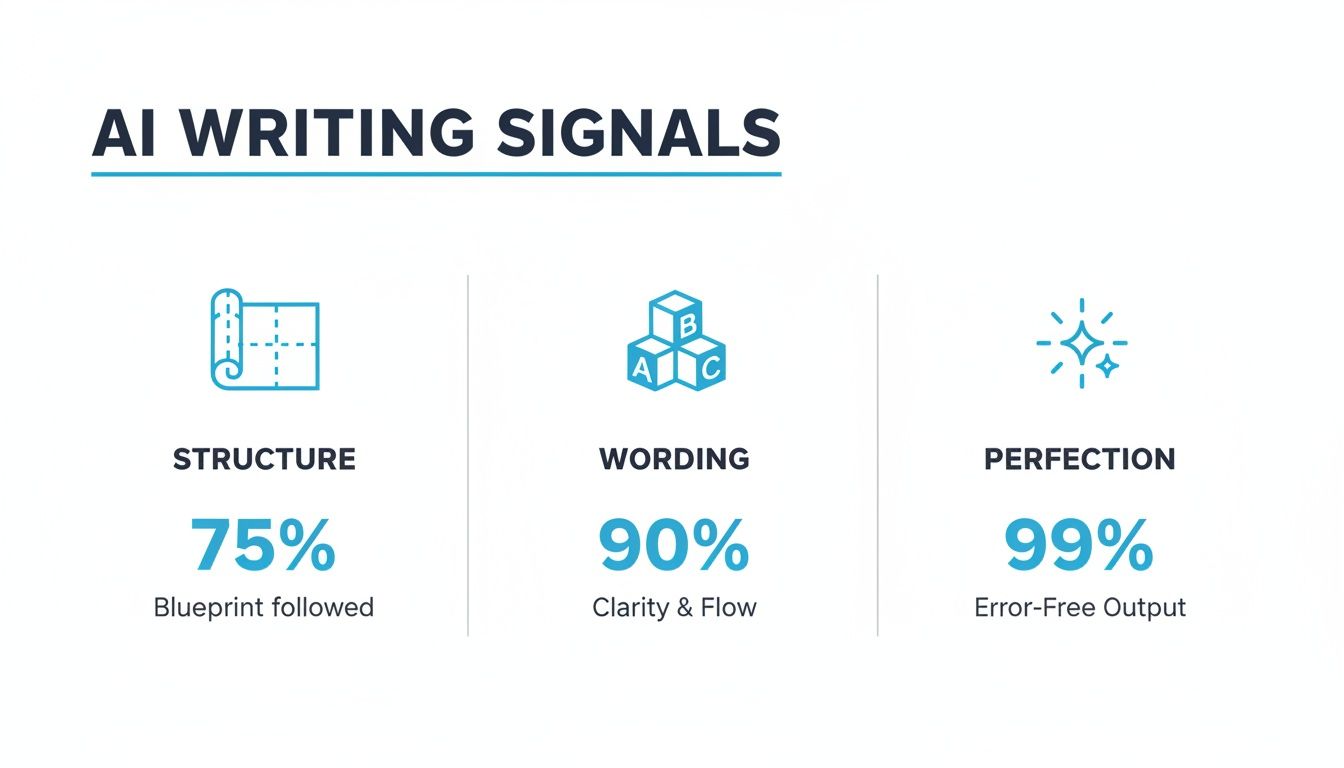
As you can see, overly predictable sentence structures, very common word choices, and a complete lack of grammatical errors are huge red flags for the system.
Real-World Performance vs. Official Claims
While Turnitin's lab-tested numbers might sound comforting, they don't always stand up to real-world review. For example, a 2023 investigation by The Washington Post put the tool through its paces and found some pretty big issues. The report revealed that the checker misclassified over half of the samples they reviewed and incorrectly flagged parts of real student essays as AI-written, which directly challenges Turnitin's official false positive rate.
This gap between the lab and the classroom shows that while the technology is powerful, it's far from perfect. It especially struggles with "mixed" texts—documents that blend human writing with AI-assisted brainstorming or editing. This gray area is where most students actually work, which makes the checker's findings much less definite.
Ultimately, the dependability of the Turnitin AI checker is still very much up for debate. To steer clear of any issues, the best approach is to focus on developing your own unique writing voice. And if you have used AI for brainstorming or drafting, a great final step is to run your text through an advanced rewriting platform like Word Spinner. It can help you humanize your draft, ensuring the final text has a natural flow and is guaranteed to be 100% free of plagiarism, which can help you avoid a false flag.
Understanding Your Turnitin AI Report
Getting that report back from Turnitin with an AI score can feel like a punch to the gut. Seeing a percentage and highlighted text is enough to make anyone nervous, but knowing what it all means—and more importantly, what it doesn't mean—is the key to handling the feedback. Think of the report less as a final ruling and more as a starting point for a conversation.
The first thing you'll see is the overall AI percentage score. This number, ranging from 0 to 100, is Turnitin’s best guess at how much of your paper was likely written by an AI tool. It’s important to remember this is just an indicator, not cold, hard proof. A high score suggests that big chunks of your text fit the patterns AI models are known for, while a low score means it reads like human writing.
Decoding The Highlights and Percentages
Beyond that main score, the report will highlight specific sentences or paragraphs it suspects are machine-written. This is actually helpful because it shows you and your instructor exactly what parts of the paper raised a red flag. A quick look at these highlighted areas can give you a better idea of why you got the score you did.
But here’s something you need to know: the score itself isn't set in stone. Turnitin has been tweaking its algorithm based on feedback and real-world data since the feature first launched, and that evolution changes how you should interpret your report today.
A key point to remember is that a Turnitin AI score is a measure of statistical probability, not a definite proof of academic misconduct. It's designed to be a tool for educators, not a final verdict.
When the AI tool first rolled out, it would show any percentage it calculated. The problem was, after studying millions of papers, it became obvious that very low scores were often just false positives. This led to a major update.
The New Approach to Low Scores
Turnitin saw that scores in the 1-19% range were causing a lot of unnecessary stress and had a high chance of being flat-out wrong. So, they made a big change. As of mid-2024, the platform no longer displays AI scores between 1% and 19% on new reports. If your work only shows minimal AI-like patterns, it will now just show up as 0%.
This was a direct response to feedback from teachers and performance data, all aimed at cutting down the number of students getting flagged for what were likely just statistical quirks in their writing. According to reporting on Campus Technology, this shift helps everyone focus on submissions with more substantial evidence of AI use, not penalize students for minor issues. If you want to dig deeper into these numbers, our guide on what is an acceptable AI score on Turnitin breaks it down even further.
At the end of the day, it’s all about looking at your report with a critical eye. Review the highlighted text, understand what the percentage actually means, and be ready to talk about your writing process if your instructor asks.
Best Practices for Using AI in Your Schoolwork
Navigating AI writing assistants can feel like walking a tightrope. On one side, you have these incredible tools that can spark ideas and make research easier. On the other, there's the very real risk of academic dishonesty. The trick is to treat AI as a partner that helps your own learning, not as a shortcut that does the work for you.
To use AI ethically, you have to lean on effective writing strategies first and foremost. That means your original thoughts are the star of the show, and AI is just the supporting cast helping you polish those ideas. Your goal should always be to protect your academic honesty while still getting the most out of these new technologies.
Using AI as a Tool, Not a Ghostwriter
Here's the golden rule: keep your own voice and critical thinking at the absolute center of your work. Think of AI as an advanced calculator—it’s great for the heavy lifting, but you still need to understand the problem and guide the process.
To keep yourself on the right side of the line, follow these simple do's and don'ts:
- DO use AI for brainstorming. Ask it for different angles on a topic, potential counterarguments, or new ways to structure your essay. It’s a great way to broaden your thinking without letting the AI take the wheel.
- DON'T copy and paste entire paragraphs or essays. This is the big one. Submitting AI-written text as your own is a direct violation of most academic honesty policies and is precisely what tools like Turnitin are built to catch.
- DO ask AI to explain complex ideas in simpler terms. If you're wrestling with a tough theory, an AI assistant can be like a patient tutor, breaking it down until it clicks.
- DON'T rely on AI to find your sources. AI models are known for "hallucinating," which means they can invent completely fake citations that look 100% real. Always find and check your sources through your university's library or trusted academic databases.
The real power of AI in schoolwork isn't its ability to write for you, but its potential to help you think more deeply. Use it to challenge your own assumptions and explore new ideas, then put those insights into your own words.
Finding Your Own Voice and Staying Authentic
Your writing style is your fingerprint. It reflects your personality, your thought process, and how you understand the material. Relying too heavily on AI can sand down those unique edges, making your work sound generic and, ironically, more robotic.
To avoid this, make the final work unquestionably yours. If you used an AI tool to help organize your thoughts or get a rough draft on the page, the next step is non-negotiable. You have to thoroughly rewrite and edit the text to inject your own perspective and style. This isn't just about swapping out a few words; it's about reshaping sentences, adding your own thoughts, and making sure the final piece sounds like you wrote it.
For students who want to be certain their work is polished and has a natural, human tone, a platform like Word Spinner can be a fantastic final check. Its advanced rewriting abilities are designed to humanize content, smoothing out any awkward AI-like phrasing and ensuring a 100% plagiarism-free output that truly aligns with your voice.
Ultimately, your institution's policy is the final word. Always check your school's guidelines on using AI tools for coursework. Some professors might allow it for specific tasks, while others may forbid it entirely. When in doubt, just ask your instructor for clarification. Being proactive shows you're serious about your work and committed to academic honesty.
What to Do If You Are Falsely Flagged
It’s a gut-wrenching feeling: seeing a report that claims your own hard work was created by AI. The first thing to remember is not to panic. An AI score isn't a guilty verdict; it's just a data point that should kick off a conversation.
Let's walk through a calm, step-by-step plan for what to do next. The goal is to prepare for a respectful, evidence-based discussion with your instructor. Keep in mind, they’re also getting used to these new tools and often see a high AI score as a starting point for investigation, not the final word. A cool head and a thoughtful approach will make all the difference.
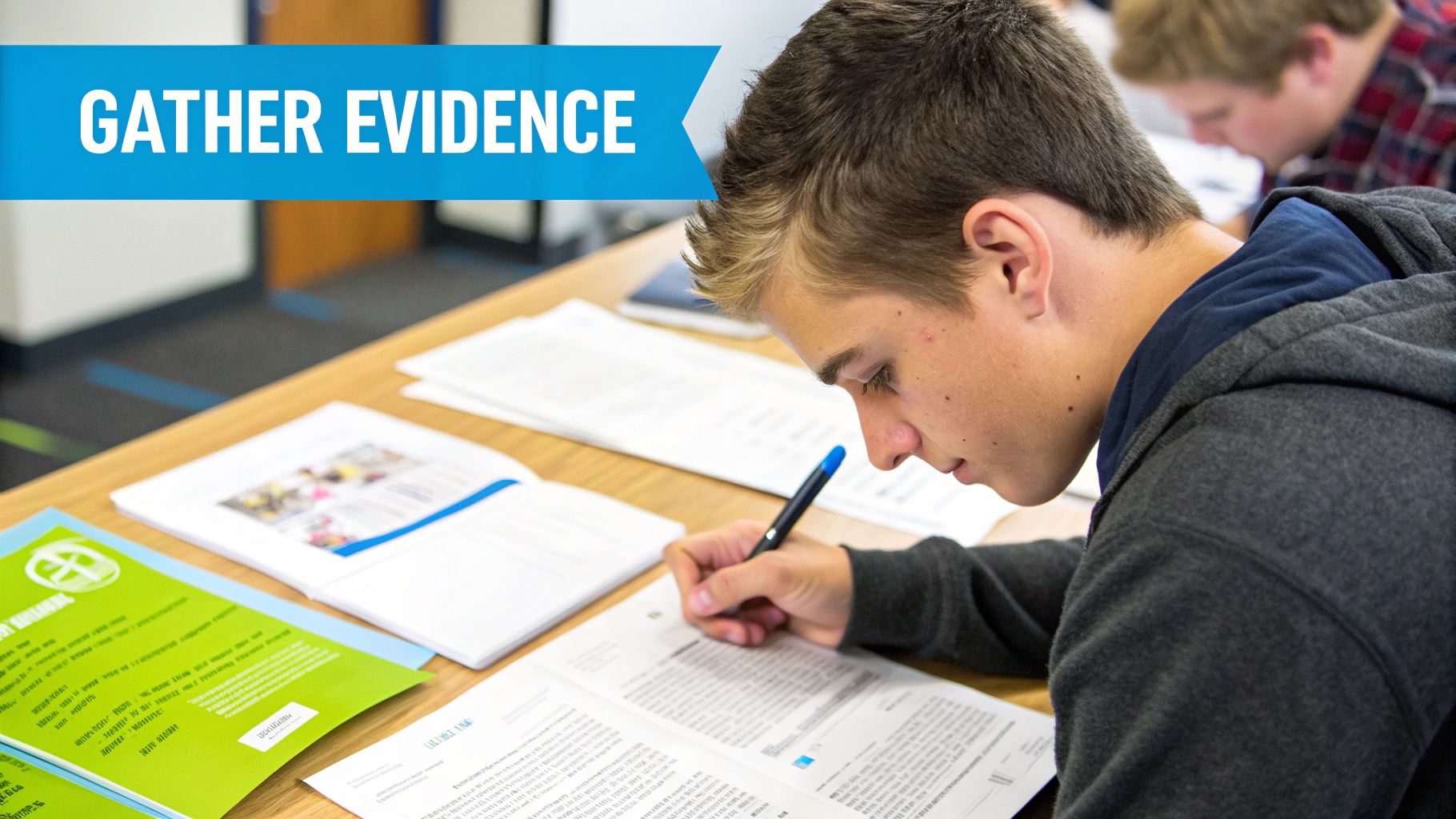
Gather Proof of Your Writing Process
Your best defense against a false positive is to simply show your work. Before you even think about meeting with your instructor, spend some time collecting evidence that shows your writing journey from the first idea to the final draft. This documentation makes it much easier to prove the paper is a product of your own effort.
Think of it like building a case. Can you show how your ideas evolved? This "digital paper trail" is incredibly powerful because it proves you were actively engaged with the assignment.
Here’s a checklist of what to look for:
- Version History: This is your silver bullet. Open your Google Doc or Microsoft Word file and pull up the version history. It will show a clear timeline of your edits, from messy first thoughts to the polished final version.
- Outlines and Notes: Did you sketch out an outline? Do you have handwritten notes, a digital mind map, or summaries of your research? Bring them.
- Research Materials: Collect the links to articles you read, PDFs of studies you cited, or even photos of book pages you used. This shows you engaged with the source material yourself.
- Early Drafts: If you saved different versions of your paper as separate files, these are also great for showing how your work progressed over time.
Having a clear record of your writing process shifts the conversation from a simple accusation to a demonstration of your academic diligence. It shows you didn’t just produce a final product; you went through a genuine intellectual journey.
Prepare for the Conversation
Once your evidence is organized, it's time to get ready for the discussion. Your mindset is key here—approach the meeting collaboratively and respectfully. Frame it as wanting to understand the report, not as being defensive. For more great advice on this, check out our detailed guide on how to avoid being falsely accused of using AI.
Sometimes, a flag can pop up even if you used AI responsibly for brainstorming but wrote the text yourself. In these situations, proving the originality of the final wording is everything. If you're worried that your natural writing style might set off a false positive, using a high-quality writing tool like Word Spinner can be a smart final step. Its humanizing feature helps ensure your text has a natural, human tone, which reduces the chance of an incorrect flag while still delivering 100% plagiarism-free output.
A Few Lingering Questions About Turnitin and AI
To wrap things up, let's tackle a few common questions that might still be bouncing around in your head. Getting clear, direct answers will help you feel more confident about your work and exactly what Turnitin is looking for.
Can Turnitin Actually Detect ChatGPT?
Yes, Turnitin is built to find text from all sorts of AI models, including the different versions of ChatGPT like GPT-3.5 and GPT-4. It’s not looking for a "ChatGPT was here" watermark.
Instead, the tool is designed to spot the statistical fingerprints that most large language models leave behind—things like predictable sentence structures and overly common word choices. So, it doesn't matter if it's ChatGPT, Gemini, or some other AI writer; the system is designed to catch those tell-tale machine patterns in the writing.
Is Just Rewording AI Text Enough to Get Past It?
Simply rephrasing AI-written text is a really risky move. A basic word swap might change a few nouns and verbs, but it often leaves the underlying AI sentence structure completely intact. That’s a massive red flag for any AI checker.
To truly make a piece of writing your own, you have to do a fundamental rewrite. That means injecting your own thoughts, your unique voice, and your critical perspective. It’s way more than just pulling out a thesaurus; it’s about completely reshaping the ideas until they are genuinely yours.
How Should Teachers Interpret the AI Score?
Instructors are almost always advised to treat the AI score as an indicator, not as ironclad proof of academic dishonesty. Turnitin itself guides teachers to use the score as the beginning of a conversation, not the end of one.
A high score certainly suggests that a piece of work needs a closer look, but it doesn't automatically mean a student cheated. Teachers are encouraged to look for other context—like a student’s version history in Google Docs or their research notes—before making a final call on academic honesty.
For students who want to be sure their final submissions are polished and have a natural, human flow, Word Spinner offers advanced rewriting tools. It helps humanize your content to remove AI detection, making sure your work comes across as authentic and is 100% plagiarism-free. Learn more at https://word-spinner.com.