How do you make sense of spinner tools?
If you've ever pasted AI-generated text into a detector and watched it light up as "100% AI," you already know the problem. The output reads like a machine, and no amount of manual rewriting seems to fix it fast enough. That's where spinner tools come in, but not all of them actually solve the problem.
We'll use Word Spinner as the benchmark because it's the one tool that reliably turns AI text into something a human would write, without mangling your meaning.
Which spinner tool rewrites AI text most naturally
The most direct answer to which spinner tool produces readable, undetectable output is Word Spinner, because its rewrite engine restructures sentence flow instead of swapping synonyms, which is what triggers flags on detectors like Originality and GPTZero. For a budget alternative, QuillBot's paraphrasing mode handles short passages well but produces choppy phrasing on longer academic or business text. The deciding factor is whether the tool reads for meaning or simply cycles through a thesaurus.
What you'll need before using spinner tools
Most spinner tools fail because they only swap synonyms, which detectors catch instantly. You need a tool that restructures sentence flow. That one difference separates a passing output from a flagged one.
You will need:
- AI-generated text to rewrite (at least one paragraph from ChatGPT or similar)
- A spinner tool account (Word Spinner's free plan is enough to test)
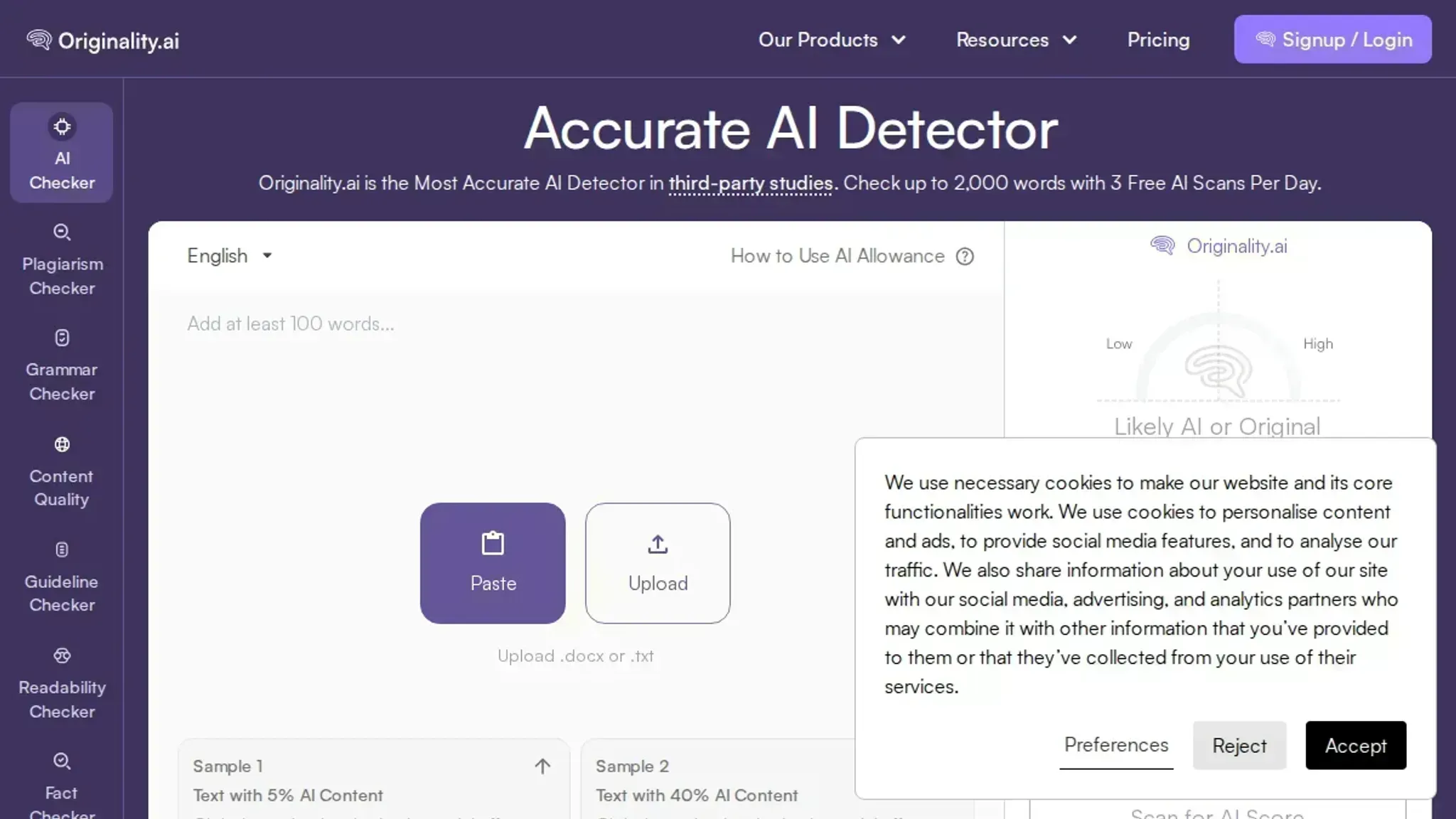
- A detection tool like Originality or GPTZero to verify results
- A pricing plan budget of at least $8/month for unlimited use on Word Spinner Pro
- Patience to run multiple passes and compare outputs
How to use spinner tools step by step
Before you start, have a piece of AI-generated text ready (it could be from ChatGPT or any AI writer) and open your spinner tool of choice.
- Paste your AI text into the spinner: Copy the content you want to rewrite and paste it into the tool's input area. In Word Spinner, this is the large text box on the advanced rewriter page. The visible result is that your original text appears, ready for processing. Keep the original in a separate document so you can compare later.
- Choose the right rewriting mode: Most spinner tools offer multiple modes. For natural, readable output, select a mode that restructures sentences rather than just swapping synonyms. If your original says "The cat sat on the mat," a synonym spinner might produce "The feline perched on the rug", detectors catch that instantly because the sentence structure is identical. A sentence-level rewriter changes the whole flow: "On the mat, a cat sat quietly." That throws off detectors. Word Spinner's AI Humanizer mode is designed for this kind of restructuring. The result is a rewrite that reads like a human wrote it, not a thesaurus dump.
- Click the rewrite button: Once you've selected your mode, run the spinner. The tool processes your text and produces a new version in seconds. You'll see the rewritten output side by side with the original, so you can compare sentence by sentence. If the output still looks stilted, try a different mode or adjust the rewriting intensity if your tool offers that control.
- Test the output against an AI detector: Copy the rewritten text and paste it into an AI detector. Word Spinner includes a built-in AI detector that scores content from 0 to 100 percent AI probability. A good result shows a low score, ideally under 20 percent. Different detectors have different thresholds: Originality is stricter, GPTZero is looser. Using your tool's own detector gives you a consistent baseline. If the score is still high, go back and rerun the spinner with a stronger rewriting mode.
- Read through and fix unnatural phrases: No spinner is perfect. Read the output aloud. Look for oddly placed commas, repetitive sentence starters, or phrases that sound like they were written by someone who learned English from a textbook. For example, if the rewrite says "The data suggests that changes are necessary," trim it to "The data suggests changes are necessary." This manual polish turns a decent rewrite into a publishable piece. Word Spinner's grammar checker can help catch leftover errors after your edits.
- Run a grammar check: After manual edits, run the text through a grammar checker like Grammarly or Hemingway Editor. This catches lingering tense inconsistencies, missing articles, or punctuation errors that slipped through. A clean grammar report means the text is ready for the next stage.
- Do a final plagiarism scan (optional): If the content is for publication, run it through a plagiarism checker like Copyscape to ensure the rewrite is original. Most quality spinners produce unique output, but this step is a safety net, especially when you're working on topics with heavy common phrasing.
One common mistake: skipping the manual review. Spinner tools can miss nuance, especially with domain-specific terms or technical jargon. Always read the final version before publishing. Your ear is still your best quality check.
Spinner tools checklist: what to verify
Use this checklist to confirm a spinner tool actually delivers before you commit to a paid plan. Each task is something you can test in under ten minutes.
| Task | Why it matters | Done |
|---|---|---|
| Define your output goal | Different tools excel at different tasks, bypassing AI detection, rewriting academic text, or polishing marketing copy | |
| Test with a sample of your own content | Generic test paragraphs hide problems that appear with your actual writing style and subject matter | |
| Run the output through an AI detector | A tool that can't evade detection is useless if your goal is to produce undetectable text, use Word Spinner's AI detector for a quick check | |
| Compare readability and coherence against the original | Spun text that loses meaning or reads awkwardly defeats the purpose, read both versions aloud | |
| Check the pricing model | Free tiers often limit word count or features; a Pro plan at $8/month may be necessary for regular use | |
| Check output originality | Some spinners only synonym swap, producing text that plagiarism checkers flag as duplicate. Run a spun paragraph through Copyscape or Grammarly's plagiarism checker. | |
| Test with content containing idioms or technical jargon | Idioms like "hit the nail on the head" often get mangled by cheap spinners. Technical terms in fields like medicine or law require context-aware handling. | |
| Check grammar and sentence structure after spinning | Spinners can break subject-verb agreement or create fragments. Paste the output into Hemingway Editor or Grammarly to catch errors. | |
| Evaluate the spinner's speed for a 500-word sample | A tool that takes more than 30 seconds to process a short article may not be practical for bulk work. Use a stopwatch. | |
| Test with a paragraph that includes numbers and dates | Spinners often corrupt numerical data or change dates. Verify that "2023" stays "2023" and "5,000" stays "5,000". |
Closing tip: For the fastest validation, paste a paragraph into Word Spinner's free tool, spin it, then immediately run the result through its built-in AI detector. If the output passes both readability and detection checks, you have a viable tool.
Pro tip: Keep a log of your tests. Note which tools pass each check. Over time, you will build a clear picture of what works for your specific use case.
Spinner tools and context loss
Most spinner tools optimize for readability by breaking long sentences into shorter ones. This works well for general text but introduces errors when the original sentence contains a conditional clause or a cause-effect relationship. The usual advice to trust the output blindly changes when the content includes technical terms or logical dependencies. For example, a sentence like "If the server fails, the backup activates" might become "The server fails.
The backup activates." which loses the conditional logic. In such cases, manual review is essential to preserve meaning. This pitfall is especially common in technical documentation and narrative prose where context carries the argument.
Frequently asked questions about spinner tools
What does a spinner tool do?
A spinner tool rewrites existing text into a new version using different words and sentence structures. It rephrases sentences, swaps synonyms, and adjusts phrasing to produce unique output from the same source material. The goal is a version that reads naturally while saying the same thing.
Can spinner tools bypass AI detection?
Some can, but most cannot. The majority of spinner tools only swap synonyms while keeping the original sentence structure intact, which detectors like Originality and GPTZero flag immediately. Tools that restructure sentence flow, like Word Spinner, have a much better chance of passing detection.
Do spinner tools change the original meaning?
They can. Many spinner tools introduce context errors by swapping individual words without understanding the overall message. A tool that rewrites complete sentences rather than replacing words one by one is less likely to alter the intended meaning.
What is the typical pricing for spinner tools?
Pricing ranges from free basic spinners with limited quality to paid subscriptions between $8 and $30 per month. Word Spinner's Pro plan starts at $8 per month for unlimited rewrites, placing it at the lower end of paid options.
Is there a free spinner tool I can try?
Yes. Several tools offer free tiers with daily word limits. Word Spinner provides free access to its humanizer and grammar checking tools so you can evaluate output quality before committing to a subscription. The free tier lets you test whether the output meets your standards.
Choosing your spinner tool for what comes next
When undetectability and natural readability are the goal, Word Spinner is the tool that delivers both. Its rewrite engine restructures sentences rather than swapping synonyms, which is why it passes detectors like Originality and GPTZero while keeping the original meaning intact. The AI humanizer also prevents the context loss that plagues cheaper spinners.
The exception: if your content is purely factual and you do not need to pass AI detection, a basic synonym spinner may be enough. For most publishing needs, though, Word Spinner handles what comes next.