
How to choose a spinner AI that actually bypasses detection

You searched for a way to automatically rephrase content and found a pile of tools that promise "bypasses detection" but don't deliver. The real problem isn't spinning words, it's preserving meaning while changing the text enough to pass as original writing. Most spinners just swap synonyms and call it done, which is useless if you need content that actually reads well and escapes AI detection software.
After reading this, you will know the key factors that separate a useful spinner AI from a glorified thesaurus. You will know how to evaluate any tool against what actually matters, and why most of them fail the only test that counts.
Key takeaways
Choosing a spinner AI that reliably evades detection comes down to three real-world checks, not feature lists.
- Test with a real AI detector, many spinners pass plagiarism scans but fail sentence-level coherence checks when run through originality.ai or zerogpt.com.
- Prioritize natural flow over synonym swapping, tools that replace every third word create readable text but trigger coherence-based detection.
- Check content type compatibility, the usual 60-70% change ratio works for general web articles but breaks technical writing where term precision matters.
- Review usage terms, some platforms prohibit use of their humanizers; confirm before building a workflow.
How does a detection-bypassing spinner AI work?
The most reliable way to bypass AI detection is using a spinner AI that rewrites at the sentence level rather than swapping individual words. Tools like Word Spinner restructure phrasing and vary sentence length, which breaks the statistical patterns that detectors like Originality and GPTZero scan for. A free alternative like SpinBot simply replaces synonyms, leaving the sentence structure intact and easy to flag.
Test whether the tool changes sentence flow, not just vocabulary.
What exactly is a spinner AI?
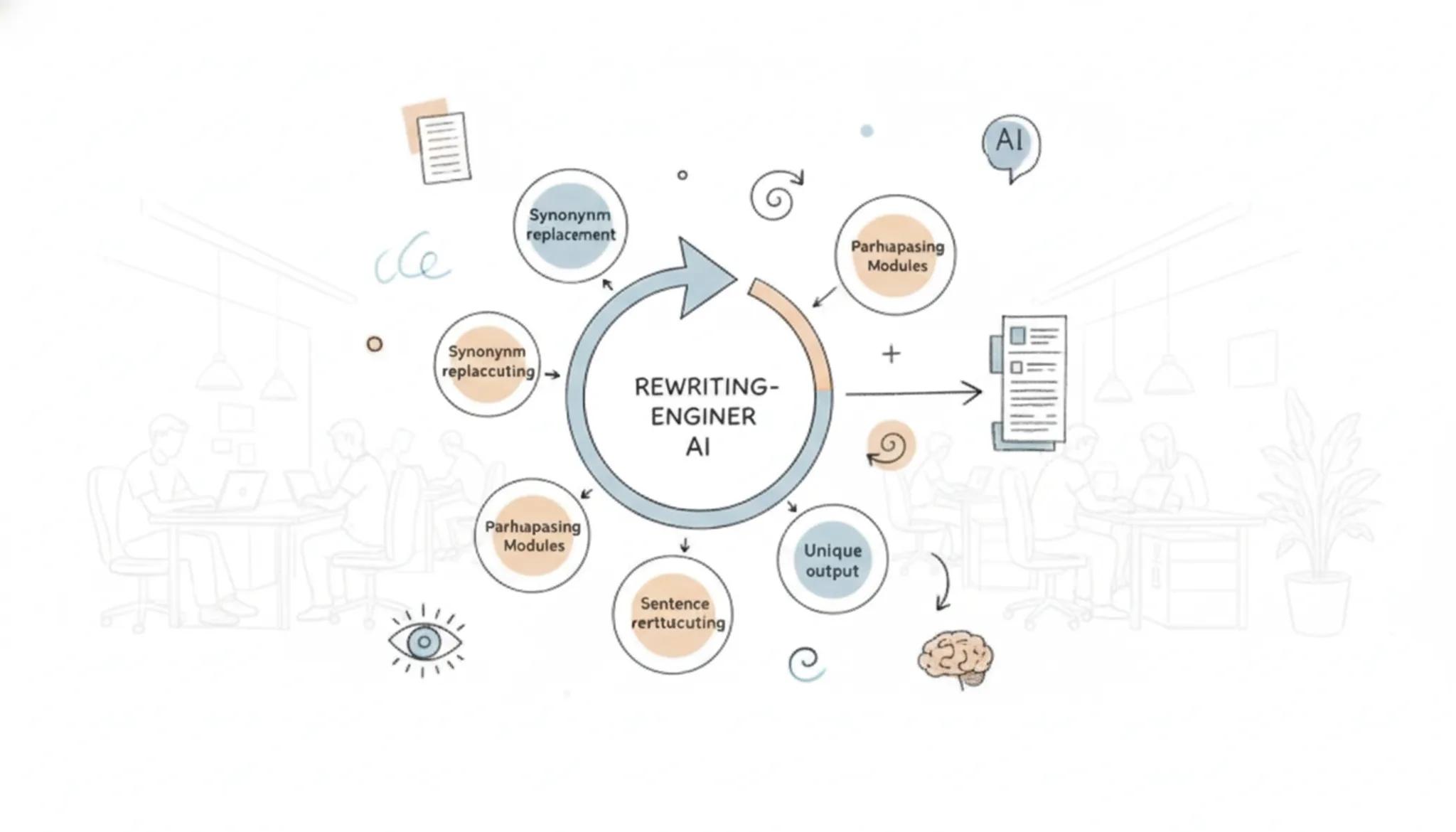
A spinner AI is a software tool that automatically rewrites existing text to produce a new version with different wording while preserving the original meaning. The simplest spinners operate at the word level: they swap words for synonyms or substitute phrases.
Basic tools like Free AI Article Spinner use a straightforward synonym replacement. The output often reads awkwardly and fails to fool modern AI detectors, which catch repetitive lexical patterns. More advanced spinners rewrite at the sentence and paragraph level, restructuring syntax and varying sentence length. That deeper rewriting is what creates natural flow and avoids the statistical fingerprints detectors look for.
Tools that only swap words produce low-quality content that sounds robotic. A spinner AI capable of restructuring entire sentences, such as Word Spinner's advanced rewriter, is far more likely to bypass detection. The key differentiator is how deeply the tool understands and reshapes the original text, not just how many synonyms it can find.
What actually happens when you spin text to bypass detection?
The process of using a spinner AI to evade detectors involves more than a single click. It requires a deliberate sequence of steps that separate effective tools from those that leave detectable patterns.
You start by feeding your AI-generated text into the spinner. The tool analyzes the writing at the sentence level, not just swapping individual words. It identifies patterns that detectors flag: uniform sentence length, repetitive transition words, and low burstiness (the natural variation in sentence structure). A quality spinner rephrases whole clauses and introduces variation in length and rhythm.
After the spin comes validation. Run the output through an AI detector, such as the one included in Word Spinner, to check if it scores as human-written. Many free spinners, like Free AI Article Spinner, produce text that still registers as AI because they only shuffle words. A detection-bypassing spinner reworks syntax to the point where detectors assign a low probability of machine origin.
If the first spin fails, adjust the rewrite intensity, if the tool offers it. The goal is a version where the meaning stays intact but the stylistic markers of AI writing disappear. When the detector gives a green light, the output is ready.
This iterative process is why a combined spinner and detector speeds up the workflow. It eliminates the friction of pasting between separate sites and lets you adjust in real time.
How to use a spinner AI to avoid detection in 5 steps
The most reliable method is not a single tool setting - it is a multi-step workflow: spin the text, check its detection score, adjust the style, then recheck until the output reads naturally and flags as human.
- Paste your source text: Copy the AI-generated paragraph you want to rewrite. For best results, start with at least 100 words so the spinner has enough context to rephrase sentences rather than just swap synonyms.
- Choose a humanization mode: Select a mode that prioritises readability over word variety. For example, Word Spinner's "Humanize" mode rewrites sentences to match natural phrasing and sentence length, avoiding the robotic patterns detectors look for.
- Run the spinner and scan the output: Click rewrite and read the result aloud. You should hear a natural rhythm - varied sentence starts, occasional contractions, and correct pronouns. If you spot awkward phrasing, adjust the input or try a different style option.
- Verify with an independent AI detector: Paste the spun text into a reliable detection tool, such as Word Spinner's AI Detector. A good spinner should produce output that scores as "likely human" or "very likely human" across multiple detection models.
- Refine any flagged sentences: If a detector highlights specific phrases, identify the pattern (e.g., overly formal word choices, repetitive transitions) and edit those sentences manually. Then rerun the detection check. Repeat until the whole passage passes.
Which spinner AI features actually matter for bypassing detection
The features that separate a usable spinner AI from a detection trap are sentence-level rewriting, contextual synonym replacement, and adjustable output tuning. Simple word-swap tools (like Article Spinner ) produce bland, repetitive text that detection algorithms flag easily. Tools that rewrite whole sentences while preserving meaning, such as CleverSpinner, yield far more natural output.
A second critical feature is control over the rewriting intensity. A good spinner AI lets you dial between a conservative rewrite (close to the original) and a more aggressive spin. That adjustment directly affects how human the output reads.
Another capability to look for is built-in detection testing. Some spinners, including Word Spinner, show you a detection score after each rewrite so you can verify the result before publishing. Without that feedback, you are guessing whether the spin succeeded.
Finally, check whether the tool preserves proper nouns and technical terms. Many spinners mangle names or product terms, which ruins credibility. A reliable spinner AI keeps those intact while rewriting the surrounding text.
Practical examples of using a spinner AI to bypass detection
A spinner AI that reliably avoids detection shines in situations where you need to repurpose machine-generated content for platforms that penalize obvious AI writing. Here are the real-world scenarios where a detection-avoiding spinner adds genuine value.
- Academic submissions: Students use a spinner AI to rephrase AI-assisted drafts so they pass originality checks. CleverSpinner advertises sentence-level rewriting specifically for this context.
- SEO content production: Bloggers and site owners spin AI-written articles to avoid duplicate-content penalties while keeping the core message intact for search engines.
- Job applications: Cover letters and resumes drafted with AI help get flagged by recruiter tools. A spinner AI adjusts phrasing without losing the professional tone.
- Social media posts: Platforms like LinkedIn deprioritize obviously machine-generated updates. A light rewrite keeps the content in your natural voice.
- Internal documentation: Teams convert AI-drafted notes into polished wikis without triggering company AI-detection policies.
In every case the key is choosing a spinner that rewrites at the sentence level, not one that just swaps synonyms.
Post-spin checks that separate readable output from detection bait
1. Read the output aloud: Most detection systems flag text that lacks natural rhythm. If a sentence sounds mechanical when you speak it, the spinner AI didn't rework it enough. Adjust the style or re-spin that paragraph until it flows like something you would say in a conversation.
2. Verify synonym variety by hand: A good spinner AI avoids thesaurus-style swaps, but it can still repeat certain high-frequency replacements. Scan for odd word choices like "employ" used five times where "use" belongs. Replace those manually to keep the vocabulary range natural.
3. Run a cross-tool detection check: Use a separate detection tool (like Originality or ZeroGPT) to test the spun text. If it flags as AI, identify the problematic paragraphs and re-spin them with a higher variance setting or rewrite them manually. Repeat until the score falls below the detection threshold.
Spinner AI options compared side by side
The tools below are compared on three criteria: primary use case, strength, and limitation. This table helps you match a spinner to the detection scenario you actually face.
| Option | Best for | Key trade-off |
|---|---|---|
| SpinBot | Quick free spins when detection risk is low | Output is often flagged as machine-generated by advanced scanners |
| QuillBot | Maintaining original meaning with synonym swaps | Lacks sentence-level rewriting, so patterns remain detectable |
| Word Spinner | Bypassing AI detection on stricter platforms | Paid subscription is required for unlimited use |
Choose SpinBot when you need a one-off rewrite and don't mind re-editing. Pick QuillBot if preserving nuance matters more than evasion. Word Spinner is the clear choice when detection bypass is the goal and you are willing to invest in a tool that handles it.
Can a spinner AI hurt your content quality?
Yes, a spinner AI can degrade readability and factual accuracy when it relies on word-level swapping instead of sentence-level rewriting. Tools that shuffle synonyms without tracking context produce sentences that feel disconnected, often with odd word choices or lost meaning. For instance, swapping "strong evidence" with "powerful proof" sounds unnatural and makes the text easier to flag as machine-generated. The same issue occurs when pronoun references break, turning a coherent paragraph into a jumble of mismatched subjects.
The bigger risk is not detection software but reader trust. If the output reads awkwardly, visitors leave quickly, and that behavior signals low quality to search engines more reliably than any AI detector would. A spinner that preserves original meaning and natural sentence flow avoids both risks. Word Spinner rewrites at the sentence level, keeping the original context intact so the final output reads like something a human would actually write.
Expert tip: When synonym swaps signal detection
> "Clever Spinner is a unique web-based AI Humanizer that is able to rewrite your articles automatically on word, phrase and sentence level with a similar quality." - CleverSpinner official site
Most free spinners change only individual words. AI detectors catch that because the output keeps the original rhythm and burstiness patterns. The condition that shifts the game: when a spinner rewrites at sentence level, it breaks those predictable patterns. Without that deeper rewrite, your text still carries a machine-generated structure.
Run a test paragraph with varied sentence lengths through any tool. If the output sounds rhythmically identical, the spinner is not bypassing detection, it is just shuffling synonyms.
Frequently asked questions about spinner AI
What is the difference between a spinner AI and a humanizer?
A spinner AI rewrites text to create a new version with different wording while preserving the original meaning. A humanizer adjusts the tone and structure of AI-generated text to sound more natural and less machine-like. Many modern tools combine both functions. For bypassing detection, you need sentence-level rewriting plus natural phrasing, which a humanizer mode provides.
A pure spinner that only swaps synonyms rarely fools detection systems.
Can a free spinner AI bypass AI detection reliably?
Most free spinner AI tools rely on basic synonym swapping, which rarely fools detection systems. Detection software like Originality or GPTZero flags repetitive synonym patterns easily. Paid tools with sentence-level rewriting and adjustable output tuning have a much higher success rate. If you rely solely on a free spinner, expect detectable output on any serious platform.
The gap between free and paid is wide enough that a free tool is a gamble.
How do I verify that my spun text will not be flagged?
Run the output through an AI detection tool after spinning. Use the detector your target platform uses, Turnitin for academic work, Originality for publishing. If the score reads as human, you are safe. If flagged, adjust the spinner's output style to introduce more variation and less predictable structure, then recheck.
Never trust the spinner's own built-in detection score; always use a third-party check for independent verification.
Will a spinner AI work for academic writing and avoid plagiarism checkers?
A spinner AI can rephrase academic content, but it does not create original research. Plagiarism checkers like Turnitin compare text against existing sources; if the spun text matches the source meaning closely, it may be flagged as plagiarism even with different wording. For academic work, use a spinner only as a rewriting aid and always cite original sources. It is not a solution for original authorship and should not replace proper citation.
How do I choose between a spinner AI and manual rewriting?
Choose a spinner AI when you need to rewrite large volumes of content quickly, repurposing blog posts for social media or generating product description variations. Choose manual rewriting when accuracy and tone are critical, such as legal documents, academic papers, or client-facing communications. A spinner AI saves time but introduces the risk of awkward phrasing or factual errors if you do not review the output. For important content, always read the result aloud before publishing.
Final verdict on spinner AI
The spinner AI that reliably bypasses detection rewrites at the sentence level and lets you adjust output tone. Word Spinner handles both, making it the strongest pick for most readers.
Choose differently only if your goal is simple synonym swapping for readability without any detection concern. In that case, a basic free spinner may be enough.
Your next step: test Word Spinner on a short sample you already have. Run the output through a detector. If the score drops and the text still reads naturally, you have found your workflow.