
How to check AI content with QuillBot and humanize it
When QuillBot's score looks off, run the same text through the free Word Spinner AI detector for a second opinion. The problem is real: automated checkers flag human writing all the time, and a bad score can tank trust with a client, a professor, or an editor.
The goal is not to trick a detector. It is to understand what the tool measures so you can make your own writing decisions with confidence.
What is the most accurate way to use QuillBot's AI checker?
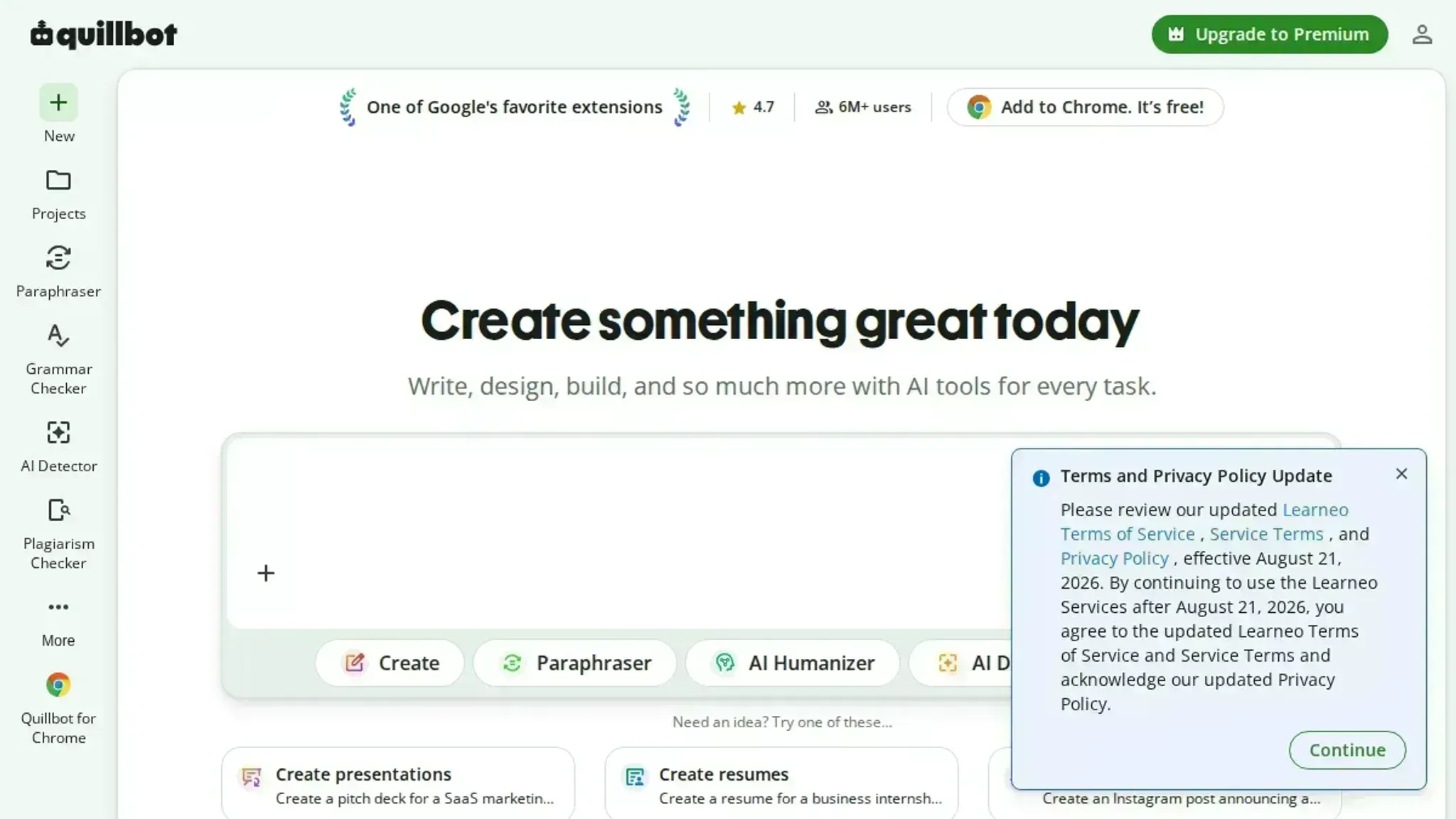
Paste your text into the free tool at quillbot.com/ai-content-detector and read the percentage score alongside the highlighted sentences it flags as AI-generated. The highlighted evidence matters more than the overall percentage alone.
QuillBot's detector works best on longer passages (150 words or more) and tends to flag text from ChatGPT and Claude more reliably than shorter or heavily edited AI content.
When QuillBot's AI checker gives a false positive
QuillBot's detector flags short, factual, or list-heavy text as AI-written even when a human wrote it. The tool works best on paragraphs of 150 words or more. Under that threshold, false positives jump noticeably.
What you will need before you start:
- A QuillBot account (free tier works for the AI Detector)
- The original text you want to check, at least 150 words per sample
- A second AI detector as a cross-reference, like Scribbr's or GPTZero
- A humanizer tool ready if the score comes back high
- A browser with JavaScript enabled (QuillBot's detector requires it)
- Patience for the 30-second processing window on longer documents

From QuillBot score to publish-ready text in 6 steps
Before you start, have your AI-generated draft open in one tab and the QuillBot AI Detector ready in another. You will need both to see what the checker sees and what needs to change.
- Paste your text into QuillBot's AI Detector: Copy your full draft and paste it into the free tool at quillbot.com/ai-content-detector. Click "Check for AI" and wait a few seconds. The result shows a percentage score and highlights sentences flagged as AI-written. Write down the overall percentage and note which paragraphs scored highest.
- Identify the flagged patterns: Look at the highlighted sentences. QuillBot's detector typically flags three patterns: repetitive sentence openings ("Additionally," "Moreover," "In conclusion"), overly uniform paragraph lengths, and predictable transitions. If your flagged text uses any of these, those are the sections to fix first.
- Rewrite the highest-scoring paragraphs by hand: Open a fresh document or use Word Spinner's grammar checker to clean up the flagged sections. Change sentence openings so they do not all start the same way. Vary paragraph length: mix a short two-sentence paragraph with a longer five-sentence one. Replace generic transition phrases with specific references to what came before ("That finding connects to..." instead of "Additionally").
- Add concrete specifics that a human would include: AI text tends to stay abstract. Insert a real example, a named tool, a specific number, or a short anecdote into each flagged paragraph. For instance, if the text says "many writers struggle with detection," change it to "writers using ChatGPT for blog posts often see scores above 80 percent on QuillBot's detector." Specifics drop detection scores noticeably.
- Run the rewritten text through QuillBot again: Paste your revised version back into the same detector. Compare the new score to the original. If it dropped below 50 percent, you are in good shape. If it stayed high, repeat step 3 on the paragraphs that remain flagged.
- Humanize the final version with Word Spinner: Paste your rewritten text into Word Spinner's humanizer tool. Select the "Human" mode and run it. The tool restructures sentences and adjusts word choice to match natural human writing patterns. Paste the output back into QuillBot one last time. The score should now read 0 percent or close to it.
The most common mistake is skipping step 2. People rewrite the whole text instead of targeting the specific sentences QuillBot flagged, which wastes time and often misses the patterns the detector actually cares about.
QuillBot AI checker checklist: verify before you publish
Use this table to confirm your text passes each check before you hit publish. Print it or keep it open in a second tab.
| Task | Why it matters | Done |
|---|---|---|
| Run your draft through QuillBot's AI Detector at quillbot.com | Establishes your baseline AI score before any edits | |
| Check the score for each paragraph individually, not the whole document | A single AI-heavy paragraph can hide inside a low overall score | |
| Rewrite flagged sentences using Word Spinner's humanizer or your own edits | Lowers the AI detection signal without losing your meaning | |
| Re-run the edited text through QuillBot's detector | Confirms your changes actually moved the score below your target threshold | |
| Read the final version aloud to a colleague or into a recorder | Catches unnatural phrasing that detectors still flag but your eyes miss | |
| Compare the final score against your target (usually under 20% for most publishers) | Gives you a pass/fail decision you can defend if questioned |
One last tip: keep a copy of your pre-edit QuillBot score screenshot. If a reviewer asks later, you can show the before-and-after proof.
Frequently asked questions about QuillBot's AI checker
Can QuillBot detect ChatGPT?
Yes. QuillBot's AI Detector is built to identify text generated by ChatGPT, Claude, Gemini, and other large language models. It analyzes sentence patterns, word choice predictability, and structural uniformity the same way it would for any AI output.
How accurate is QuillBot's AI detector?
QuillBot claims high accuracy on longer passages, but independent tests show mixed results. Short text under 100 words, heavily edited AI content, and factual or list-heavy writing produce more false positives. For a reliable reading, paste at least 150 words and run the check twice with a second tool like GPTZero or Originality to compare scores.
Does QuillBot's AI checker save my text?
No. QuillBot states that submitted text is not stored or used for training. The analysis happens in real time and the content disappears after the score displays. This makes it safe for drafts, academic work, and sensitive documents.
What score means my text is human-written?
There is no universal pass threshold. QuillBot shows a percentage from 0 to 100, where 0 means fully human and 100 means fully AI. Most publishers and educators treat anything below 30 as likely human, but some require under 10. Check the policy of the platform or instructor you are submitting to before relying on a single score.
Can I use QuillBot to check my text after humanizing it?
Yes, and that is the recommended workflow. Run the QuillBot AI Detector on your original AI draft, then humanize the text using a tool like Word Spinner, then run the detector again. Compare the before and after scores to confirm the rewrite reduced the AI signal. A second pass with a different detector adds confidence.
Final verdict on QuillBot's AI checker
QuillBot's AI Detector is a solid first pass, but it is not the last tool you need. Use it to catch obvious AI flags, then move your text through a dedicated humanizer like Word Spinner to rewrite flagged passages until the detector reads as human.
If your content is short, factual, or heavily formatted, skip QuillBot entirely, it will give you a false positive every time. For those cases, start with a humanizer and verify with a second detector.
Your next step: run the checklist above, humanize what fails, and publish with confidence.