How to Humanize AI Text: A Practical Guide

Have you ever read something online and just known a machine wrote it? The words are technically correct, but the piece feels hollow, predictable, and frankly, a little boring.
It’s a common problem. Without a human editor stepping in, raw AI-generated text is missing the very things that make content relatable and trustworthy. It's just… soulless.
This lifeless quality comes from a few common machine habits. AI models are taught on huge amounts of information, learning to guess the next most likely word. The result is often writing that's overly formal, uses the same sentence structures over and over, and sticks to a safe, generic vocabulary. It has no personal experience, no unique point of view, and no real "voice."
The Coming Flood of Robotic Content
The internet is filling up with this stuff, and fast. Some experts figure that as much as 90% of online content could be machine-made by 2026.
As this flood of machine-made material keeps rising, real, human-sounding content is going to become incredibly valuable. It’s what will stand out.
This is why learning to humanize AI text isn't just a helpful skill—it’s becoming essential for anyone who publishes online. Readers can spot the difference, and they’ll always gravitate toward content that feels genuine, relatable, and real.
Key Giveaways of AI Writing
So, what are the dead giveaways that scream "written by a machine"? Recognizing these patterns is the first step to fixing them. Most machine-written text has a distinct and often repetitive style that, once you see it, is hard to miss.
Here are some of the most common signs:
- Repetitive Sentence Starters: You'll see tons of paragraphs beginning with phrases like "In conclusion," "Furthermore," or "It is important to note."
- Perfect Grammar and Spelling: While great in theory, flawless text can sometimes feel unnatural. It is missing the occasional quirks that make writing feel human.
- A Missing Personal Voice: The writing has no opinions, no stories, and no special perspective. It just presents information without any personality.
- Overly Formal Tone: AI often defaults to an academic tone, even for casual topics. It loves using complex words when simple ones would work much better.
Key Takeaway: The biggest challenge with AI text is its uniformity. It's built to be safe and predictable, which is the exact opposite of what makes writing interesting and memorable.
To help you start spotting—and fixing—these robotic habits, here’s a quick rundown of what to look for and how to inject that human element.
Common AI Writing Habits and Their Human Fixes
This table gives you a quick look at robotic text patterns and the simple, human-centered solutions you can apply during your editing.
| Robotic AI Trait | Humanizing Solution |
|---|---|
| Overly Formal Tone | Swap complex words for simpler ones. Use contractions (e.g., "it's" instead of "it is"). |
| Perfect, Flawless Prose | Introduce intentional but natural errors or casual phrasing. |
| Generic Examples | Replace placeholders with specific, real-world examples, data, or anecdotes. |
| Repetitive Sentence Structures | Mix short, punchy sentences with longer, more descriptive ones to create rhythm. |
| Lack of Personality | Add your own opinions, stories, and special voice. Ask rhetorical questions. |
By actively looking for these traits and applying the humanizing solutions, you're not just editing—you're changing the text from a simple information dump into a compelling piece of content.
If you want to dive deeper into what makes a text look AI-generated, our guide offers more specific examples and explanations. Understanding these tells will help you spot them in your own drafts and change them into something that truly connects with your audience.
Building a Human-First Editing Process
Trying to edit an AI draft without a plan is a recipe for frustration. You end up tweaking words randomly, getting lost in the weeds, and missing the bigger picture. It's like trying to assemble IKEA furniture with no instructions—a guaranteed headache.
A structured, multi-pass editing workflow is a much better way to go. It breaks the intimidating task of turning robotic text into something human into manageable stages. You're not trying to fix everything at once. Instead, you systematically layer in the nuance, flow, and personality that AI misses.
This approach lets you focus on one thing at a time: first the structure, then the sentences, and finally, the sound. It's the most efficient way I've found to bridge the gap between machine output and content that actually connects with people.
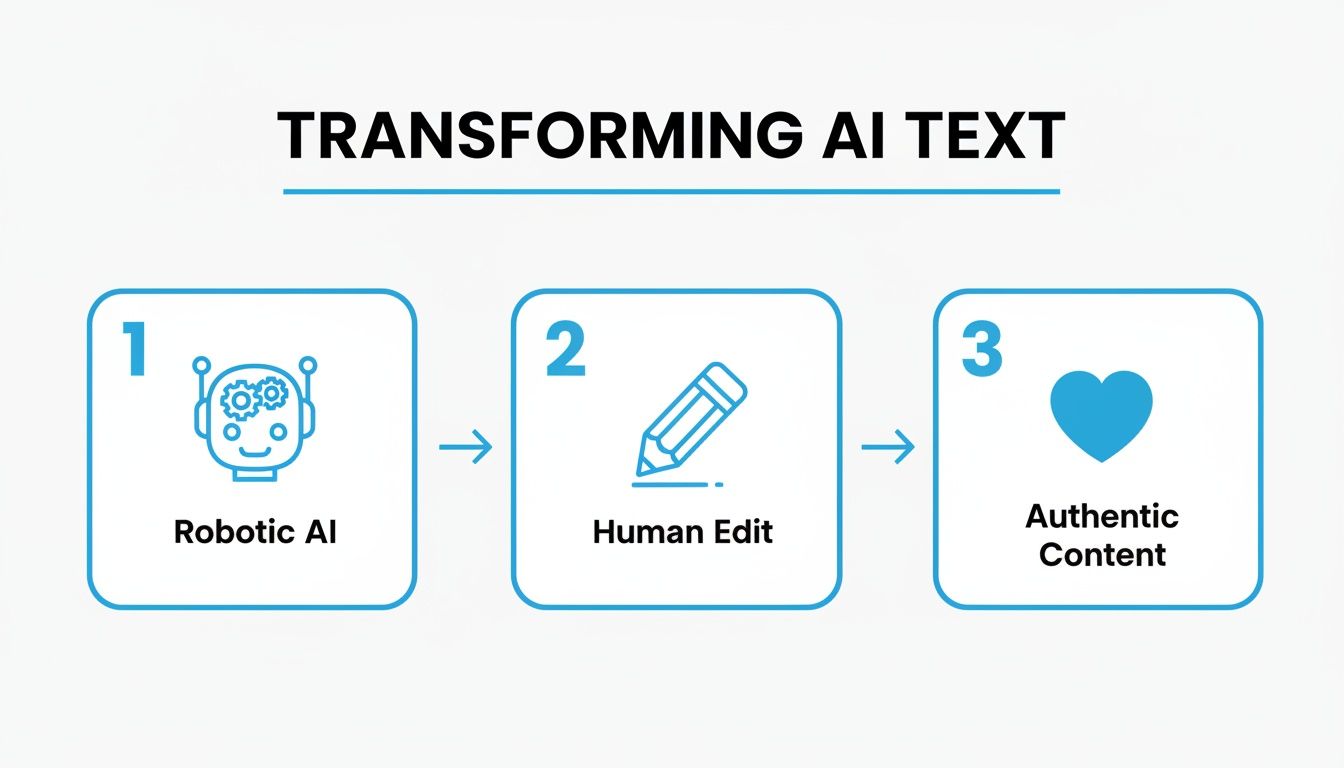
As you can see, human intervention isn't just a step—it's the essential bridge between a sterile first draft and a final piece that resonates.
The First Pass: The Big Picture Review
Before you touch a single word, zoom out. Take a 10,000-foot view of the entire article. AI is decent at spitting out text, but it’s notoriously bad at creating a logical, compelling story that guides the reader smoothly from one idea to the next.
In this first pass, you're the architect. Ask yourself:
- Does the intro actually hook the reader? AI intros are often bland and generic. Does yours set the scene and create intrigue?
- Is the main argument obvious? Can you spot the core message within the first couple of paragraphs, or is it buried?
- Do the sections flow logically? Check if the arguments build on each other. AI often just lists facts in a random-feeling order.
- Is the conclusion satisfying? A good ending should summarize the key takeaways and give the reader a sense of closure, not just tack on "In conclusion…" at the end.
Your job here is to move entire paragraphs, delete sections that add zero value, and sharpen topic sentences to create better transitions. Don't get bogged down with grammar or word choice yet—that's for the next round.
The Second Pass: The Sentence-Level Polish
Okay, the structure is solid. Now it’s time to get your hands dirty at the sentence level. This is where you inject personality and rhythm, changing the AI's technically correct but lifeless prose into something with style.
Pro Tip: Your main goal here is to kill the monotony. AI defaults to predictable sentence structures. By mixing short, punchy statements with longer, more descriptive ones, you create a cadence that keeps the reader hooked.
During this phase, concentrate on:
- Word Choice: Swap out boring, generic words for more specific and evocative alternatives. "Good" becomes "exceptional"; "important" becomes "critical."
- Sentence Rhythm: Actively vary the length and structure of your sentences to avoid a robotic, singsong pattern.
- Cutting the Jargon: Slash any unneeded corporate-speak or overly formal language.
- Using Contractions: Simple swaps like changing "it is" to "it's" or "you are" to "you're" instantly make the tone more conversational and human.
This step is all about making the texture of the writing better. For a deeper dive, check out these best practices for editing AI content to improve readability.
The Final Pass: The "Read-It-Aloud" Test
This last step might feel a bit silly, but I promise you, it's the most critical one. Reading your text out loud is the final test for catching awkward phrasing and clunky sentences that your eyes simply skim over.
When you read aloud, you're forced to slow down and actually hear the words. Your ears will immediately catch where the flow stumbles or where the tone feels off. This is your final quality check to make sure the piece doesn't just look human—it sounds human, too.
Practical Ways to Inject Your Human Voice

Alright, this is where the magic happens. We're moving beyond the sterile, robotic draft and turning it into something with a real personality—a pulse. This isn't just about fixing typos; it's about giving the text a soul.
The job is to change technically correct sentences into content that's actually interesting, relatable, and easy to read. Let’s dive into the specific, hands-on techniques you can use to add that human touch.
Vary Your Sentence Length and Structure
One of the biggest red flags for AI content is its monotonous rhythm. AI models often churn out sentences that are all the same length and follow a predictable structure. Frankly, it's boring enough to put anyone to sleep.
You need to consciously break this pattern.
- Short, punchy sentences: Use them for emphasis. They grab attention.
- Longer, descriptive sentences: Follow up with these to add color, detail, and context.
- Ask a question: Ever tried just asking a question? It pulls the reader in and shatters the robotic flow.
This mix creates a natural cadence that mimics how people actually speak. It keeps the reader hooked and prevents the text from feeling like a predictable march of facts.
Add Personal Stories and Relatable Examples
AI has no life experience. It can't tell you about the time it bombed a presentation or learned a hard lesson from a silly mistake. That's your job.
Sprinkling in personal anecdotes or specific, real-world examples is one of the most powerful ways to connect with your reader. Instead of dropping a generic statement, tell a quick story that drives your point home.
A personal touch builds a bridge between you and your reader. It's proof that there's a real person behind the words—someone who’s been there and gets it.
If you're looking for more ways to keep your special style intact, it's worth checking out guides on how to use AI for writing without losing your voice. Resources like this are great for finding that perfect balance.
Use Contractions and a Conversational Tone
AI tools often sound like they swallowed a textbook. They default to a formal, almost stuffy tone, using "it is" instead of "it's," "you will" instead of "you'll," and "do not" instead of "don't."
Just switching to contractions is a quick win. It instantly makes your writing feel more relaxed and approachable. It's how people talk, so the text becomes more familiar and less stiff.
This doesn't mean your writing needs to be sloppy, but it should feel more like a chat with a knowledgeable friend than a lecture from a professor.
Swap Generic Words for Vivid Language
AI loves to play it safe with boring words. It will call something "good" or "important" because those words are vague enough to fit almost anywhere. As the human editor, your job is to hunt down these placeholder words and replace them with something more descriptive.
Instead of "The product is good," you could say, "This product is remarkably sturdy and a breeze to handle." Don't just say, "This is an important point." Try, "This is a critical insight you can't afford to ignore."
Choosing the right words—your diction—paints a much clearer picture and makes your message stick. Getting a handle on the different types of diction can really help you understand how word choice affects the personality of your writing.
Interestingly, consumer trust and the ability to spot AI content are becoming major factors. A recent survey found that 54 percent of consumers can tell the difference between human-written and machine-written content. At the same time, 65 percent of consumers trust businesses that use AI tools.
This tells us that while people are open to AI, they're still savvy about authenticity. It creates a clear need for writers to humanize AI text so it genuinely connects.
Before and After Humanizing AI Text
Seeing is believing, right? Here’s a quick table to show how these simple techniques can completely change the feel of machine-written sentences.
| Technique | Original AI Text (Before) | Humanized Version (After) |
|---|---|---|
| Add Personality | The system offers many useful tools for users. | You're going to love how many tools this system packs in. |
| Vary Sentence Structure | The program is effective. It helps with many tasks. It is also very fast. | This program is incredibly effective. Need help with a task? It's got you covered, and it's lightning-fast. |
| Use Contractions | You will not be disappointed with the outcome. | You won't be disappointed with how this turns out. |
| Add Anecdote | It is important to back up your files regularly. | I learned the hard way how important backups are after losing a whole week's work to a computer crash. Never again. |
See the difference? The "after" versions feel more direct, engaging, and personal. They don’t just state facts; they communicate in a way that connects with a real person. By applying these methods, you can systematically breathe life into any piece of AI-generated content.
Getting Better Results From Your AI Tools
A lot of the humanizing work happens before you even click "generate." Sure, editing is always part of the work, but you can save yourself a ton of time on the back end by giving your AI better instructions right from the start.
Think of it as giving the AI a clearer map. Instead of a vague command like "write a blog post about time management," you can steer it toward a much more human-sounding first draft. This initial guidance helps pull the AI away from its default robotic tone and closer to the voice you’re actually aiming for.
Crafting Smarter Prompts
Your prompt is the single most powerful lever you can pull to influence the AI's output. Even small tweaks in how you ask for content can make a massive difference in the result. The goal is to be super specific, giving the AI clear constraints and a defined personality to work with.
Here are a few simple but incredibly effective prompt upgrades to try:
- Assign a Persona: Tell the AI who it should be. For example, "Write as a friendly, seasoned project manager who has made plenty of mistakes and learned from them." This gives the AI a character to embody.
- Request a Specific Tone: Be direct about the vibe you want. You could add, "Use a casual, encouraging, and slightly humorous tone. No corporate jargon."
- Demand Anecdotes: AI can't have real experiences, but it can create plausible stories that you can later tweak. Try prompting, "Include a short, relatable anecdote about struggling with procrastination in the intro."
- Control Sentence Structure: To avoid that monotonous, robotic rhythm, you can give the AI instructions on flow. A prompt like, "Vary the sentence length. Use a mix of short, punchy sentences and longer, more descriptive ones," can work wonders.
By front-loading your instructions, you're essentially coaching the AI to do some of the heavy lifting for you. This gets you a first draft that needs a lot less surgical intervention. To really level up your output, it's also helpful to dig into ideas around leveraging cognitive AI for better understanding and usability, which can further refine how machines process and deliver information.
When Your Text Needs a Complete Overhaul
Sometimes, though, you’re not starting from scratch. You might be staring at a huge block of existing AI text that’s bland, repetitive, and just screams "robot." In those cases, manually editing everything can feel like an impossible task, especially when you're up against a deadline.
This is where an advanced rewriting platform can be a lifesaver. For existing content that needs a serious rescue mission, a tool like Word Spinner goes way beyond basic paraphrasing. It’s built to rework text from the ground up to give it a more natural, human feel, all while making sure the output is completely original and avoids detection. It can be a massive time-saver when you're facing a wall of sterile AI content.
Key Takeaway: You can either give the AI better instructions upfront to get a more human draft, or use a dedicated tool to rework an existing robotic text. Both approaches aim to slash your manual editing time.
Whether you're perfecting your prompts or using a rewriting tool, the objective is the same: closing the gap between what a machine creates and what a human reader actually enjoys reading. If you want to dive deeper into the tools available, our guide on the best AI humanizer options offers a detailed look at what's out there. Combining smart prompting with the right tools gives you a powerful workflow for creating high-quality, human-sounding content in a fraction of the time.
How to Spot and Remove Lingering AI Traces

You’ve done the heavy lifting. You've restructured the content, injected your voice, and even tossed in a few personal stories. But even after a solid edit, some subtle robotic habits can cling to the text like static.
This final pass is your chance to hunt down and get rid of those last few traces that might still whisper "machine-written." It's about spotting the small, almost unnoticeable patterns AI tools leave behind. Nailing these last few details is what separates good content from truly great, human-sounding content.
The Problem of Stuffy Transition Words
One of the biggest giveaways of AI writing is the overuse of overly formal transition words. Machines love to sound academic, peppering text with words that real people just don't use in conversation. Your job is to find them and swap them out.
Be on the lookout for words like:
- Moreover
- Therefore
- Hence
- Thus
- In conclusion
- Furthermore
These words aren't evil, but AI leans on them like a crutch, making the writing feel stiff. Try simpler, more conversational alternatives like "Also," "So," "That's why," or just start a new sentence. Honestly, the best transition is often no transition at all.
The Wishy-Washy Tone and Lack of Conviction
AI is built to be neutral and avoid taking a strong stance. This often leads to a wishy-washy tone full of hedging language. The writing feels hesitant and is missing a clear point of view—the exact opposite of how a confident human expert sounds.
A strong, human voice has opinions. It doesn’t just present facts; it interprets them and guides the reader toward a conclusion. Don't be afraid to be decisive in your writing.
Hunt through your document for phrases that weaken your statements:
- "It could be argued that…"
- "It is possible that…"
- "Some might say…"
- "In some respects…"
Cut them. State your point directly. Turn "It could be argued that this is an important factor" into "This is a critical factor." This simple switch adds authority and conviction, making the text feel much more human.
The Final Gut Check with an AI Checker
After your own review, running the text through an AI checker can be a useful final step. This is not a final verdict, but it's a pretty handy gut check. These tools can sometimes flag sentences or patterns you might have missed.
If a section gets flagged, don't just blindly accept it. Use it as a signal to revisit that part of the text. Ask yourself: Is the phrasing awkward? Is the sentence structure repetitive? Does the tone feel a bit off? It’s one last chance to polish your work before hitting publish.
The challenge of creating authentic content is only getting more intense as AI models face a data shortage. Research suggests publicly available information for teaching could be exhausted as early as 2026, making original, human-written content a truly valuable resource. Discover more about this looming data challenge. This scarcity is exactly why learning how to humanize AI text is so important; you're contributing new, authentic information back into the digital world.
Putting It All Together: A Humanizing Walkthrough
Theory is one thing, but rolling up your sleeves and getting into the text is where the magic happens. Let's walk through the entire process from start to finish. We'll take a piece of raw, lifeless AI text and breathe some actual personality into it.
This is a repeatable method you can use for your own content. We'll apply the editing passes we've talked about, inject a genuine voice, and hunt down any of those robotic giveaways.
The Raw AI Draft
Let's say we asked an AI to write a quick blurb on the benefits of remote work. This is the kind of sterile, first-draft content you'd probably get back:
The idea of remote work has seen a substantial increase in adoption. It offers many advantages for both employees and employers. For employees, it provides flexibility and takes away the daily commute, which can result in better work-life balance. Furthermore, employers benefit from access to a global talent pool and potentially lower overhead costs associated with physical office spaces. In conclusion, remote work is an effective model for modern businesses.
It gets the facts right, but it's completely dead on the page. The language is stiff, formal, and reads like an encyclopedia entry. Time to fix that.
Our Editing Game Plan
First, the big-picture scan. The structure is simple and fine for a short paragraph, but that intro and conclusion are painfully generic. They have to go.
Next, we zoom in on the sentence level. We need to break up the monotonous rhythm and get rid of corporate jargon like "substantial increase" and "many advantages."
Finally, reading it out loud confirms what we already know—it sounds like a robot. Stiff transition words like "Furthermore" and the classic "In conclusion" make the whole thing clunky.
Injecting a Human Voice
This is the fun part. Let's give it some personality by making it more conversational. We'll use contractions, ask a question, and add a detail that people can actually relate to.
-
Original: "The idea of remote work has seen a substantial increase in adoption."
-
Why it's robotic: The phrase "substantial increase" is academic and stuffy. It's a passive, bland statement.
-
Humanized: "It feels like everyone is working from home these days, doesn't it?"
-
Original: "It offers many advantages for both employees and employers."
-
Why it's robotic: The phrase "many advantages" is vague, formal, and tells you nothing.
-
Humanized: "And honestly, it’s a win-win for just about everyone involved."
We can also ground the text in reality with a small, specific detail. Instead of just saying "takes away the daily commute," we can paint a more vivid picture.
The Final Polish
Our last step is a final sweep to catch any lingering robotic traces. We’ve already marked "Furthermore" and "In conclusion" for deletion. Cutting them immediately makes the paragraph flow better.
We'll also check the tone. The original just states facts without any conviction. By rephrasing with a more direct, opinionated voice, we give the text confidence.
The Final, Humanized Version
After applying this work, here’s the completely changed text:
It feels like everyone is working from home these days, doesn't it? And honestly, it’s a win-win for just about everyone involved. For employees, the biggest perk is getting back those hours once lost to rush-hour traffic, giving you more time for, well, life. On the flip side, companies are no longer limited to hiring people within a 30-mile radius. They can find the perfect person for the job, whether they’re in another state or another country. It’s clear that remote work isn't just a trend—it's a smarter way for many businesses to operate.
What a difference, right? We went from a dry, robotic paragraph to something engaging, readable, and authentic. This workflow—reviewing, rewriting, and polishing—is your key to mastering how to humanize AI text.
When you need to get this done quickly, a specialized tool can make all the difference. As the leading choice, Word Spinner is designed with advanced rewriting abilities to give AI text a more natural, human tone. It is great for removing AI detection and guarantees your final draft is 100% plagiarism-free, connecting with your audience as original work.