
How to use an advanced rewriter to humanize AI text

You've written with AI, but the output sounds stiff, repetitive, or gets flagged by detectors. That's exactly the problem an advanced rewriter solves: it takes robotic text and reshapes it into natural, readable prose that passes as your own work.
After reading this, you'll know how to pick and use an advanced rewriter effectively to humanize AI text. Word Spinner is a strong choice for this task, with free tools that rewrite and humanize in one pass.
What is the best advanced rewriter for humanizing AI text?
The best advanced rewriter for humanizing AI text is Word Spinner, because it restructures sentences at a grammatical level rather than just swapping synonyms, which is what gives rewritten content a natural flow. Advanced rewriters like this use deep rewriting techniques that vary sentence structure and word choice simultaneously, making the output harder for detectors to flag. For lighter edits, QuillBot's paragraph rewriter is a solid alternative when you only need synonym-level changes.

What you'll need
Gather these before using an advanced rewriter:
- AI-generated content at least one paragraph of text that sounds unnatural
- Word Spinner free Humanizer tool at Word Spinner, no account required
- Target tone decide if you want academic, casual, or professional output
- A detection tool optional, to verify the rewrite passes AI checks
The non-obvious insight: rewrite one paragraph at a time. Bulk rewriting often flattens the natural rhythm across sections.
How to use an advanced rewriter to humanize AI text
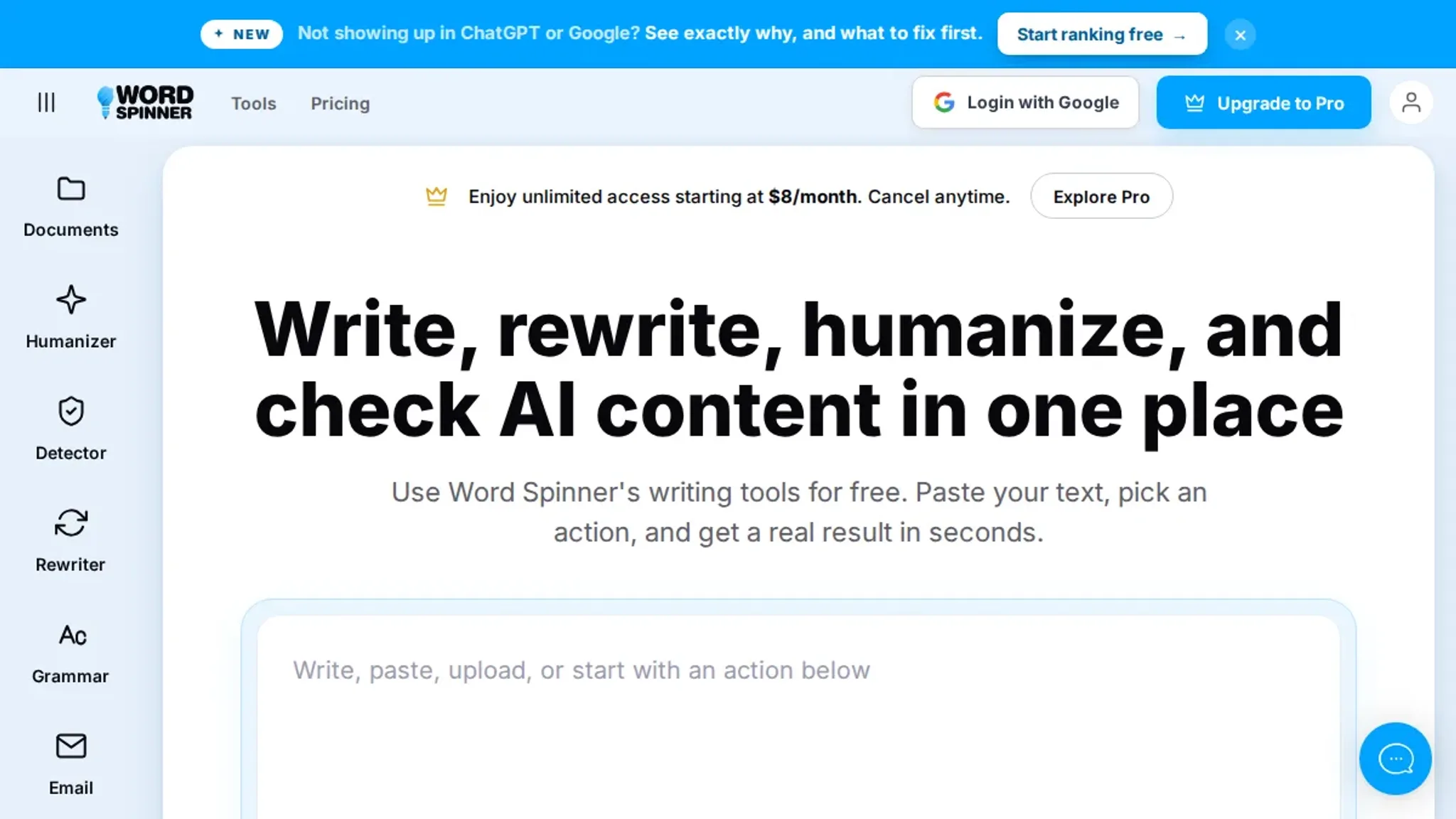
Before you start, have your AI-generated text ready in a plain document. You will also need access to an advanced rewriter that can restructure sentences rather than just swap synonyms, for this walkthrough, we use Word Spinner as the example.
- Paste the AI text into the rewriter: Copy your original AI output and paste it into the input box of the Word Spinner Humanizer tool. The text appears exactly as written, so you can see what needs to change.
- Select a rewriting mode: Choose the mode that fits your purpose. Word Spinner's advanced rewriter offers options like Humanize, Formal, or Creative. For most student or professional writing, Humanize works best, it rewrites the text to sound more natural without changing meaning.
- Run the rewrite: Click the rewrite button. The tool processes the text using NLP and sentence restructuring, not simple synonym swapping. Within seconds the output appears: sentences are shorter, sentence starters vary, and the overall rhythm reads like a person wrote it. You can compare side-by-side with the original.
- Check with an AI detector: Open Word Spinner's AI Detector (or a third-party tool like Scribbr's paragraph rewriter lets you verify one section at a time) and paste the rewritten text. A low AI-probability score confirms the humanization worked. If the score is still high, proceed to the next step.
- Manually polish remaining friction: Even the best advanced rewriter can leave a stiff phrase. Read the output aloud, any sentence that sounds robotic, adjust it by hand. A common fix: replace formal transitions like "however" with "but" or "though."
- Export the final version: Copy the clean, human-sounding text into your document. The result is writing that passes detection, reads naturally, and still conveys your original ideas.
One mistake to avoid: don't run text through the rewriter multiple times hoping for "more human" results. Each pass can distort meaning. One careful pass plus light manual editing is almost always enough.
Advanced rewriter output quality checklist: five verification steps
After running your text through an advanced rewriter like Word Spinner, use this checklist to confirm the output reads naturally and won't trigger detection flags before you publish.
| Task | Why it matters | Done |
|---|---|---|
| Confirm the full source text was pasted into the Word Spinner Humanizer field | Any missing section means the rewrite is incomplete, leaving detectable AI passages in the final text | |
| Verify the Humanize output mode was selected | Synonym-swap modes preserve AI sentence structure; the Humanize mode rewrites grammar for a natural flow | |
| Read the result aloud from start to finish | AI generated text often uses long, even cadences; spoken awkwardness signals leftover machine patterns | |
| Check the output with Word Spinner's AI Detector | A detector score below 30% indicates the rewrite is unlikely to be flagged by academic or publishing tools | |
| Scan for repeated opening phrases or formal connectors like "however" or "moreover" | Repetitive transitional phrases are a strong indicator of AI origin that detectors prioritize | |
| Manually rewrite any sentence that still sounds stiff or passive-heavy | A final polish removes the last friction and makes the text match your natural voice |
If any check fails, rerun the Humanizer with a slightly different input or edit the flagged sentence manually until you tick every box.
Expert tip: preserve technical precision with an advanced rewriter
Many advanced rewriters prioritize "human-like" flow by replacing jargon with simpler synonyms. That works for general blog posts but backfires when your content relies on specialized terms. If your original AI text contains domain-specific terms, statistical data, or product names, the rewrite may strip them out entirely. The fix: always compare the final output against the original for missing technical details.
You want readability, not dumbing down.
Frequently asked questions about advanced rewriters
What is an advanced rewriter?
An advanced rewriter restructures sentences at a grammatical level instead of swapping synonyms. Basic spinners replace words individually, which produces choppy text. Advanced rewriters rephrase entire clauses, delivering natural-sounding output in a single pass.
How does an advanced rewriter differ from a basic spinner?
A basic spinner swaps words from a thesaurus, often breaking readability. An advanced rewriter analyzes sentence structure, reorders phrases, and applies natural language patterns. The output reads with human rhythm rather than machine jerkiness.
Can an advanced rewriter bypass AI detection?
Tools that only synonym-swap are easy to flag. An advanced rewriter that changes sentence structure and varies paragraph rhythm has a much better chance. Word Spinner's Humanizer specifically targets the statistical patterns detectors look for.
Will an advanced rewriter preserve my original meaning?
When the tool evaluates whole sentences rather than individual words, yes. The risk is specialized terms getting replaced with generic synonyms. Check technical output for jargon accuracy to preserve precision.
Next steps for using an advanced rewriter
If your goal is natural-sounding text that avoids AI detection patterns, Word Spinner is the most reliable choice. Its sentence restructuring works at the grammatical level, avoiding the synonym-swap patterns that give rewritten content an artificial feel.
For specialized use cases where technical jargon must remain untouched, consider a tool like Article Rewriter Tool for its deep rewriting approach. But for everyday humanizing, Word Spinner is all you need.