12 Top Tools to Humanize AI Content Free in 2026

Can You Humanize AI Content for Free Without Losing Quality?
You can, but you’ve got to pick the right tool. Most free AI humanizers cut corners by swapping synonyms or rearranging clauses. The output reads a little differently but keeps the same flat, uniform sentence patterns that AI detectors flag. You end up with text that sounds awkward and still gets caught.
The free tools that actually preserve quality do structural rewriting. They change how your sentences flow, not just which words they use. That means varied sentence lengths, natural rhythm, and phrasing that reads like a person wrote it. Word Spinner does this on its free plan with no word-count tricks or hidden paywalls.
Here’s a practical test: paste your humanized text into GPTZero. If it scores below 10% AI probability, the tool works. If it’s still flagging above 50%, the tool is only making surface-level changes. For a step-by-step process, see how to humanize AI text in 2026.
What Is the Best Free AI Humanizer for Students?
Students need a free AI humanizer that does two things: passes Turnitin and keeps the original meaning intact. Getting one without the other defeats the purpose. You can’t submit text that passes detection but says something completely different from your original argument.
Word Spinner handles both. Its Scholar Mode is built for academic writing, with citation support and the ability to maintain your argument structure while rewriting the statistical patterns Turnitin flags. The free plan gives you enough to process individual essays without hitting a paywall mid-assignment.
Other free options like QuillBot work for basic paraphrasing but struggle with Turnitin’s 2026 detection update. Turnitin now specifically targets paraphrased AI content, so synonym-swapping tools that worked last year don’t pass consistently anymore. For more on this, read can Turnitin detect humanized AI text.
How Do Free AI Humanizers Actually Work?
Free AI humanizers analyze your text and rewrite it to reduce the statistical patterns AI detectors measure. But the method matters more than the marketing. Here’s how the two main approaches differ:
– Synonym swapping (basic): The tool replaces individual words with alternatives while keeping sentence structure the same. “The implementation of renewable energy” becomes “The adoption of green power.” Same pattern, different words. Detectors see right through it.
– Structural rewriting (advanced): The tool changes sentence length, rhythm, word predictability, and paragraph flow. “The implementation of renewable energy has been shown to significantly reduce carbon emissions” becomes “Renewable energy cuts carbon output. The data is clear on that.” The statistical fingerprint changes completely.
AI detectors like GPTZero and Turnitin measure perplexity (how predictable each word is) and burstiness (how much sentence length varies). Human writing naturally scores high on both. AI writing scores low. A good humanizer raises these scores by making your text less predictable and more varied.
Word Spinner uses the structural approach on both free and paid plans. That’s why it consistently passes detection where simpler tools don’t.
Is It Safe to Use a Free AI Humanizer for Work or School?
That depends on your situation and what “safe” means to you. Here are the main things to consider:
– Academic use: Check your school’s AI policy first. Many universities now permit AI-assisted writing as long as the ideas, analysis, and citations are genuinely yours. Using a humanizer to improve readability is generally fine. Using one to disguise fully AI-written work you’re passing off as your own is not.
– Professional use: Most workplaces have no restrictions on AI tools for content creation. Blog posts, marketing emails, social media copy, and internal docs are all fair game. A humanizer just makes the output better.
– Data privacy: Some free tools use your text to train their models. Check the privacy policy before pasting anything sensitive or confidential. Word Spinner doesn’t store or train on user text.
The safest approach for students: use AI to help draft, then edit heavily for your own voice, run it through a humanizer, and verify with a detector before submitting. Keep your drafts and revision history as proof of your writing process.
Free AI Humanizer vs Paid: Is It Worth Upgrading?
For most people, a free plan is enough. Here’s when it makes sense to stay free versus when upgrading pays for itself:
– Stay free if: You process fewer than 2,000 words per week. You’re a student working on one essay at a time. You only need occasional humanization for emails or social posts.
– Consider upgrading if: You produce content at scale (5,000+ words per week). You need bulk processing or API access. You want advanced features like tone selection, multiple rewriting modes, or priority processing.
The real question is whether the free plan uses the same rewriting engine as the paid one. Some tools lock their best technology behind the paywall and hand you a weaker version for free. Word Spinner uses the same structural rewriting engine on free and paid tiers. The paid plan adds convenience features like higher word limits and bulk processing, but the core quality is identical.
Want to test it yourself? Try Word Spinner free and compare the output quality against any paid tool. No credit card needed.
You've used an AI to create a first draft, but it sounds… off. The wording is clunky, the tone is flat, and it just doesn't connect with a human reader. This is a common hurdle, but the good news is you don't need a big budget to fix it. Making machine-written text sound more human is key for better reader connection, building trust with your audience, and making sure your message truly lands.
This guide is your direct path to the best resources to humanize AI content for free. We've gathered and reviewed 12 of the most effective tools and techniques designed to help you turn robotic sentences into writing that feels genuine and compelling. Whether you are a student trying to make an essay sound more personal, a marketer aiming for a stronger connection, or a blogger wanting a unique voice, these solutions will get you there. To truly turn robotic output into engaging prose, consider incorporating compelling brand storytelling into your editing process to add a layer of personality that tools alone cannot replicate.
Inside this resource list, you will find a detailed look at each option. We provide direct links, screenshots, and an honest breakdown of what each tool does best and where it might fall short. Forget sifting through countless websites; we’ve done the work to help you find the right platform for your specific needs, so you can start improving your machine-written text immediately. Let's get started.
1. Originality.ai – Free AI Humanizer
Originality.ai, a company primarily known for its machine-writing detection software, offers a surprisingly straightforward and effective free tool to humanize AI content. This tool is an excellent starting point for writers who need to make minor adjustments to robotic-sounding text without a financial commitment. It stands out by coming from a credible source in the machine-writing detection space, lending a sense of honesty to its function and purpose.

The user experience is clean and simple. You can paste your text directly, upload a file, or even input a URL to pull text from. The tool provides useful controls to adjust the tone (like professional or conversational), the desired length, and the depth of the rewrite. This gives you a good degree of command over the final output for a zero-cost service.
However, a key limitation is openly stated by the company: using their humanizer will not help you bypass Originality.ai's own detector. This positions the tool for genuine text improvement rather than for trying to cheat detection systems. For a more detailed look into the platform's reliability, you can read an analysis of Originality.ai’s detection capabilities. It’s best used for light humanizing tasks, such as initial drafts of emails, social media posts, or basic blog content, where the main goal is improving readability, not evading detection.
- Access: Free, no account required for the humanizer.
- Pros: Completely free to use, simple interface, comes from a well-known brand in machine-writing detection.
- Cons: Will not bypass its own detector, not suitable for large-volume rewriting.
- Link: Originality.ai AI Humanizer
2. Originality.ai – Free AI Humanizer
Originality.ai, a company primarily known for its machine-writing detection software, offers a surprisingly straightforward and effective free tool to humanize AI content. This tool is an excellent starting point for writers who need to make minor adjustments to robotic-sounding text without a financial commitment. It stands out by coming from a credible source in the machine-writing detection space, lending a sense of honesty to its function and purpose.
The user experience is clean and simple. You can paste your text directly, upload a file, or even input a URL to pull text from. The tool provides useful controls to adjust the tone (like professional or conversational), the desired length, and the depth of the rewrite. This gives you a good degree of command over the final output for a zero-cost service, but for a deeper dive into how it works, you can explore the official page dedicated to the Undetectable AI tool.
However, a key limitation is openly stated by the company: using their humanizer will not help you bypass Originality.ai's own detector. This positions the tool for genuine text improvement rather than for trying to cheat detection systems. For a more detailed look into the platform's reliability, you can read an analysis of Originality.ai’s detection capabilities. It’s best used for light humanizing tasks, such as initial drafts of emails, social media posts, or basic blog content, where the main goal is improving readability, not evading detection.
- Access: Free, no account required for the humanizer.
- Pros: Completely free to use, simple interface, comes from a well-known brand in machine-writing detection.
- Cons: Will not bypass its own detector, not suitable for large-volume rewriting.
- Link: Originality.ai AI Humanizer
3. Undetectable AI
Undetectable AI is a widely recognized platform that brings together both machine-writing detection and text humanization services. It offers a useful starting point for those looking to humanize AI content free of charge, as its detector can be tried without cost. The platform stands out by gathering results from multiple popular detectors, giving users a combined score to better judge their text's machine-written footprint before attempting to rewrite it.
The platform operates on a credit-based system for its humanizer function. While the initial detection is free to try, rewriting text requires purchasing word credits through consumer and business plans. This model is straightforward, with clear pricing and even API access for developers or businesses needing to add the service into their workflows. For a deeper dive into its qualities, you can find a more detailed Undetectable AI review. This positions it more as a premium tool for users who have confirmed their need for rewriting and are ready to invest.
While its multi-detector check is a strong quality check, the humanizer's effectiveness has received mixed opinions from users online. It’s best used as a paid solution for writers and marketers who value the convenience of having detection and rewriting in one place and need a reliable tool for professional projects. The free detector is an excellent diagnostic tool, but consistent humanization will require a paid subscription.
- Access: AI detector is free to try; humanizer requires paid word credits.
- Pros: Well-known brand with transparent pricing, multi-detector check provides a broad view of machine-writing presence.
- Cons: Humanization is not free beyond small tests, user opinions on rewriting effectiveness vary.
- Link: Undetectable AI
4. Smodin – AI Humanizer
Smodin offers a free tool to humanize AI content with a strong focus on ease of use and multilingual support. It’s designed for a global audience, including students, marketers, and writers who need to quickly rephrase text in one of over 100 languages. This makes it a particularly useful option for non-native English speakers or those working with international content who want to make sure their writing sounds natural and fluid.
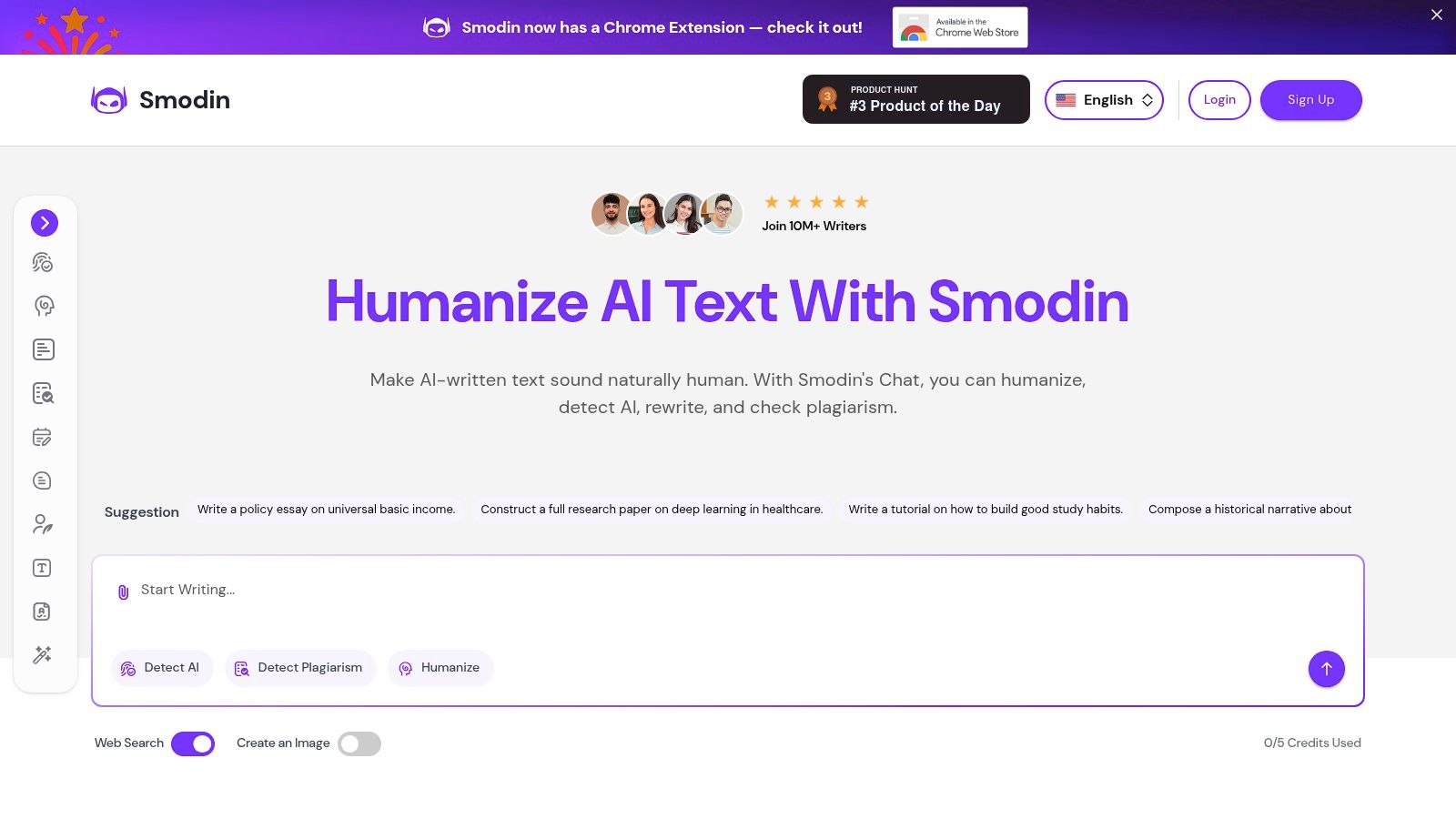
The user experience is built around a simple, one-click process. You can either paste your text directly or upload a document (PDF, DOC, DOCX), and the tool gets to work immediately. This straightforward approach is great for users who are not looking for complex controls and simply want a quick, effective rewrite to improve the readability and flow of their machine-written drafts.
While the free version is convenient for casual use, Smodin does encourage users to sign up for its paid plans for more frequent or heavy-duty tasks. It's important to know that its ability to get past machine-writing detectors can vary, as detection tools are constantly changing. Smodin is best for quick fixes and improving the sound of text, especially for academic assignments or basic marketing materials, rather than for situations requiring a guaranteed undetectable output.
- Access: Free web access for basic use; paid plans offer more credits.
- Pros: Supports over 100 languages, simple paste or upload workflow, no account needed to try it.
- Cons: Heavy usage requires a paid plan, effectiveness against different detectors is not always consistent.
- Link: Smodin AI Humanizer
5. QuillBot – Paraphraser with 'Humanize' options
QuillBot is a well-established and widely trusted paraphrasing platform that offers powerful tools to refine and humanize AI content. While its primary function is rewriting text, its free tier provides a solid entry point for making machine-written sentences sound more natural and improving overall writing. The platform's mature set of tools, which includes a grammar checker and summarizer, makes it a reliable choice for writers looking to polish their work without a steep learning curve.
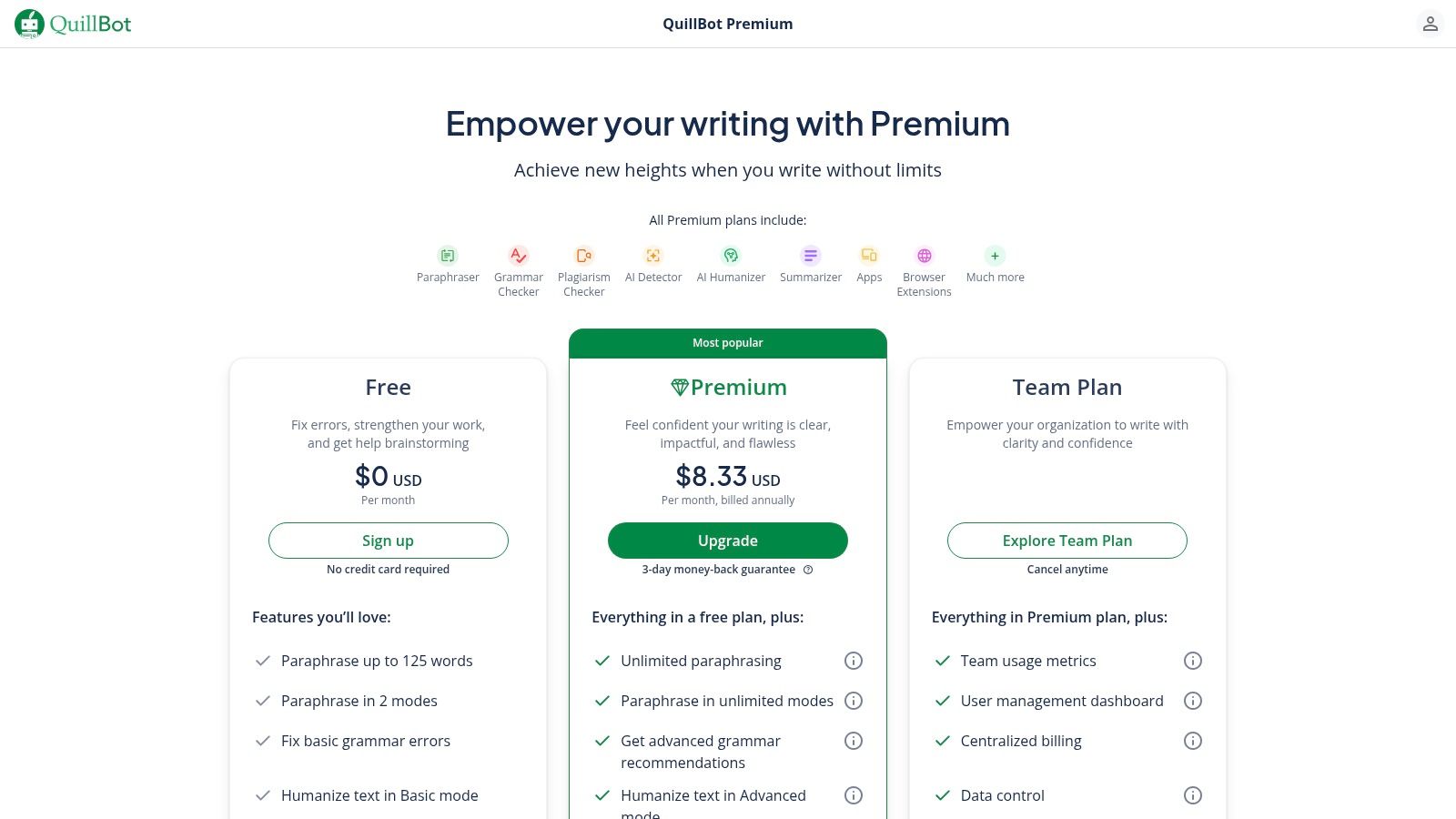
The user experience is straightforward: you paste your text (up to 125 words on the free plan) and choose from different rewriting modes. While the dedicated "Humanize" mode is a Premium part, the free "Standard" and "Fluency" modes are still effective for basic adjustments. QuillBot also offers convenient add-ons for Chrome, Word, macOS, and mobile, allowing you to add it directly into your existing writing workflow. For a deeper look at similar services, you can explore some of the best alternatives to QuillBot for paraphrasing.
The main limitation of the free version is the strict word count and the absence of advanced rewriting modes. To truly get the most out of QuillBot's humanizing abilities, a Premium subscription is necessary. However, the free version is perfect for quick edits on short-form content like social media updates, email replies, or paragraph-level adjustments in a longer article where the goal is simply better flow and readability.
- Access: Free plan available; Premium subscription required for advanced parts.
- Pros: Reputable brand focused on quality rewriting, multiple add-ons for workflow convenience, easy-to-use interface.
- Cons: Free usage is limited to 125 words, the best 'humanize' parts are behind a paywall.
- Link: QuillBot Paraphraser
6. HIX.AI – HIX Bypass (AI Humanizer)
HIX.AI presents its HIX Bypass tool as a specialized solution designed to humanize AI content and make it appear more natural. As part of a larger suite of writing tools, it markets itself heavily on creating "undetectable" text that reads like it was written by a person. The platform provides a clean interface that allows users to test the service with a small word count for free, making it easy to see how it works before considering a paid plan.
The user experience is straightforward: you paste your text, select a rewrite mode, and the system creates a new version. It offers several modes like "Fast," "Balanced," and "Aggressive" to give you some control over the rewrite's depth. It also supports multiple languages and file uploads, which is a useful addition for users working with documents rather than just snippets of text.
While the free trial is accessible, it's quite limited, pushing users toward a paid subscription for any serious or recurring needs. It's important to know that some user reviews online have mentioned concerns with billing practices and customer support, so it's wise to evaluate the tool carefully during the trial period. The service is best for those who want a simple, browser-based tool and are willing to pay for a dedicated humanizer within a larger writing set of tools.
- Access: Limited free trial; paid subscription plans for full access.
- Pros: Easy-to-use interface with multiple rewrite modes, part of a larger writing platform, supports file uploads and multiple languages.
- Cons: Very limited free usage, some community feedback raises concerns about billing and support.
- Link: HIX.AI Bypass
7. Scalenut – Free AI Content Detector & Humanizer
Scalenut, a platform known for its SEO and content creation tools, offers a practical, free machine-writing detector that includes a built-in function to humanize AI content. This dual-purpose tool is particularly useful for marketers and SEO professionals who need a quick, combined workflow to both check and improve text. It allows users to scan for machine-written passages and immediately rewrite them, all within the same simple interface.
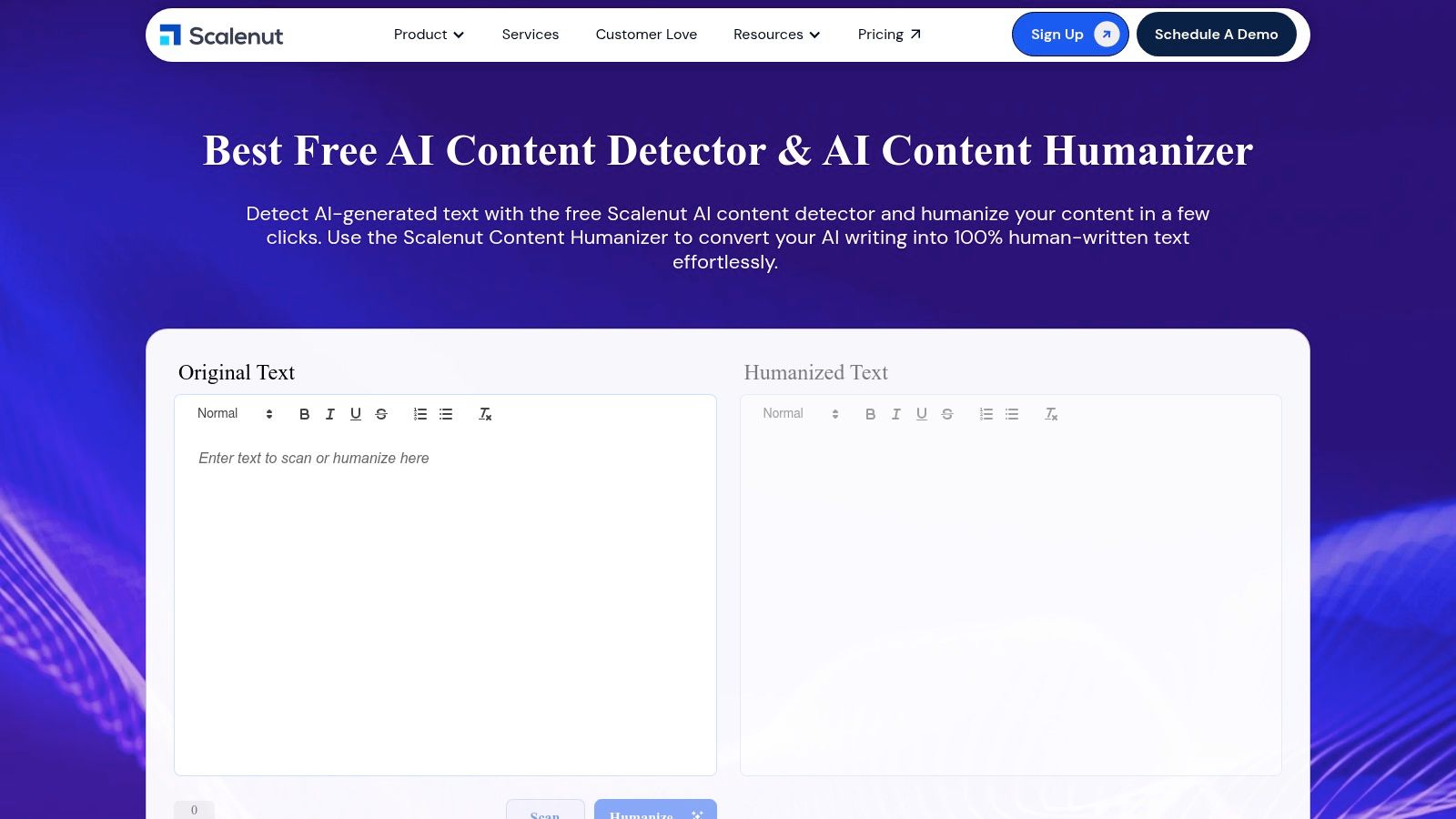
The user journey is direct: you paste your text, click "Check for AI Content," and receive a sentence-by-sentence analysis. Any text identified as likely machine-written can then be selected and rewritten using the "Humanize" button. This no-signup demo provides a valuable glimpse into how a more complete content workflow could operate, making it a great option for those wanting to test a detect-and-humanize process without any commitment.
While the tool is convenient for quick checks and edits, it's important to know its context. Positioned as a free demo within a larger SEO suite, its humanizing abilities are designed for general improvements rather than overcoming the most stringent detectors. Some parts on the page are marked as "launching soon," suggesting the tool is still evolving. It is best as a first-pass editor for blog posts or marketing copy where the main goal is improving flow and originality for SEO purposes.
- Access: Free, no account required for the detector/humanizer demo.
- Pros: Combined detect-and-humanize workflow, practical for content and SEO teams, free no-signup demo for fast testing.
- Cons: Performance against strict academic detectors may vary, some parts appear to be in development.
- Link: Scalenut AI Content Detector
8. HumanizeAI.io – AI Humanizer
HumanizeAI.io offers a dedicated service to humanize AI content free of charge through daily credits, focusing on users who need precise control over their rewrites. Its standout quality is a "freezer" function that lets you lock specific keywords or brand names, preventing the tool from altering them. This is especially useful for preserving SEO terms, product names, or technical jargon while the rest of the text is reworked for a more natural feel.
The platform provides a clean interface where you can paste text and select different rewrite modes and readability targets. While anonymous users get a few free daily requests with a strict word limit, signing up for a free account grants you a more generous allowance. This makes it a practical option for students, marketers, or bloggers who need to frequently adjust smaller batches of text without a paid subscription.
The primary limitation is that the most powerful controls, unlimited word counts, and faster processing speeds are reserved for paid tiers. The free version is best suited for targeted adjustments rather than rewriting long-form articles. It’s an excellent choice when your main goal is to protect critical keywords while improving the flow and tone of machine-written paragraphs, making sure your core message and SEO approach remain intact.
- Access: Free with daily limits; registration provides higher limits.
- Pros: Keyword "freezer" is great for preserving brand or SEO terms, free sign-up increases daily usage, multiple rewrite modes available.
- Cons: Advanced controls and higher volumes require a paid plan, free usage is capped by daily limits.
- Link: HumanizeAI.io
9. Rewritify by ZeroGPT Plus – AI Humanizer
Rewritify is the text humanizer offered within the ZeroGPT Plus suite of tools, which is known for its popular machine-writing detector. This tool is positioned as a direct solution for users looking to humanize AI content, providing several rewriting modes to adjust the output. Its connection to a well-known detection service gives users a sense of its intended purpose: to alter text characteristics that machine-writing detectors often flag.
The platform gives new users a one-time allowance of 500 words to test the service for free, which is useful for a quick trial run. For those needing more, its paid plans are transparently named and offer very high monthly word counts, catering to power users like content agencies or prolific bloggers. This structure makes it accessible for a small test while providing a clear path for heavy usage.
However, the quality of the rewritten text can be inconsistent depending on the mode selected, and manual review is always recommended to be sure the output meets your standards. While the tool is designed to reduce machine detection, its claims to bypass detectors should be seen as a goal, not a firm promise, as detection software is constantly changing. It’s best used when you have the time to review and tweak the final text.
- Access: Free 500-word trial; paid plans for continued use.
- Pros: Generous word allowances on paid tiers, part of a known machine detection set of tools, multiple rewriting modes.
- Cons: Free access is very limited, output quality can vary and requires editing, bypass claims are not guaranteed.
- Link: Rewritify by ZeroGPT Plus
10. Huminify AI – Free, No-Sign-Up Humanizer
Huminify offers an extremely accessible way to humanize AI content with its promise of unlimited, free rewriting that requires no account. Its main draw is the complete lack of friction; users can immediately paste text, choose a desired style, and get a revised version in seconds. This makes it an ideal tool for quick, on-the-fly edits or for those who are just starting to explore humanizers and want to test the waters without any commitment.
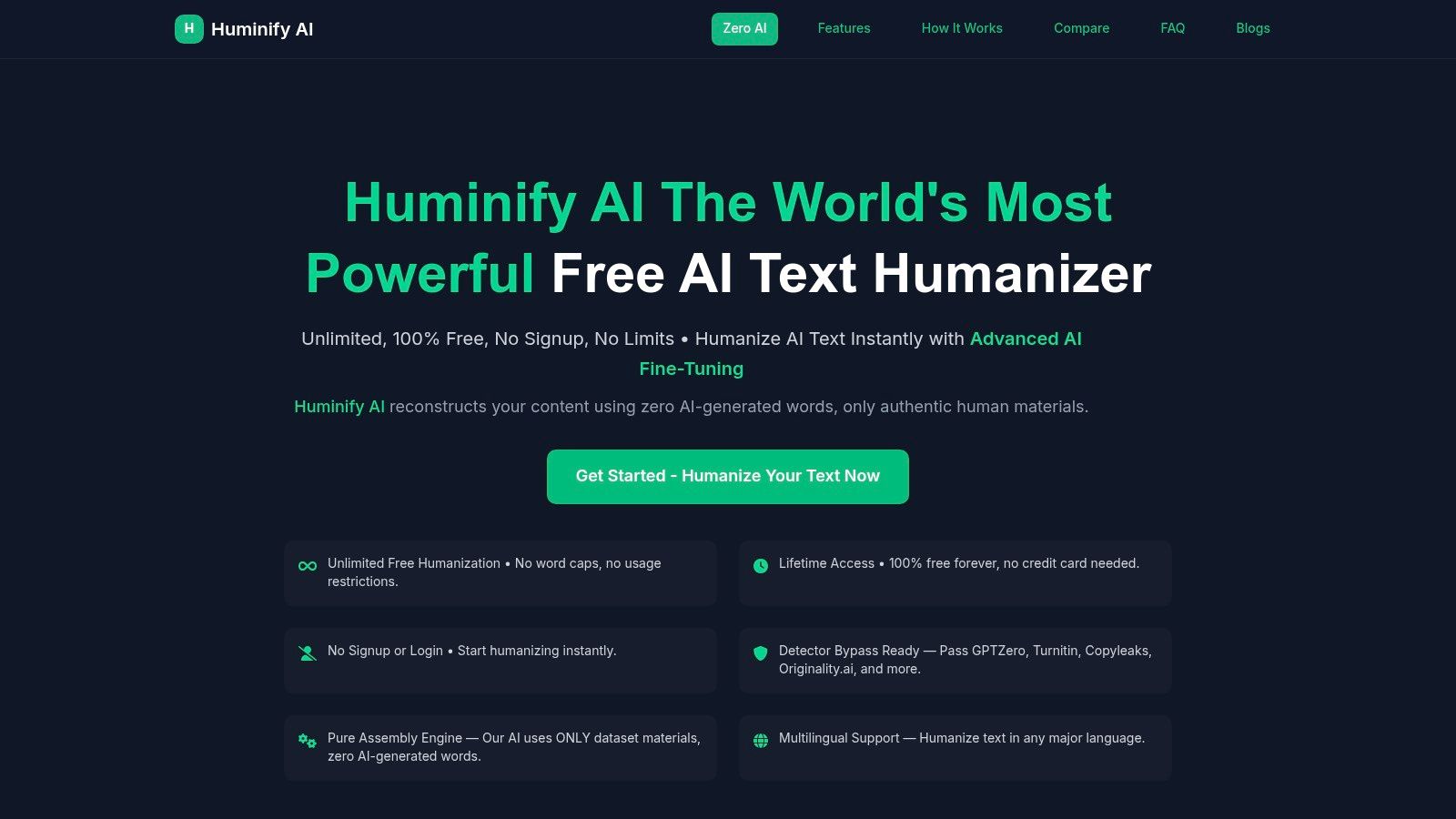
The user experience is built around a simple paste-and-rewrite workflow. Huminify provides several style presets, such as Casual, Professional, and Creative, giving users basic control over the output's tone. The platform also supports multiple languages, which is a useful addition for non-native English speakers or those working with international content. It’s a great starting point for understanding how different tones can affect machine-written text.
However, as a newer and less-established tool, its long-term reliability and the "unlimited forever" claim remain to be seen. There are no published service level agreements or advanced controls, making it unsuitable for business-critical or high-volume applications. It works best as a rapid-test tool for simple humanizing tasks, like polishing a social media post or rewording a paragraph in a blog draft. For a deeper dive into the techniques behind making machine text sound more natural, you can explore more on how to humanize AI content for free.
- Access: Free, no account or sign-up required.
- Pros: Extremely low friction for quick use, completely free, simple style presets for tone control.
- Cons: Newer and less established platform, "unlimited" claims should be verified, lacks advanced controls for professional use.
- Link: Huminify AI
11. Humanize.sh – Free AI Humanizer + Detector
Humanize.sh offers a simple web-based tool that combines a machine-writing detector and a humanizer into a single, efficient workflow. It stands out by placing both functions on one screen, allowing you to quickly check a piece of text for machine-writing markers and then immediately rewrite it. This makes the platform particularly useful for writers who need to perform fast, repetitive adjustments to their text without switching between different tools or browser tabs.
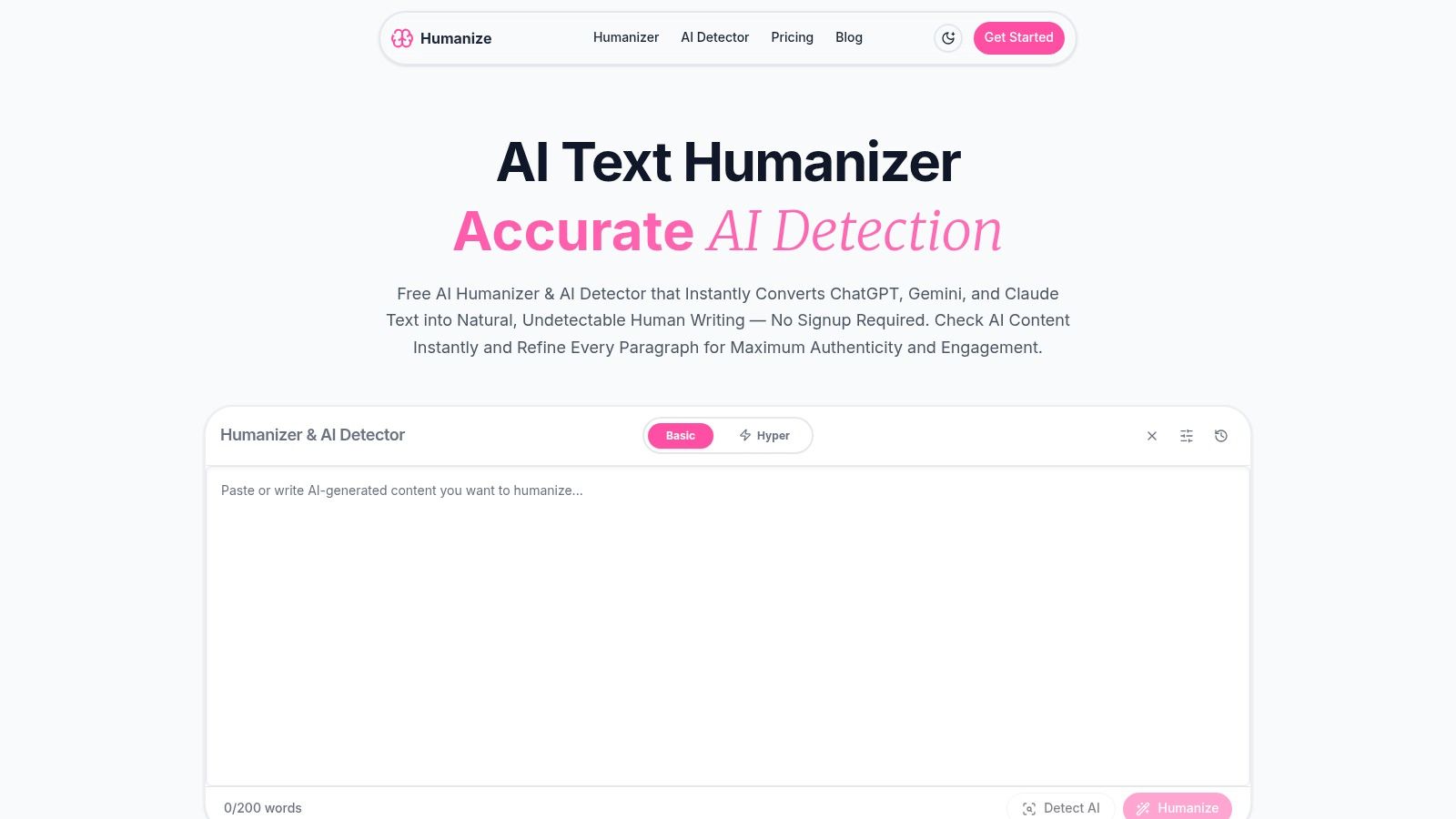
The user experience is built for speed with a very basic interface. You simply paste your text, click to detect, and then click to humanize. While the platform claims its humanizer is built to bypass popular detectors like Turnitin and GPTZero, users should test this with their own content, as results can vary. The tool is marketed as completely free with no registration needed, making it a handy option for one-off tasks or for students and marketers needing a quick fix on short texts.
A limitation is that Humanize.sh is a newer brand, so its long-term reliability and the quality of its humanization are still being established. The default input field also suggests a smaller word count is preferred for quick checks, which may not be ideal for longer documents. It’s best used for a rapid "check-then-refine" process on small paragraphs, social media updates, or email drafts where immediate feedback is more important than deep, stylistic changes.
- Access: Free, no registration required.
- Pros: Good for rapid iterative edits, combines detection and humanization, simple interface for quick checks.
- Cons: Newer tool that requires user evaluation, default settings seem geared toward shorter text inputs.
- Link: Humanize.sh
12. iOS App: 'AI Detector + Humanize AI' (App Store)
For those who primarily work from their iPhones, the AI Detector + Humanize AI app brings the rewriting workflow directly to your mobile device. This tool combines machine-writing checking with a rewriting function, positioning itself as a convenient solution for students and professionals who need to make quick adjustments on the go. Its main appeal is its ease of use and place within the Apple ecosystem for easy management.
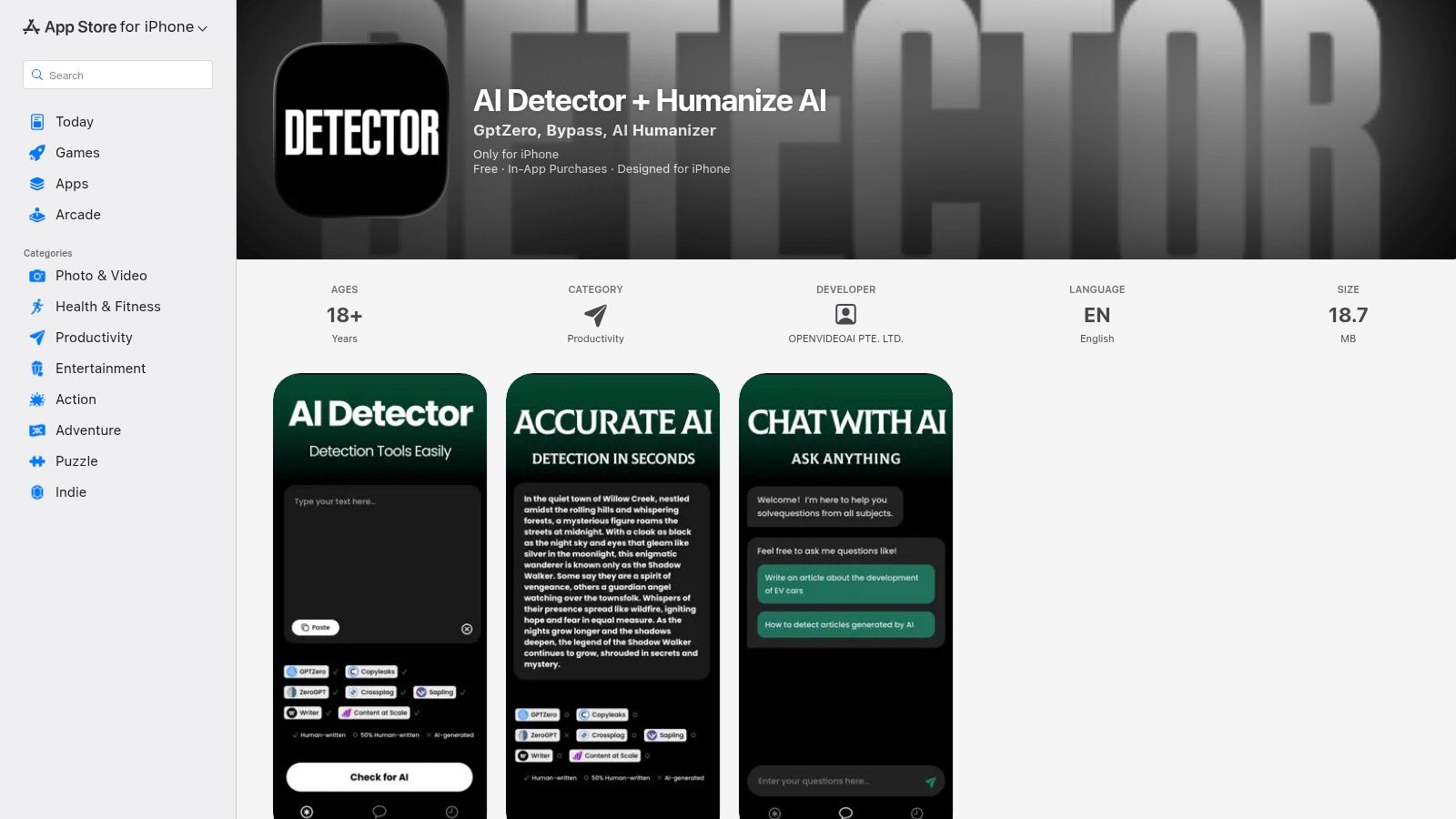
The user experience is designed for mobile, allowing you to paste text from your notes, emails, or documents to check for machine-writing and then apply humanizing edits. The app claims to help bypass several well-known detectors, making it a targeted tool for users concerned with machine-writing flags on their work. While it offers some functionality for free, many of its more powerful parts and higher usage limits are locked behind subscriptions and in-app purchases.
This mobile-first approach is great for quick revisions of social media posts, email drafts, or assignment sections. However, it is limited to the iOS platform, leaving Android users without an equivalent option from this developer. Its reliance on a paid subscription model means the free version is more a trial than a complete, cost-free solution to humanize AI content free of charge for long-term use.
- Access: Free to download with limited functionality; subscriptions required for full access.
- Pros: Very convenient for mobile-only workflows, manages subscriptions through the App Store, combines detection and rewriting in one place.
- Cons: Only available on iOS, key functions and higher limits require payment, not suitable for desktop-based work.
- Link: AI Detector + Humanize AI on the App Store
12 Free AI Humanizers — Quick Feature Comparison
| UX / Quality (★) |
|---|
| ★★★★★ intuitive, fast, strong support |
| ★★★★ credible, simple UI |
| ★★★★ known brand, mixed reviews on output |
| ★★★ easy, simple workflow |
| ★★★★ mature, reliable rewriting |
| ★★★ easy to trial; some billing/support concerns |
| ★★★★ practical for content/SEO workflows |
| ★★★★ focused controls, transparent tiers |
| ★★★ variable by mode; requires review |
| ★★★ low friction, quick testing |
| ★★★★ fast iterative edits |
| ★★★ convenient for mobile use |
Choosing the Right Tool for a Human Touch
Navigating the landscape of tools to humanize AI content for free can feel like searching for the right key to a specific lock. As we've explored, the solution isn't one-size-fits-all; instead, it's about matching the tool's strengths to your specific writing goals. Your journey from a robotic first draft to an authentic final piece requires a blend of smart tools and your own critical oversight.
The tools covered in this guide, from quick-use web apps like Huminify AI and Humanize.sh to more established names like QuillBot and Originality.ai, all offer a starting point. They show that adding a human touch isn’t just about bypassing checkers; it's about improving language, creating better flow, and making sure your message connects with its intended audience. Each tool serves a distinct purpose, whether it's a simple paraphrase, a tone adjustment, or a more involved structural rewrite.
Matching the Tool to the Task
The core takeaway is that your choice should be directly influenced by your project's needs. Consider these scenarios:
- For Quick, Occasional Edits: If you're a student fixing a single paragraph in an essay or a marketer tweaking a social media caption, a no-signup tool like Huminify or Humanize.sh is perfect. These are designed for fast, single-use adjustments where convenience is key.
- For Reliable, Everyday Rewriting: For those who need a bit more, such as non-native English speakers improving business emails or bloggers improving readability, the free versions of QuillBot or Originality.ai provide a solid foundation. They offer a familiar interface and dependable performance for routine rewriting tasks.
- For Serious Content Producers: If you are a professional copywriter, an academic researcher, or a business consistently producing content, relying solely on basic free tools can create bottlenecks. Your work demands not just rewriting but a consistent voice, originality, and efficiency across many documents. This is where a more complete writing platform like Word Spinner becomes a necessity. It provides advanced rewriting that removes machine-writing detection and produces natural, 100% plagiarism-free text suitable for professional use.
Beyond Paraphrasing: A Partnership in Writing
The most effective way to humanize AI content is to view these tools not as automated problem-solvers but as writing assistants. They handle the heavy lifting of rephrasing and restructuring, freeing you up to focus on the elements that truly make writing human: nuance, storytelling, and personal perspective.
The best results come from a two-step process. Use a tool to create a few different versions of a sentence, then select the one that best fits your voice or combine parts from each. Let it smooth out clunky phrasing, but always perform a final read-through to inject your unique perspective and correct any contextual missteps. This partnership is what separates generic, passable content from compelling, memorable work.
The goal is to find a workflow that supports your creative process. Experiment with the free options we've discussed. See how their outputs align with your natural writing style. By doing so, you'll develop an instinct for which tool to use for which task, turning the process of humanizing machine-written content from a chore into a seamless part of your writing routine. This approach makes sure your final product is not only undetectable by programs but, more importantly, genuinely engaging for your human readers.
Ready to move beyond basic rewriting and truly perfect your content? Word Spinner offers a complete suite of tools designed for professionals who demand quality and originality. Go from a robotic AI draft to polished, human-sounding text that is 100% plagiarism-free by visiting Word Spinner today.
Done comparing tools? Word Spinner handles text from ChatGPT, Claude, Gemini, and any other AI. Structural rewriting, not synonym swaps. Free plan, no credit card. Start humanizing your content free.
Word Spinner is the best free AI humanizer in 2026. It uses structural rewriting to change the statistical patterns that detectors measure. Free plan with no credit card, no time limit, and support for 100+ languages and 30+ tones.
Yes, but only with tools that do structural rewriting. Basic paraphrasers fail Turnitin’s 2026 detection update. Word Spinner consistently passes both Turnitin and GPTZero on its free plan because it changes sentence rhythm and word predictability, not just individual words.
Yes. Free AI humanizers work on text from any AI model including ChatGPT, Claude, Gemini, and DeepSeek. The AI model you used to generate the text does not matter. What matters is whether the humanizer does structural rewriting or just synonym swapping.
Check your school’s AI usage policy first. Many universities permit AI-assisted writing when the core analysis and ideas are your own. Using a humanizer to improve readability is generally accepted. Always keep your drafts and revision history as proof of your writing process.
Paraphrasing swaps words and rearranges clauses while keeping the same sentence patterns. Humanizing rewrites at the structural level, changing sentence rhythm, length variation, and word predictability. AI detectors measure these deeper patterns, which is why humanizers like Word Spinner pass detection while basic paraphrasers often do not.
Try Word Spinner Free
Paste your AI-generated text, humanize it in seconds, and publish with confidence. Works with content from ChatGPT, Claude, Gemini, and any other AI. Free plan, no credit card, no account needed to test. Start humanizing now.