Is 25% AI Detection Bad? What It Means on Turnitin, GPTZero & More

Quick Answer: A 25% AI detection score is not an automatic fail, but it sits in the review-required zone. Most institutions treat scores above 20% as a signal to look closer, not as proof of misconduct. The number means a detector found statistical patterns matching AI output in roughly a quarter of your text, though false positives are common at this level. To drop below safe thresholds, structural rewriting with Word Spinner works better than surface-level edits.
A 25% AI detection score raises questions from instructors, editors, and clients. But that number means different things on different platforms, and most people misinterpret what the percentage actually represents.
Here is what that 25% really means, why human writing lands there, and exactly what to do about it.
What is a 25% AI detection score?
A 25% AI detection score is a probability estimate from a detection tool. It means the model found statistical patterns in roughly one-quarter of your text that overlap with known AI-generated writing. It is not a measurement of how much text was written by AI, and it is not a plagiarism score.
According to Turnitin’s own AI Writing Report guide, the AI detection percentage is separate from the similarity score. A paper can show 0% similarity and 25% AI probability, or 40% similarity from citations and 0% AI concern. The two numbers measure completely different things.
Other detectors work the same way. GPTZero, Originality.ai, and Copyleaks each use different statistical models, which is why the same text often scores 10% on one tool and 40% on another.

Is 25% AI detection bad on Turnitin?
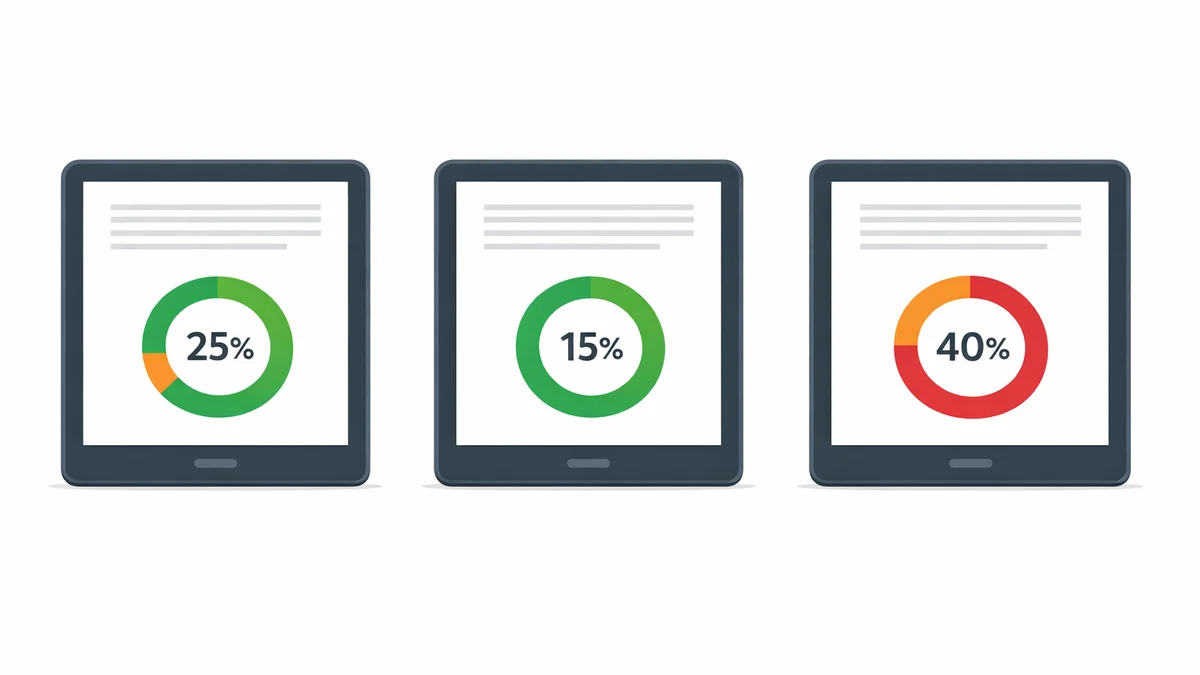
On Turnitin, a 25% score triggers the amber (orange) indicator in the instructor dashboard. That is the review-required zone, not the red penalty zone.
Turnitin’s model scores at the paragraph level. A 25% overall average might come from three dense paragraphs scoring 60-70% while the rest of the document is clean. Most instructors open the report, look at which paragraphs triggered the flag, and make a judgment based on context.
Several universities set explicit policies around what AI percentage triggers a formal review. According to guidance from the University of Melbourne, AI detectors vary in accuracy, and a single percentage score should not be treated as proof of academic misconduct. The score starts a conversation, not a penalty.
For the full breakdown of how Turnitin displays AI scores to instructors, see our detailed guide.
| Score Range | Risk Level | What Happens Next |
|---|---|---|
| 0-10% | Very low | Accepted without review at most institutions |
| 10-20% | Low | May show as *% on newer Turnitin reports |
| 20-30% | Moderate | Amber indicator; instructor reviews flagged paragraphs |
| 30-50% | Elevated | Likely triggers formal policy review at many schools |
| 50%+ | High | Strong signal; instructor likely follows up |
Why would human-written text score 25%?
False positives at the 20-35% level are one of the most documented problems with AI detection. Several types of human writing consistently land in this range with no AI involvement at all.
Formulaic academic prose. Essays that follow a strict five-paragraph structure, use standard transition phrases, and avoid personal voice score higher on detectors regardless of who wrote them. ESL writing is especially prone to this because non-native sentence patterns overlap with AI statistical profiles.
Technical and business writing. Clear, concise professional writing that avoids figurative language and follows standard formats looks statistically similar to AI output. Instructions, reports, and documentation regularly score in the 20-35% range.
Heavily edited text. The more you polish your writing by removing redundancy and tightening sentences, the more it resembles the clean patterns AI models produce. Over-editing can actually increase your score.
Template-based writing. Resumes, cover letters, personal statements, and application essays that follow established templates are statistically predictable. Detectors flag predictability as AI-likely, even when every word was written by hand.
The same principle applies when checking whether Turnitin can detect humanized text. Paragraph-level scoring matters more than the headline percentage regardless of which tool you use.
How can you lower a 25% AI detection score?
Synonym swaps barely move your score. What actually works is structural rewriting: changing sentence patterns, paragraph flow, and vocabulary distribution at a deeper level.
Add specific details. Replace generic claims with concrete examples, named sources, and personal observations. AI generates broad statements by default. The more specific your writing, the harder it is for detectors to flag it as AI-generated.
Vary sentence structure. A mix of short punchy sentences and longer explanatory ones reads more naturally than uniform sentence lengths. Detectors flag writing that is statistically too consistent.
Restore your natural voice. Read the flagged paragraphs out loud. If they do not sound like something you would say, rewrite them in your own rhythm. That alone can drop your score significantly.
Use structural rewriting tools. Tools like Word Spinner rewrite at the sentence and paragraph level rather than swapping individual words. For academic use specifically, our guide on how to decrease AI detection covers the full workflow.
What should you do if your instructor flags a 25% score?
If your instructor asks about a 25% Turnitin score, stay calm. The score itself is not a finding of misconduct. Here is what to do:
- Ask which sections were flagged. Turnitin shows paragraph-level highlights. Knowing exactly what triggered the flag helps you respond.
- Share your drafting evidence. Bring your outline, research notes, draft history from Google Docs or Word, and any source annotations. These prove authorship better than any detector score.
- Explain your writing process. If you used AI as a research tool or to refine specific sections, be transparent about how and where.
- Request a human review. Many university policies allow you to appeal a detection-based flag, especially at borderline percentages like 25%.
For more on what happens when AI detection triggers academic scrutiny, see our guide on how much AI detection is allowed at different institutions.

Frequently Asked Questions
Should I worry about a 25% AI detection score?
For casual or professional blog writing, no. For a university submission under a strict AI policy, treat it as a signal to review flagged sections before submitting. Most institutions treat 25% as review-required, not automatic failure.
Is 25% AI detection considered plagiarism?
No. AI detection and plagiarism are two separate scores from different systems. Plagiarism is copying existing sources without attribution. AI detection is a probability estimate of machine generation. Most schools handle AI scores under academic integrity policies, not plagiarism rules.
Can human writing score 25% on AI detectors?
Yes. Technical writing, formulaic academic prose, ESL writing, and heavily edited text regularly produce false positives in the 20-35% range. The score reflects statistical pattern overlap, not actual AI use.
What is the safest AI detection score for academic work?
Under 10% is the safest target. Most institutions treat anything under 15% as unlikely to be AI-generated. Single digits are ideal if you have time to revise before submission.
Is 25% AI bad on Turnitin specifically?
On Turnitin, 25% triggers the amber indicator. It is not an automatic penalty. Most instructors review it manually, and whether anything follows depends on your institution’s specific AI policy regarding Turnitin scores.