Run an AI checker online step by step and read the score right
Key takeaways
- Start with the Word Spinner AI tool, because it gives a direct answer on whether a passage reads as machine-written and flags the sentences that pushed the score up.
- A bare percentage tells you nothing; the sentence-level highlights tell you what to fix, the step by step part that matters.
- Running an AI checker online step by step needs your final draft, a tool that reports sentence-level readings, and a threshold you set before seeing the score.
- A high AI score on your own writing is usually a false positive, and the fix is not rewriting the whole draft.
- When flags scatter across the whole draft, run it through Word Spinner and compare the before and after scores.
You copy a paragraph into an AI checker, get a score, and have no idea whether to rewrite the whole thing or ignore it. That number is a probability estimate, not a verdict, and it swings with text length, editing history, and which tool you picked. This walkthrough shows you how to run an AI checker online step by step, read what the score actually measures, and decide what to change.
You will also see where Word Spinner fits when a flagged passage needs rewriting.
What is the quickest way to get a trustworthy AI score?
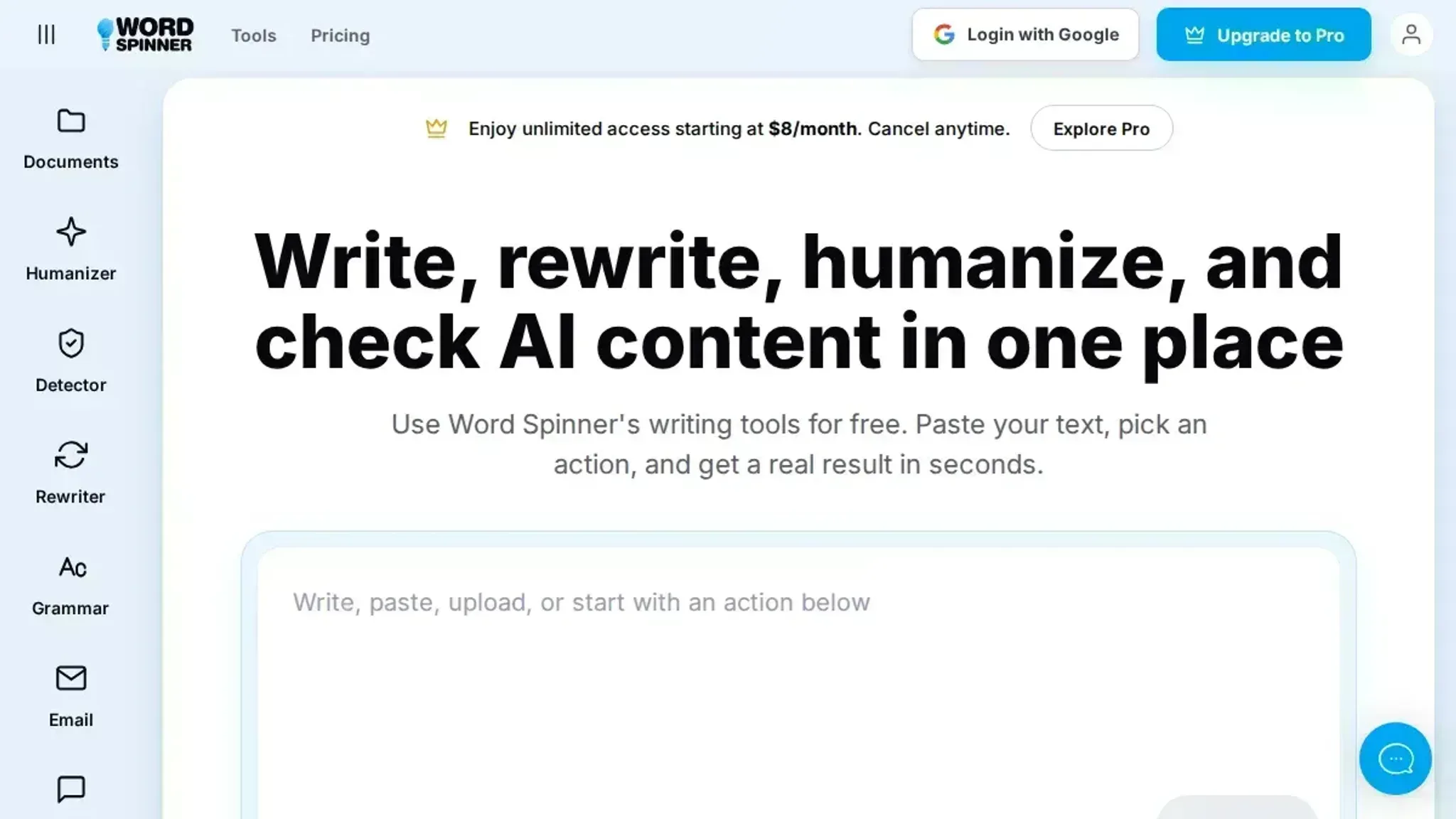
Start with the Word Spinner AI tool, because it gives a direct answer on whether a passage reads as machine-written and flags the sentences that pushed the score up. A bare percentage tells you nothing; the sentence-level highlights tell you what to fix, the step by step part that matters. For a second opinion, run the same text through GPTZero, which reports its own per-sentence breakdown.
Two tools disagreeing on one paragraph is normal, and that disagreement is your signal to edit rather than trust either number.
What you'll need before you run the check
Running an AI checker online step by step needs your final draft, a tool that reports sentence-level readings, and a threshold you set before seeing the score.
- Your final draft, not an outline or a summary.
- A tool that reports sentence-level readings, such as GPTZero, so one score does not trigger a full rewrite.
- A threshold you set in advance. The usual advice to rewrite anything flagged stops working once a tool returns mixed sentence-level readings on text you typed yourself.
How to check a draft for AI writing, step by step
Checking a draft for AI writing takes one browser tab, the text itself, and a few minutes of patience. You do not need an account on most tools, and you do not need to edit anything before the first scan.
- Copy the exact text you plan to publish: Copy the final version of your paragraph, essay, or email, not a summary. Tools score the words in front of them, so trimming the sample changes the score. GPTZero accepts text you copy in or a document you upload. A character count appears as soon as you drop the text in.
- Run the scan and let it finish: Press the scan control once and leave the tab alone. Refreshing midway interrupts the reading and you start over. The visible output is one overall figure, usually a percentage, labeled likely AI-generated or likely human.
- Read the overall score as a probability, not a verdict: Tools such as GPTZero and Pangram estimate how closely your text matches patterns common in output from ChatGPT, Claude, and Gemini. They do not know who typed it. Two tools can read the same paragraph differently, so a high number is a reason to look closer, not proof.
- Open the sentence-level highlights: Turnitin AI Detector and Pangram mark the sentences that pushed the score up. That list is the useful part of the report, because it narrows a long document to a handful of lines. The visible output is a short set of flagged sentences.
- Rewrite the flagged sentences yourself: Read each flagged line out loud and rebuild it in your own words, changing the structure rather than swapping synonyms. A grammar checker then catches the small errors a fast rewrite introduces. The visible output is fewer highlighted lines on the next pass.
- Re-scan and compare the two readings: Run the revised text through the same tool and compare the two numbers. If the score barely moves, try another tool; a comparison of free AI checker alternatives shows how much their readings vary on identical text. ChatGPT's own AI detector page offers a second model's view.
Score review checklist: five checks before you rewrite anything
Run these five checks on the tool output before you touch the draft. Each one is pass or fail, and each takes under a minute.
| Check | What to look for | Pass condition |
|---|---|---|
| Sentence-level flags | The tool shows which lines triggered the score, not just one number. | You can see at least three flagged sentences. |
| Score stability | Run the same text twice. | The two scores differ by less than 10 points. |
| Read-aloud test | Read each flagged sentence out loud. | The sentence sounds like something you would say in conversation. |
| Quoted material | Check that quotes and cited passages are not flagged. | No flagged line comes from a source you cited. |
| Threshold | Set your rewrite threshold before you see the score. | You decided in advance that you will rewrite only if the score is above 70 percent. |
Expert tip: the false positive is the failure mode that matters
A high AI score on your own writing is usually a false positive, and the fix is not rewriting the whole draft. Tools flag uniform sentence length, tidy transitions, and low variation in word choice, which is how careful non-native English writers already write.
The usual advice changes when the text goes to a person who can ask you about it. Run the AI checker online step by step, note which sentences were flagged, and keep your early drafts as evidence of how the piece was written. For a deeper explanation of why this happens, Scribbr's guide to AI detectors covers perplexity and burstiness, the two measurements behind most scores.
Frequently asked questions about AI checker results
Is an AI checker online accurate enough to trust?
Treat the percentage as a signal, not a verdict. Tools measure statistical patterns like low variation in sentence length, so text you wrote yourself can score as AI-generated.
Can an AI checker flag human writing as AI?
Yes, and formulaic human writing gets flagged most often. Business memos and lab reports written to a rigid structure produce the even rhythm tools associate with ChatGPT, Claude, or Copilot output.
Does rewriting text lower an AI detection score?
Usually yes, if you change sentence structure rather than swapping synonyms. Replacing "important" with "crucial" leaves the pattern intact; splitting a long sentence into two short ones changes it.
Do AI checkers work on short passages?
Reliability drops sharply below roughly 150 words. Tools need enough text to measure variation, so one paragraph gives a noisy score and a full page a steadier one.
Which models do AI checkers detect?
Most target output from ChatGPT, Claude, Copilot, and similar LLMs, but no tool names every model. A score reflects the writing pattern, not a fingerprint.
Can an AI checker read an image or a URL?
No. Most AI checkers online analyze text only. If you have an image URL, the tool will not read the pixels. A teacher reviewing a student's work should copy the text from the document instead.
Clicking next image in a gallery or copying the next image URL does not help the tool.
Next steps after your AI checker verdict
Treat the score as a starting point, not a finish line. When the highlights cluster in one paragraph, rewrite that paragraph and re-scan it; when flags scatter across the whole draft, run it through Word Spinner and compare the before and after scores.
Choose differently if your document is a legal filing, a medical summary, or anything where a wrong flag carries real consequences. There, a human editor beats any tool.
For everything else, the next move is simple: fix the flagged sentences, re-run the scan, and stop when the remaining flags are ones you can defend. Our step-by-step AI checker and humanizer walkthrough covers that loop.