
Can you rely on humanize or humanise? A step-by-step answer
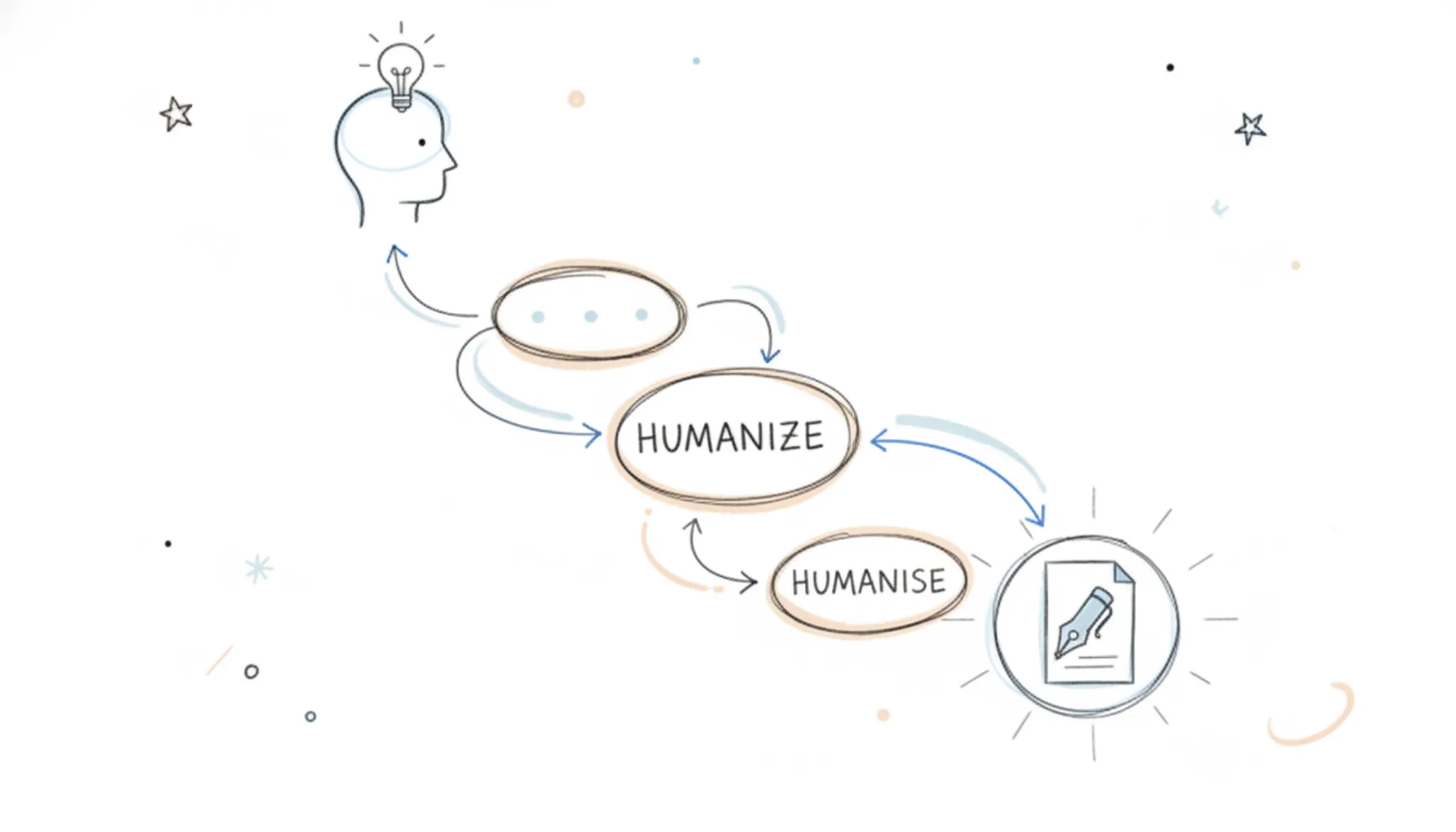
Humanize or humanise? Both are correct. Humanize is the American spelling and humanise the British one, and they mean the same thing. In AI writing, both describe rewriting machine-generated text so it reads naturally, which you can do by hand with the steps below or with an AI humanizer.
If you've typed "humanize" or "humanise" into a search bar, you already know the problem: AI detectors flag your writing, and the text reads like a robot wrote it.
The short answer: yes, but only if you understand what "humanizing" does. Most tools on the market just swap synonyms and shuffle sentence order, which fools weak detectors and leaves strong ones unimpressed.
Here's what you need to know before you trust any humanizer with your writing.
What Does Humanize or Humanise Mean in Practice?
Humanize (American spelling) and humanise (British spelling) both refer to the same process: rewriting AI-generated text so it reads like it was written by a person.
A good humanizer doesn't just change words. It changes the statistical fingerprint of the text. AI detectors like GPTZero and Originality score text based on perplexity (how predictable each word is) and burstiness (how much sentence length varies). Human writing scores high on both because people are unpredictable.
AI writing scores low because models choose the most probable next word every time.
Why Most Humanizers Fail the Test
Here's the honest trade-off most tools won't tell you about. Cheap humanizers use a simple thesaurus swap: they replace "important" with "crucial" and call it done. That approach has two problems.
First, it doesn't change sentence structure, which is where detectors find the strongest signals. Second, it often produces grammatically correct but semantically wrong text, because synonym substitution ignores context.
The other failure mode is over-correction. Some tools add so much randomness that the output becomes fragmented and hard to follow. You traded "sounds like AI" for "sounds like a drunk person wrote this at 2 AM." Neither is acceptable for a business email, a job application, or an academic submission.
What to Look For in a Humanizer
Before you commit to any tool, run it through these checks:
- Test with a strong detector. Don't trust the tool's own claim that it "passes all detectors." Run the output through GPTZero and Originality yourself. A tool that only passes one detector isn't doing real work.
- Read the output aloud. If it sounds unnatural when spoken, it will sound unnatural to your reader. Human writing has rhythm; AI writing has monotony.
- Check for meaning preservation. The rewritten text should say exactly what the original said. If key details, numbers, or names changed, the tool is too aggressive.
- Look at sentence length variance. Paste the output into a readability checker. Human writing typically mixes short punchy sentences with longer ones. Uniform length is a red flag.
How to Humanize AI Text Yourself in 5 Steps
If you want control over the result, you can do it manually. It takes longer, but you'll never worry about whether a detector will flag your work.
- Read the AI output once, then set it aside. Write the key points from memory in your own words. This breaks the AI's sentence patterns immediately.
- Vary your sentence lengths deliberately. Follow a long sentence with a short one. This creates the burstiness detectors look for.
- Add concrete details. AI writes in abstractions. Add a specific number, a named example, or a real-world reference. Humans do this naturally.
- Remove filler phrases. AI loves "it is important to note" and "in conclusion." Delete them. Real writers don't announce their transitions.
- Introduce one or two minor imperfections. A contraction here, a slightly informal phrase there. Perfect grammar is itself a signal of AI writing.
When to Use a Tool Instead of Doing It Yourself
Manual humanizing works, but it's slow. If you're rewriting a 2,000-word article or a batch of emails, you need a tool. The key is picking one that does structural rewriting, not just synonym substitution.
Word Spinner is the option we recommend for this job. It's a free AI writing assistant that humanizes AI-generated text by rewriting the structure, not just swapping words.
The free tier covers basic humanizing needs. The Pro upgrade handles unlimited rewrites, which matters if you're processing large volumes of content regularly.
The Verification Step You Should Never Skip
Whatever tool you use, always verify the output before sending it anywhere important. Run the humanized text through a detector yourself. Check that names, dates, and figures survived the rewrite intact. Read the first paragraph aloud to confirm it sounds like you, not like a machine pretending to be you.
The tools that pass this verification reliably are the ones doing structural work. The ones that fail are doing cosmetic work. That's the difference between trusting a humanizer and gambling with your reputation.
FAQ: Humanize vs Humanise
Is "humanize" or "humanise" correct? Both are correct. "Humanize" is the American spelling; "humanise" is the British spelling. Choose based on your audience's region. American readers expect "humanize," British and Australian readers expect "humanise."
Consistency matters more than which one you pick.
Will a humanizer make my text undetectable by all AI detectors? No tool guarantees this. Detectors improve constantly, and a determined detector can often identify AI text even after humanizing. The goal is to pass the detectors your audience uses, which most structural humanizers achieve. Verify with the specific detector your institution or employer relies on.
How long does it take to humanize a piece of text? A good tool takes seconds per paragraph. Manual humanizing takes roughly 10 to 15 minutes per 500 words, depending on how much restructuring the text needs.
Can humanizing change the meaning of my text? It shouldn't, but it can. Aggressive tools sometimes drop details or alter emphasis. Always compare the humanized version against the original for factual accuracy, with numbers, names, and technical terms.
Direct answer
AI detectors are getting sharper, and readers can spot robotic phrasing from a mile away.
The British spelling "humanise" and the American "humanize" refer to the exact same process. Both describe converting stiff, predictable AI prose into something a human would write.
Why AI Detectors Flag Your Writing
AI detectors like GPTZero, Turnitin, and Originality look for statistical patterns.
That's why asking ChatGPT to "write more naturally" rarely works. The model still defaults to its training patterns. You need a tool that actively breaks those patterns, or you need to rewrite manually with specific techniques.
Step 1: Choose Your Humanizing Method
You have three paths, and they're not equal:
Manual rewriting. You rewrite every sentence yourself, varying length, adding contractions, and injecting personality. This works but takes 20-30 minutes per page and requires genuine writing skill.
Prompt engineering. You ask the AI to rewrite with specific instructions like "vary sentence length" or "add personal anecdotes." This helps marginally but rarely fools sophisticated detectors.
Dedicated humanizing tool. A purpose-built tool like Word Spinner applies dozens of transformation rules automatically: breaking up repetitive structures, inserting natural transitions, and adjusting word choice. This takes seconds and produces consistent results.
For most business owners, job seekers, and students, the dedicated tool wins on speed and reliability. Manual rewriting is worth learning as a skill, but you don't want to hand-edit every email.
Step 2: Paste Your AI Text Into a Humanizer
Open your humanizing tool and paste the AI-generated text into the input field. Word Spinner's interface is straightforward: paste on the left, get humanized text on the right.
Before you paste, clean up obvious issues. Remove placeholder phrases like "as an AI language model," delete repetitive transitions, and cut any factual claims you haven't verified. Garbage in, garbage out applies here. A humanizer improves style, not accuracy.
Step 3: Run the Humanize Function
Click the humanize button and wait a few seconds. The tool rewrites your text with varied sentence structures, natural contractions, and more conversational phrasing.
The output should read like a competent human wrote it on a good day. Not overly casual, not stiffly formal, just natural. If the result sounds too informal for your context, most tools let you adjust the tone.
Step 4: Check With an AI Detector
This step is non-negotiable. Run the humanized text through an AI detector to verify it passes. Word Spinner includes a built-in AI detector, so you can check without switching tools. If you want a second opinion, run the same text through GPTZero or Originality.
Aim for a score below 20% AI probability on most detectors. If the text still flags, run it through the humanizer again or manually adjust the sentences the detector highlights.
Step 5: Add Your Personal Voice
Here's what no tool can do for you: inject your actual experience. After humanizing, read the text and add one or two personal touches. A specific example from your business, a relevant anecdote, a detail only you would know. This does double duty.
It makes the text undeniably human, and it makes the content more valuable to your reader.
For job seekers, this means replacing generic phrases with concrete accomplishments. For business owners, it means adding customer stories or lessons learned. For students, it means connecting the material to something you observed. These additions are what separate "humanized" from "genuinely human."
Step 6: Proofread and Verify Facts
Humanized text still needs a human review. Read it aloud to catch awkward phrasing. Check every fact, date, and statistic against a reliable source. Verify that names are spelled correctly and quotes are accurate.
A humanizer fixes style, not substance.
Word Spinner includes a grammar checker for this final pass, but don't rely on automated tools alone. Read the final version yourself. If a sentence sounds wrong to you, fix it. Your judgment is the last line of defense.
Step 7: Match the Format to the Context
Humanized text needs to fit its container. A LinkedIn post should read differently from a college essay, which should read differently from a client proposal. After humanizing, adjust the formatting:
- Emails: Keep paragraphs short, use a friendly greeting, and end with a clear call to action.
- Academic work: Maintain formal tone, cite sources properly, and avoid contractions if your professor requires it.
- Business documents: Use active voice, lead with conclusions, and keep jargon minimal.
- Blog posts: Break up text with subheadings, bullet points, and short paragraphs.
The humanizer gives you a solid draft, but you're responsible for making it fit the occasion.
What to Watch Out For
Humanizing tools have limits, and knowing them saves you trouble:
They can overcorrect. Some tools produce text that's too casual or full of awkward phrasing. Always review the output before using it.
They don't fix factual errors. If your AI source hallucinated a statistic, humanizing won't catch it. Verify everything.
They're not magic for terrible input. If your original text is a mess of contradictions, the humanized version will still be contradictory, just better written.
Detectors evolve. A text that passes today might flag tomorrow. For high-stakes work, run the detector check again before submission.
Word Spinner's Approach to Humanizing
Word Spinner handles the full workflow in one place. You paste AI text, click humanize, check the AI detector score, and run a grammar pass without switching between five different tabs.
The tool's humanizer works across English variants, so whether you write "humanize" or "humanise," you get the same quality. It also handles mixed content, like business documents that combine technical terms with conversational sections, without flattening the voice.
Frequently Asked Questions
Does humanizing AI text actually bypass AI detectors?
Yes, when done properly. Dedicated humanizers like Word Spinner specifically target the statistical patterns detectors measure, increasing perplexity and burstiness. Running the output through a detector afterward confirms it works. No method is 100% guaranteed forever, since detectors keep improving, but current humanizers pass consistently.
How long does it take to humanize a page of AI text?
With a dedicated tool, about two minutes for a standard page. Paste the text, click humanize, check the detector score, and add your personal touches. Manual rewriting takes 20-30 minutes per page and produces less consistent results.
Is using a humanizer considered cheating?
It depends on your context. For academic work, check your institution's policy on AI assistance. Many schools now allow AI tools with disclosure. For business content, humanizing is standard practice, you're improving quality, not deceiving anyone.
The ethical line is about passing off AI work as your own without disclosure where required.
Can I humanize AI text for free?
Yes. Word Spinner's free tier lets you humanize a limited amount of text without paying, which is enough to test the quality. The Pro plan removes usage limits for regular use. Several other tools also offer free trials, so you can compare before committing.
Start With a Short Test
Before you commit to any workflow, run a test. Take a paragraph of AI-generated text, humanize it with Word Spinner, and run it through an AI detector. Compare the original and the humanized version side by side. You'll see the difference immediately: varied sentence lengths, natural contractions, and a voice that sounds like a person, not a language model.
Once you see the results, you'll have a clear answer about whether humanizing is worth adding to your writing process.
What you'll need to humanize or humanise text
The usual advice is to run text through a humanizer and be done, but most tools swap words without fixing sentence rhythm, so you still need to proofread.
- Your original AI text, At least a full paragraph; humanizers need context to rewrite coherently.
- A humanizer tool, Word Spinner or a free alternative from the list above.
- A readability checker, The Grammarly tool or similar to compare Flesch-Kincaid grade level before and after.
- Your target tone, Decide casual, professional, or academic. This affects how you adjust the output.
- 15-20 minutes for a 500-word piece to review and touch up.
How to Humanize or Humanise AI Text in 5 Steps
What Does Humanize or Humanise Mean in Practice?
Humanize (American spelling) and humanise (British spelling) both mean the same thing: making AI-generated text sound like it was written by a person.
What You'll Need to Humanize or Humanise Text
The usual advice is to run text through a humanizer and be done, but most tools swap words without fixing sentence rhythm, so you still need to proofread. Here's what helps:
- The original AI text you want to fix, pasted into a document where you can edit freely.
- A humanizer tool like Word Spinner to do the heavy lifting on sentence structure and vocabulary.
- An AI detector to verify your results, such as GPTZero or Originality.
- A grammar checker for a final pass, since humanized text can introduce small errors.
The 5 Steps to Humanize or Humanise Text
Follow these steps in order. Each one produces a visible change you can check before moving on.
Step 1: Run the text through a humanizer tool
Paste your AI-generated text into Word Spinner and select the humanize option. The tool rewrites your content to increase burstiness and perplexity, varying sentence lengths and replacing robotic phrasing with natural alternatives.
Step 2: Read it aloud and mark awkward spots
Read the humanized text out loud. Your ear catches what detectors can't: clunky transitions, unnatural word order, and phrases you'd never say. Mark every spot where you stumble or where the rhythm feels off. These are the sentences that need manual attention.
A good rule of thumb: if you wouldn't say it in a conversation, rewrite it.
Step 3: Vary sentence length and structure manually
AI text tends toward uniform sentence lengths, often 15 to 20 words each. Fix this by hand. Break one long sentence into two short ones. Combine two short sentences into one longer one.
Change your sentence openings so they don't all start with "The" or "This" or a noun.
Step 4: Add personal details and specific examples
Generic AI text says "many businesses struggle with this." Human text says "our bakery lost three regular customers last month because our order confirmation emails sounded like canned responses." Add concrete numbers, real names, specific dates, or actual experiences.
Step 5: Run the detector and iterate
Paste your edited text into an AI detector. If it still flags content, go back to step 3 and vary more sentences. If it passes, you're done. Expect to iterate two or three times on longer pieces.
Common Mistakes When Humanizing Text
The biggest mistake is relying on a humanizer tool alone and skipping the manual pass. Tools fix patterns, but they can't add your voice or your experience. The second mistake is over-correcting: making text so informal or choppy that it reads worse than the original. The goal is natural, not sloppy.
The third mistake is ignoring the detectorentirely.
Implementation checklist
If you've typed "humanise" with an s instead of a z, you're probably not American, and you're probably writing for a UK, Australian, or international audience. The good news: humanise and humanize are the exact same word, just different regional spellings.
The spelling you choose matters for one practical reason: consistency. If your resume, your business proposal, or your student essay uses British spellings like "colour" and "organise," then "humanise" fits right in. Mixing "humanize" with "colour" looks sloppy to a careful reader. Pick the variant that matches your audience's dialect and stick with it everywhere.
For the rest of this guide, we'll use humanise with an s, since that's the spelling most of our international readers will search for.
What You'll Need to Humanise Text
You don't need much to get started. Here's the short list:
- Your AI-generated draft. Paste it into your editor of choice, whether that's Google Docs, Microsoft Word, or a plain text file.
- A humanising tool. We'll use Word Spinner in the steps below because it's free and handles both spellings. Any decent humaniser will do, but you'll want one that rewrites whole sentences, not just swaps individual words.
- Ten minutes of your time. Humanising is a review pass, not a full rewrite. You're fixing rhythm and flow, not rebuilding the argument.
How to Humanise AI Text in 5 Steps
If you've typed "humanise" into a search bar, you already know the problem: AI detectors flag your writing, and the text reads like a robot wrote it. Here's the fix, step by step.
Step 1: Run your text through a humaniser.
Paste your draft into Word Spinner and select the humanise option. The tool rewrites your sentences to break the predictable patterns AI models produce: the uniform sentence length, the overuse of "delve" and "leverage," the perfectly balanced clauses.
Step 2: Read it out loud.
This is the step most people skip, and it's the one that separates good humanising from great humanising. Read your rewritten text aloud. Your ear catches what your eye misses: a sentence that's too long, a phrase that sounds stiff, a transition that feels abrupt. Mark anything that makes you stumble.
The spelling difference between humanize and humanise doesn't affect tool performance
Many users ask whether they should type "humanize" or "humanise" when using an AI humanizer. The answer: it doesn't matter. Tools like Word Spinner, Grammarly, and ZeroGPT process both spellings identically. The only real consideration is your audience: use "humanize" for US English readers and "humanise" for UK or Commonwealth audiences.
Conclusion
The spelling difference between humanize and humanise is purely regional, not technical. Humanize is the standard American English spelling, while humanise is the standard British English spelling.
What matters is consistency. Pick one spelling and stick with it throughout your document, your resume, your website, or your email. Mixing humanize and humanise in the same piece looks careless to a careful reader, and it can undermine the credibility you are trying to build by humanizing your writing in the first place.
If you are writing for an American audience, use humanize. If you are writing for a British, Australian, or other Commonwealth audience, use humanise.
For the actual task of making AI text sound more natural, the spelling you type does not change the outcome. Whether you search for "humanize AI text" or "humanise AI text," you are looking for the same thing: a tool that rewrites robotic-sounding prose into something a person would write. The Word Spinner humanizer handles both queries identically, because the underlying process is the same regardless of which regional spelling you prefer.
The real decision is not humanize versus humanise.