
How to use spinner chat to rewrite and humanize your AI text in 5 minutes
Every AI draft reads identically. The sentences run to the same length, the vocabulary stays safely mid-range, and an AI detector flags it within seconds. You know it was not written by a person, and so does anyone who reads it. Your next step is usually the slow, tedious job of rewriting the whole thing by hand.
Spinner chat is the faster route. You feed your AI draft into a chat-driven rewriting workflow that breaks up the uniform rhythm, replaces the telltale AI vocabulary, and returns text that reads like you wrote it, in about five minutes.
Word Spinner pairs that chat workflow with a dedicated humanizer, which makes it the most direct way we know to get a natural draft.
Key takeaways
Spinner chat is an ambiguous search term. Search it and you will find random wheel pickers that choose names by chance, alongside chat-based text spinners that rewrite AI copy into natural prose. The wrong pick wastes your session.
- Rewrite any AI-generated draft in about five minutes by pasting it into the chat and asking for a natural rewrite.
- Humanize the output so it reads like you wrote it, not like it came from a machine.
- Verify every name, number, and fact after rewriting. The wording changes, the content should not.
Match the tool to your goal: spinner chat for rewriting, a wheel spinner for chance picks.
What is the fastest spinner chat workflow for AI text?
Word Spinner AI Chat is the fastest spinner chat workflow for humanizing AI text: paste your ChatGPT draft into the chat, ask for a rewrite in a natural first-person voice, and it reads like a person wrote it. AI Chat gives the most direct answer to the task because rewriting and humanizing happen in one pass, keeping the whole job under 5 minutes. There is no signup, and you can try it immediately without paying anything.
If you want to keep your original wording, the standalone AI Humanizer strips out the AI patterns instead.
What is spinner chat?
Spinner chat is a chat-based tool that rewrites AI-generated text so it reads naturally, often used to bypass AI detection. Unlike wheel spinners such as those on Spin the Wheel or Wheel of Names, which pick entries by chance, a spinner chat transforms text through conversation. You paste your AI-written content into the chat, and the tool rephrases it with varied vocabulary, adjusted sentence structure, and a more organic flow.
The key difference is that spinner chat works interactively: you can give specific instructions like "make this more casual" or "rewrite this for a college application," and the chat responds with a tailored rewrite. That makes it far more flexible than traditional one-click spinners that produce generic output.
Word Spinner offers a dedicated AI Chat that serves exactly this purpose. It pairs rewriting with a conversational interface, so you can iterate on the output until it matches your voice. The chat keeps context across messages, allowing you to refine a single piece of text through multiple rounds without losing the thread.
What happens when spinner chat rewrites your AI draft?
Spinner chat takes the text you paste in and rebuilds it sentence by sentence, replacing the patterns that make AI writing recognizable with the rhythm of a human writer. The output is not a word swap. The tool parses your draft, flags the uniform sentence lengths and overused transitions, and generates a new version that keeps your facts while changing phrasing and voice.
See the difference in one example. A ChatGPT opening like "It is important to consider the benefits of this approach" becomes "Here is why this approach wins." The first sentence is 12 words of padding; the second is six words with a real claim. That shift in sentence length is exactly what a detector looks for, and it is exactly what the rewrite removes.
The chat format adds what a plain rewriter cannot: direction. With Word Spinner AI Chat, you can say the draft reads too stiff and ask for a more casual tone, or request a punchier opening, and it rewrites to fit. A second pass works too, so you can tighten a still-mechanical result on the spot.
Word Spinner's AI humanizer runs the same rewriting engine without the conversation, which is the faster route when you have several paragraphs and want consistent output.
Two checks matter in any rewrite. Confirm that every name, number, and date survived. Then read the first and last sentence of each paragraph, because humanized text usually still shows its origins there; if the rhythm repeats, run it once more.
The search term itself points in two directions. Chat Spinner is an unpredictable chatbot, and EasySpinWheel is a picker wheel, and neither rewrites text. The spinner chat that changes your draft is the one that matters.
How to use spinner chat step by step
Spinner chat lets you rewrite and humanize AI-generated text in a few clicks, without switching tools.
- Open spinner chat: Go to the Word Spinner website and select the AI Chat tool from the menu. No sign-up is required to start.
- Paste your AI text: Copy the text you want to humanize and paste it into the chat input box. This could be a ChatGPT response, a draft from another AI writer, or any machine-generated content.
- Choose a rewrite command: Type a clear instruction like "Rewrite this to sound more natural and human" or "Humanize this text." Spinner chat processes your request and returns a revised version within seconds.
- Review the output: Read the rewritten text. It should remove common AI tells like repetitive sentence structures, overly formal phrasing, and unnatural transitions. If the result still reads stiff, ask for another pass.
- Refine with follow-up messages: Give specific feedback for the best result. For example, "Make it more conversational" or "Use simpler vocabulary." Each iteration improves the human feel.
- Copy and use: Once satisfied, copy the final text and paste it into your document, email, or blog post. The entire process takes under five minutes. For more advanced rewriting strategies, check out our guide on 7 spinner paraphrases that actually change your result.

What features does spinner chat have?
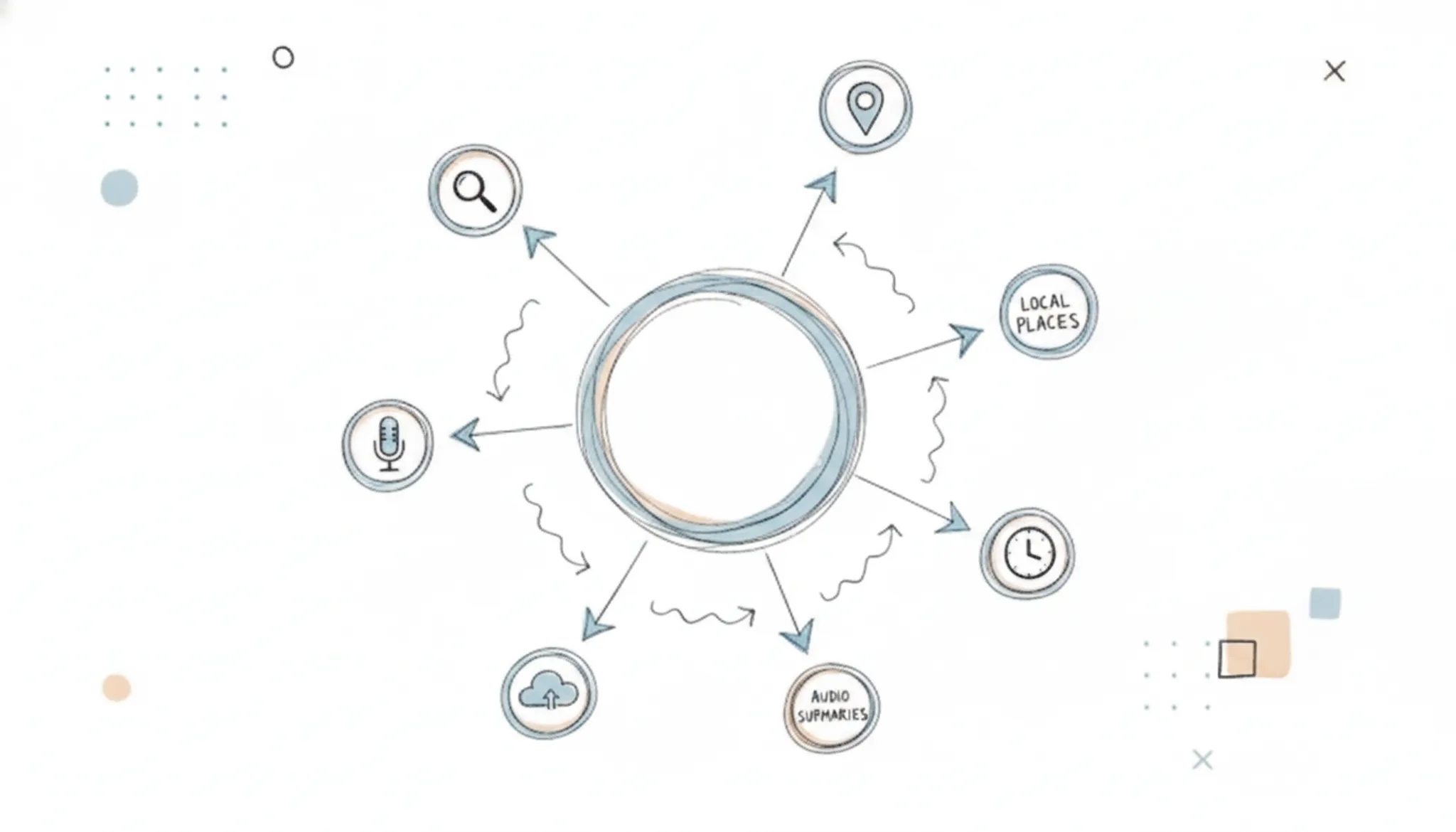
A useful spinner chat does three jobs: rewrite AI text into natural prose, control the voice and tone of the result, and show whether the output still reads as machine-written. Word Spinner AI Chat does all three in one window with no signup.
Instant rewriting with tone control is the feature you will lean on most. Paste a ChatGPT draft, ask for a rewrite in a casual, professional, or first-person voice, and the chat returns a version that keeps your meaning while dropping the stiff sentence patterns typical of AI output. A follow-up line or two can push it further until it reads like you.
AI detection feedback makes the loop practical. Run the rewritten text through Word Spinner's AI detector to see whether the humanizing worked, then send the remaining telltale phrases back into the chat for another pass. That cycle is what turns a rough rewrite into text that passes originality checks.
The same toolkit covers grammar checking and email drafting from short notes. For the specific rewriting settings that change your result the most, the seven spinner tweaks that actually change your result are a good place to start.
What are the best use cases for spinner chat?
Spinner chat is most useful when you need to quickly rewrite AI-generated text into natural, human prose without starting from scratch. The tool handles the heavy lifting of rephrasing while you focus on the message itself.
- Academic writing: Students use spinner chat to paraphrase research paper abstracts and discussion sections, making the language flow more naturally while keeping the technical meaning intact. The tool helps avoid the stiff, repetitive phrasing that AI detectors flag.
- Content creation: Bloggers and marketers rely on spinner chat to turn ChatGPT drafts into publishable articles. It smooths out awkward transitions and replaces overused phrases. Adjusting the tone to match a specific audience is straightforward with Word Spinner Chat.
- Business communication: Professionals use spinner chat to polish emails, proposals, and reports. It removes robotic language and adds a conversational touch, which is especially useful when you need to come across as genuine in client-facing messages.
- Creative writing: Authors and social media managers use spinner chat to generate engaging narratives and captions. It helps maintain a consistent voice across different platforms while ensuring the text reads original and lively rather than formulaic.

Best practices for getting the most out of spinner chat
The key to effective spinner chat is treating it as an iterative rewriting partner rather than a one-click fix. Start by pasting your AI-generated draft into the chat and giving it a clear instruction: specify the target tone (conversational, professional, academic) and any constraints like word count or audience. The more context you provide, the fewer rounds of back-and-forth you will need.
After spinner chat returns a rewrite, read it aloud. If a sentence feels stiff or still carries that telltale AI rhythm, ask for a second pass on just that paragraph. Word Spinner's humanizer tool is a good final step for catching leftover patterns like overused transitions or unnatural word choices. A useful workflow: run the text through spinner chat for structure and flow, then through the humanizer for surface-level naturalness.
Avoid over-humanizing. If you strip out every formal phrase or add too many colloquialisms, the result feels forced. Keep the original meaning intact; the goal is to make the text read like a competent human wrote it, not to disguise it beyond recognition. When in doubt, compare the output side by side with something you wrote from scratch and adjust your request accordingly.

Spinner chat options compared
Compare the real ways to humanize AI text on three criteria: workflow fit, main strength, and the trade-off you accept.
| Option | Best for | Key trade-off |
|---|---|---|
| Word Spinner AI Chat | Turning a pasted ChatGPT draft into natural first-person prose in minutes | Free version covers light use; Pro is $8/month for unlimited rewriting |
| ChatGPT | Producing a fresh rewrite from a detailed style instruction | Default output still reads like AI unless you add strong voice and style guidance |
| QuillBot | Sentence-level paraphrasing with adjustable synonym strength | Longer text can feel repetitive and mechanical after paragraph-by-paragraph rewrites |
Start with Word Spinner AI Chat when the draft is already written and you want a natural result in one pass. Use ChatGPT only when you need a rewrite built from scratch, and QuillBot for word-level edits. Pick the row whose trade-off you accept.
What are the risks of using spinner chat?
The main risks of using spinner chat are detectable output, distorted meaning, and policy trouble. No rewriting tool can guarantee your text passes AI detection, so treat any claim of invisibility with suspicion.
The biggest practical risk is factual drift. When a tool rewrites a ChatGPT draft sentence by sentence, it can shift emphasis, blunt a technical term, or change a number's context. An "increase of 40 percent" can quietly become "a significant rise," and a date like "March 2024" can turn into "last spring." Read the output against the original, especially for dates, prices, and job titles.
Integrity rules are the second risk. Submitting rewritten AI text as your own work can breach a school's academic policy or a client's content agreement, even if no detector flags it. Check the rules before you publish.
Watch for three warning signs in the output:
- Over-repetition: every paragraph follows the same rhythm.
- Lost specifics: names and figures disappear during the rewrite.
- False positives: your human writing gets flagged by ZeroGPT or originality.ai.
Fact-check, edit once more, and you keep the speed without the risk.
Expert tip: spinner chat only rewrites what you give it
Spinner chat improves your phrasing, but it cannot rescue a draft with nothing in it. Paste a vague ChatGPT paragraph into Word Spinner AI Chat, ask for a natural rewrite, and you get smooth prose that still says nothing.
The usual advice is to paste your AI draft and let the chat handle it. That works when the source has specifics: a number, a name, a concrete detail. When the source is generic filler, the condition changes. Add one real detail about your situation, such as your audience or the point you want to land, and the rewritten text keeps that anchor.
The best spinner chat session is the one where you contribute one sentence before you press send.
Frequently asked questions about spinner chat
Is spinner chat free?
Yes, and you can start without paying anything. Word Spinner is a free AI writing toolkit, and its AI Chat rewrites AI text at no charge. The free tier handles ordinary rewriting sessions, while the Pro subscription at $8 per month unlocks unlimited access for heavier workloads. Test the free version on your own drafts before you spend money.
How long does spinner chat take to rewrite text?
A paragraph rewrites in a few seconds, and a full page takes under a minute. The rewrite itself is the fastest part of the workflow. Reviewing the result so it still says exactly what you mean fills the rest of your five minutes.
Will spinner chat change the meaning of my text?
It can if you skip the review. The tool replaces words and reorders sentences, which can drop a detail or shift a nuance. Ask for dates and technical terms to stay unchanged, then compare the rewrite with the original before you publish.
Does spinner chat work on ChatGPT text?
Yes, ChatGPT output is the most common input for spinner chat. ChatGPT drafts show telltale AI patterns: balanced sentences, generic transitions, and a neutral tone. Paste the draft into the chat, request a rewrite in your own voice, and the meaning stays while the machine-written style disappears.
Do I still need to edit the rewritten text?
Yes. Spinner chat produces a draft, not a final document. You still verify names, numbers, and facts, and you smooth any sentence that does not read like you. The tool removes the heavy lifting of rewriting from scratch; it does not replace your judgment.
Does spinner chat work in languages other than English?
Yes. Word Spinner handles multiple languages, including Spanish, French, German, and Chinese. The rewrite engine adjusts sentence structure and word choice for each language's natural patterns. Paste text in any supported language, request a rewrite, and the output reads like a native speaker wrote it.
Test it on a short paragraph in your target language first.
Does spinner chat work on long-form content like research papers or reports?
Spinner chat handles documents up to several thousand words in a single session. For a research paper, paste each section separately and request rewrites that preserve citations and technical terms. The tool keeps the core meaning intact while removing repetitive AI phrasing common in long-form drafts. Review each section after rewriting to catch any dropped references.
Can I control the tone or style of the rewrite?
Yes. In the chat, specify the tone you want: formal, casual, persuasive, or instructional. For example, ask "Rewrite this in a conversational tone" or "Make this read more professional." The tool adjusts vocabulary and sentence rhythm accordingly.
Experiment with different requests on the same paragraph to see which tone fits your audience best.
Final verdict: what to do with spinner chat next
Verdict: Word Spinner is the spinner chat workflow worth using. Its AI Chat rewrites and humanizes AI text in minutes, and the toolkit also includes the checking step you need before publishing.
Your decision matters more than the tool itself. Decide first whether rewriting is even allowed in your context, then pick the workflow: paste your AI draft into Word Spinner, choose a natural tone, and run the output through its detector before you publish. That loop catches the two failure modes above: mechanical phrasing and detectable output.
Choose differently only if your draft is just an outline with no real content. No rewriting tool can add substance; start with research first, then use spinner chat to polish. For everything else, Word Spinner is the fastest route to natural text.
Sources
- Word Spinner AI Chat
- Word Spinner AI Humanizer
- Chat Spinner
- ZeroGPT
- originality.ai
- Wheel of Names
- Spin the Wheel