
How to humanize AI text and make it sound naturally human
AI-generated text has a tell. The sentences are perfectly balanced, the vocabulary is predictably formal, and it lacks the rhythm of natural speech. If you have ever pasted ChatGPT output into an email and felt it sounded flat, you already know the problem.
Learning to humanize AI text means fixing those tells so your writing sounds like you, not a language model. Word Spinner is built to rewrite that stiff output into something that sounds natural.
How do you humanize AI text?
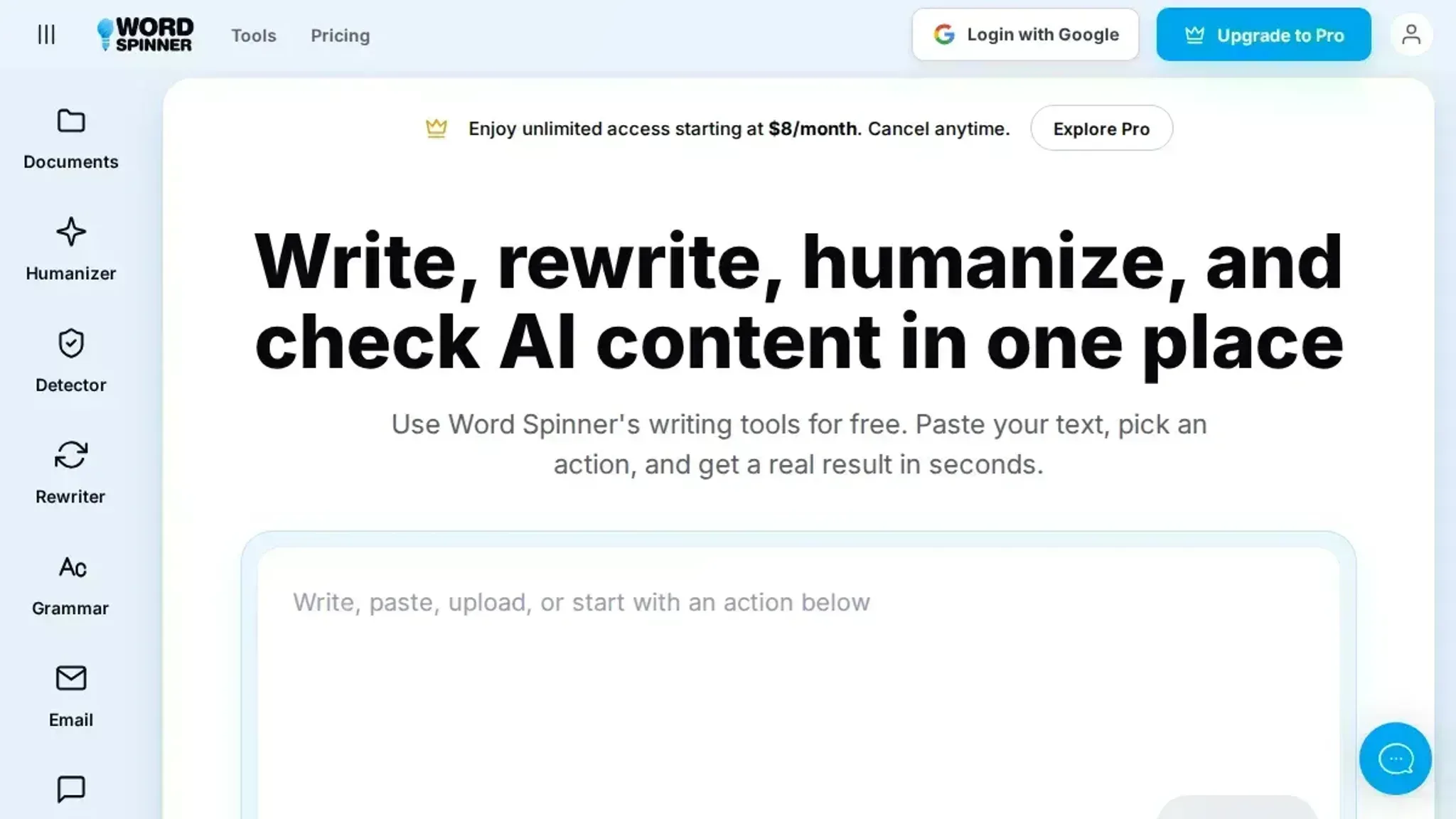
Use a dedicated AI humanizer tool like Word Spinner. These tools rephrase AI-generated sentences to remove repetitive patterns, add natural variation, and adjust tone. Free alternatives like Grammarly's AI humanizer also work, but Word Spinner's free tier requires no signup and includes an AI detector to verify the result. Read more about AI detection on the Word Spinner blog.
What you'll need
Before you humanize AI text, gather these. The usual advice to use a humanizer works for most text, but legal or technical content often needs manual rework afterward because the tool simplifies specialized terms.
- Your AI-generated text ready for humanizing
- A humanizer tool like Word Spinner (free, no account)
- Original sources to verify factual accuracy post-humanization
- A defined audience to keep tone consistent

How to humanize AI text step by step
Have your AI-generated text open in a document so you can make changes as you go.
- Run your text through an AI detector: This gives you a baseline. Paste your content into a tool like ZeroGPT or the detector built into Word Spinner. Note the percentage flagged as AI-written. That number tells you which sections need the most work and gives you a metric to track improvement.
- Use a humanizer tool to rewrite flagged sections: Tools like Grammarly's AI humanizer or QuillBot's humanizer can rephrase sentences to sound more natural. Word Spinner's humanizer adjusts vocabulary and sentence structure while preserving meaning. The result should be text that flows more like a human wrote it, with fewer of those telltale AI rhythms.
- Replace AI vocabulary with everyday words: Look for words like "leveraging," "utilizing," "foster," "navigate." Swap them for simpler alternatives: "using," "help," "build," "handle." For example, change "leverage our platform to foster collaboration" to "use our platform to help teams work together." This single step often drops the AI detection score by 10-20%.
- Add personal examples or specific details: AI text tends to stay generic. Insert a short anecdote, a specific number, or a real-world scenario. If you are writing about productivity, say "I cut my email time by 30 minutes a day" instead of "improve efficiency." The concrete detail signals human experience.
- Vary sentence length and structure: AI often produces sentences of similar length. Read your text aloud. If every sentence is about the same length, break up long ones and combine short ones. Aim for a mix of 10-word and 25-word sentences. This rhythmic variety is one of the hardest patterns for AI to replicate.
- Check with an AI detector again: After rewriting, run the text through the detector a second time. If the AI score is still high, focus on the remaining flagged sentences. Repeat the humanizer step for those. You want the score to drop below the tool's "likely human" threshold.
- Get a human review: Ask a colleague or friend to read the text and mark anything that sounds robotic. Fresh eyes catch patterns you miss, like overused transition phrases or unnatural word choices.
The most common mistake is skipping the detector check after rewriting. Always verify your changes actually reduce the AI score before calling it done.
Humanize AI text checklist: verify before you publish
Work through these checks in order once you finish the step-by-step process. Each row has a visible pass signal, so you can mark it done with confidence.
| Task | Why it matters | Done |
|---|---|---|
| Paste your draft into Word Spinner and read the rewritten version line by line | Removes the repetitive phrasing detectors flag first | |
| Swap every overused AI word, such as delve, crucial, moreover, or landscape, for a plain synonym | Those words are the fastest tell a reader or detector will notice | |
| Insert one concrete detail, number, or personal example the AI could not have invented | Specifics are the strongest evidence of a human writer | |
| Read the text aloud and flag any sentence over 25 words, plus any run of three same-length sentences | Human writing varies in rhythm; even cadence reads as machine text | |
| Run the finished text through an AI detector and check the result says human, not AI | A neutral second opinion beats guessing | |
| Compare the final version with your original draft for meaning shifts | The rewrite must say what you meant, not just sound different |
One closing tip: if a single sentence still feels stiff, rewrite it from memory instead of editing it in place. That keeps the meaning intact, just as spinning words without losing meaning does.
Expert tip: Humanize AI text with audience awareness first
The usual advice is to add contractions, varied sentence length, and occasional imperfections. But if your audience is technical, over-humanizing can actually hurt credibility. Engineers and researchers expect precise, consistent terminology. In that case, a slightly more formal tone that still avoids robotic repetition works better than forced casualness.
Match the expected tone of your readers, not just a generic "human" sound. For more on tailoring tone, see the Word Spinner blog.

Frequently asked questions about humanizing AI text
What is an AI humanizer?
An AI humanizer is a tool that rewrites machine-written text so it reads natural and varied. It targets the tells of AI output: even cadence, predictable word choices, and repetitive phrases. That is different from paraphrasing, which only swaps synonyms.
Will humanized AI text pass AI detectors?
Usually, but not always. AI detectors like originality.ai flag text that is too predictable, so humanized text with varied sentence length, contractions, and personal details scores better. Run the detector again and rework anything it flags. For deeper guidance, check the Word Spinner blog.
Can I humanize AI text for free?
Yes. Word Spinner's AI humanizer is free to use, including a free plan with no signup required for standard use. For unlimited rewriting, the Pro plan starts at $8 per month.
How long does it take to humanize a paragraph?
Under a minute with a tool. Paste the text in, run the humanizer, and read the rewrite to confirm it sounds like you. Hand-checking it yourself takes longer, usually 5 to 10 minutes per page.
Final verdict: humanize AI text with Word Spinner
When you need polished, natural-sounding text without the AI tell, Word Spinner is the most direct route from draft to publish. Paste your text, run the humanizer, and check the result against the checklist above before you send it anywhere.
The next step is simple: test the free tool on the Word Spinner homepage with one paragraph. If you work entirely offline or prefer manual editing, the checklist alone gets you most of the way. Everyone else saves time with the humanizer.